


A scenario may arise where a user does not have a continuous Internet connection to run the cloud-based online licenses of RFEM 6, RSTAB 9, or RSECTION.
In order to launch these programs initially, the user must have an initial connection to the Internet. The license will then be active over the default 24 hours during which no Internet connection is required. After 24 hours, an Internet connection is needed again to renew access for an additional 24 hours.
However, we now have the option to check out a license for up to 30 days, during which time a constant Internet connection is not required to run the programs successfully. To select a longer time period beyond the default 24 hours, users can simply select the loan date directly in the License Manager.
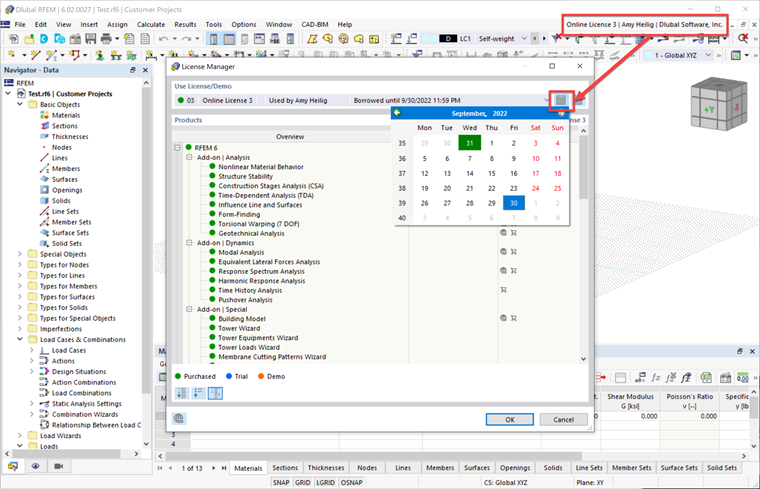
Please note that borrowing a license binds it to your PC fingerprint. During the loan period, this fingerprint must not change. Imagine that your PC is the virtual key.
This virtual key is based on the unique combination of your PC's components. The following components are checked:
- Motherboard
- CPU
- Storage
- Host Machine
- Memory
- Operating System
- Virtual Machine Metrics
If you "lose" this fingerprint, the license sticks to the old components. If you do not manage to restore this fingerprint, the license remains blocked until the loan period ends.
After the selected time period has expired, an active Internet connection is required to renew the license for an additional period.