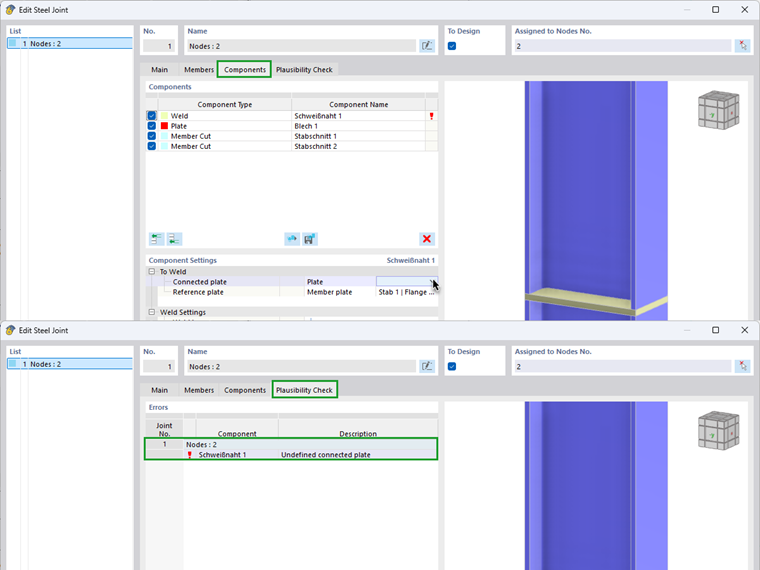
The message “Undefined component” indicates that a component is accessing a reference that is not available at the time of processing.
In the Steel Joints add-on, all components are processed strictly in sequence from top to bottom. A component can only access structural components that have already been defined above it in the component list.
For example, if a plate is located below a weld in the component list, the weld cannot access this plate. In this case, the symptom usually occurs beforehand, meaning that the plate is not available or is grayed out in the selection box. If the configuration is checked anyway, the message “Undefined component” or “Undefined connected plate” appears in the plausibility check.
Although the plate is geometrically visible, it does not yet exist from an internal processing point of view. The cause is therefore the order of the components.
Since the order of the components is crucial, it is necessary to create the referenced component before the referencing component. If this is not the case, you need to delete the component in question and recreate it in the correct order.