Advantages of Grasshopper Interface
Grasshopper provides a suitable environment for developing the initial design concept. Thanks to its visual scripting environment, parametric model design is accessible even to users without programming knowledge. The direct visibility of the parametric model geometry also facilitates interdisciplinary evaluation and further development of the design. By parameterizing the geometry, changes and variant analysis can be implemented with minimal effort.
Using the Dlubal plug-in for Grasshopper, the design model can be extended to include an analysis model within the Grasshopper environment. This utilizes the existing parameterization for the structural model in RFEM 6. This integration allows for consideration of structural aspects early in the design phase and for direct derivation of the structural analysis and design for various model variants.
The following diagram illustrates a possible workflow between RFEM 6 and Grasshopper.
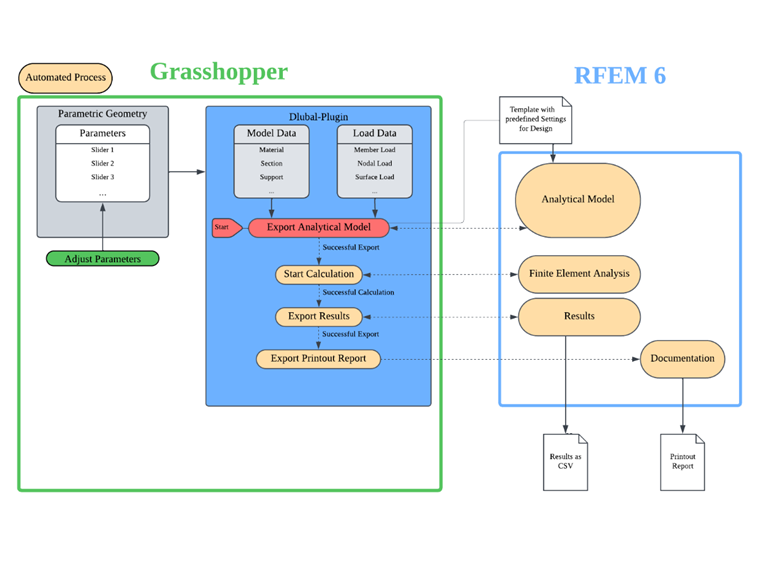
The implementation of the individual steps in the workflow is discussed in more detail below.
Parametric Geometry
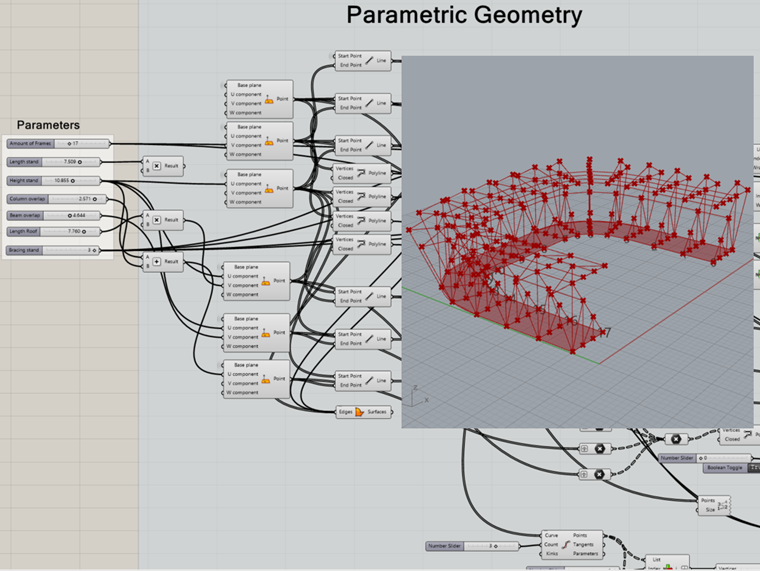
The geometry is generated using Grasshopper components, or an existing model can be used as a basis. The lines and surfaces are required as geometry input for the components of the Dlubal plugin.
Dlubal Plugin
Dlubal-specific model and load data can be defined using various components and linked to the parametric Grasshopper geometry. The design model is thus extended to include an analysis model. The component structure follows the definition logic of RFEM 6. For example, defining a member requires a cross-section and a material.
Model Data
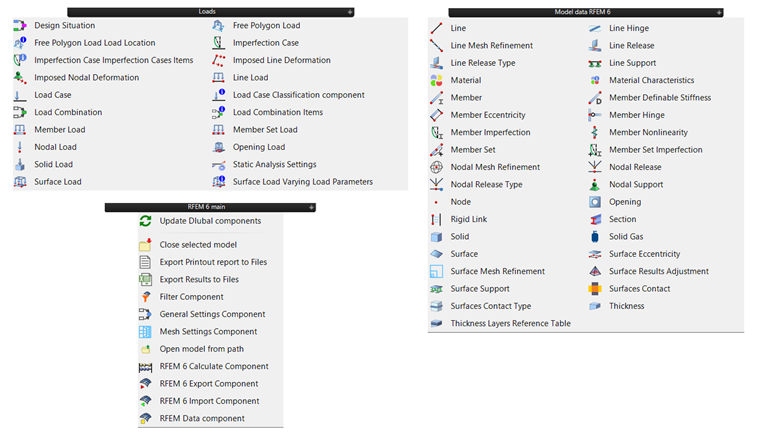
The model data is used to add properties to the parametrically defined geometry for an analysis model (for example, material, cross-sections, members, hinges, supports, eccentricities, and so on).
Properties that are selected from a list in RFEM must also be selected in Grasshopper using Value lists.

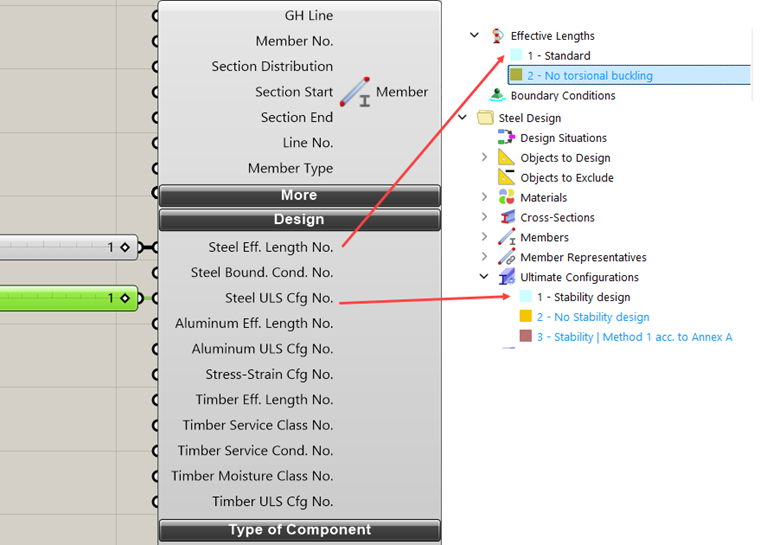
Design Properties
In Grasshopper, the design properties are defined solely by their index numbers. To this end, information such as effective lengths, boundary conditions, and the ultimate configuration are predefined in an RFEM template and accessed from within Grasshopper. The process of creating a template is explained in the Template for RFEM section.
Load Data
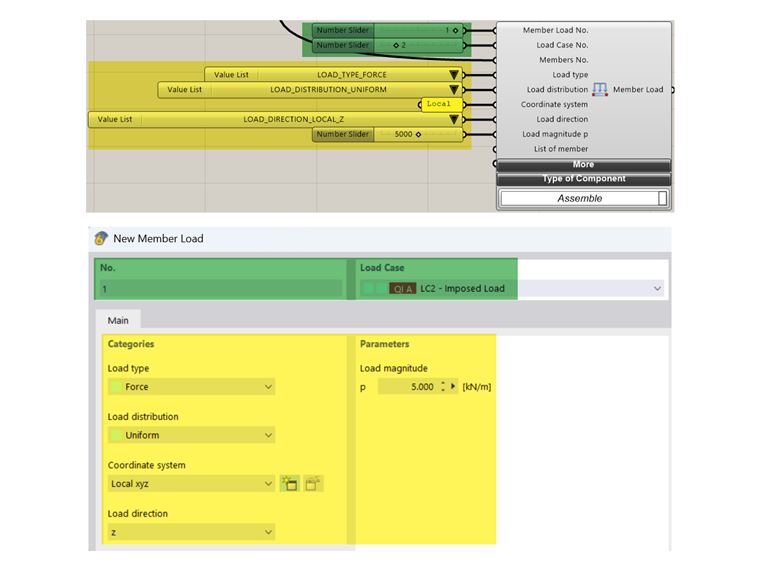
The load data can be used to define the combinatorics (for example, load cases, design situation, load combination) as well as the loads (for example, node, line, member, member set, surface, and solid loads).
To define a load, a load case is always required using RFEM. To define a load case, it is necessary to create structural analysis settings and specify an action category for classifying the load cases. The required Grasshopper components are available for this purpose. However, the complete load case classification and load combination can also be predefined in an RFEM template. In Grasshopper, only the load case number for the loads and the relevant load parameters are stored.
Template for RFEM 6
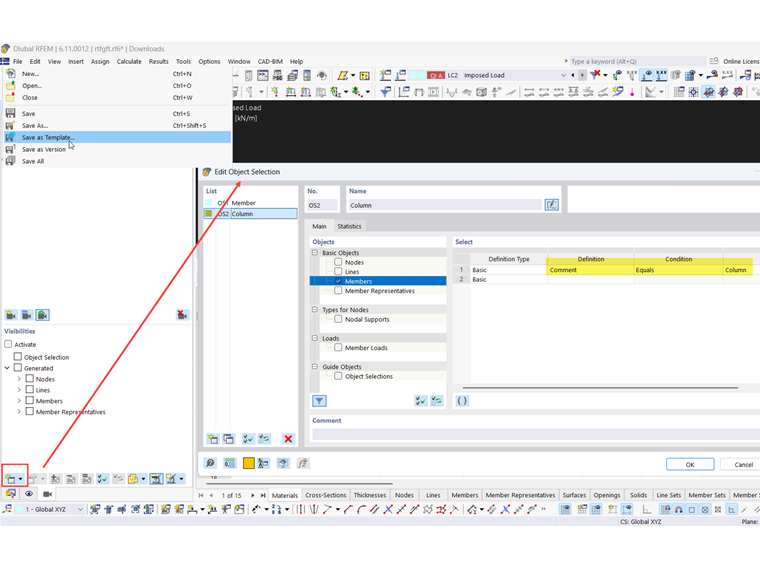
In an RFEM template (*.ft6 file), you can define RFEM elements that will also be available in every new model created using this template. It is necessary to create a model template in RFEM first:
To control the design process, the required add-on is activated in the template, standards are specified, and the corresponding design properties are defined, which are then assigned in Grasshopper using their index numbers.
Object Selections
Object selections can also be defined in a template, for example, by filtering objects based on a comment. If a comment is added to a Dlubal component, all objects with that comment will appear in the predefined object selection.
Result Tables
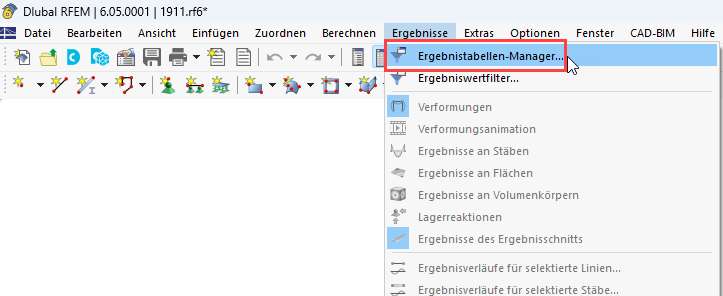
The results exported from the “Export Results to Files” component always refer to the result tables in RFEM 6. In the Result Table Manager, you can specify which results are exported using this component.
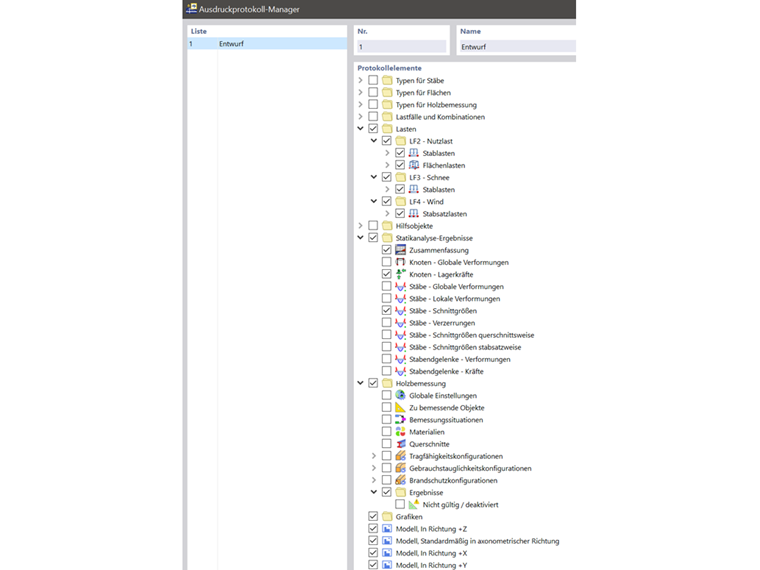
Printout Report
Required views, as well as model and result documentation, can be stored in the template using the printout report manager.
Export Settings
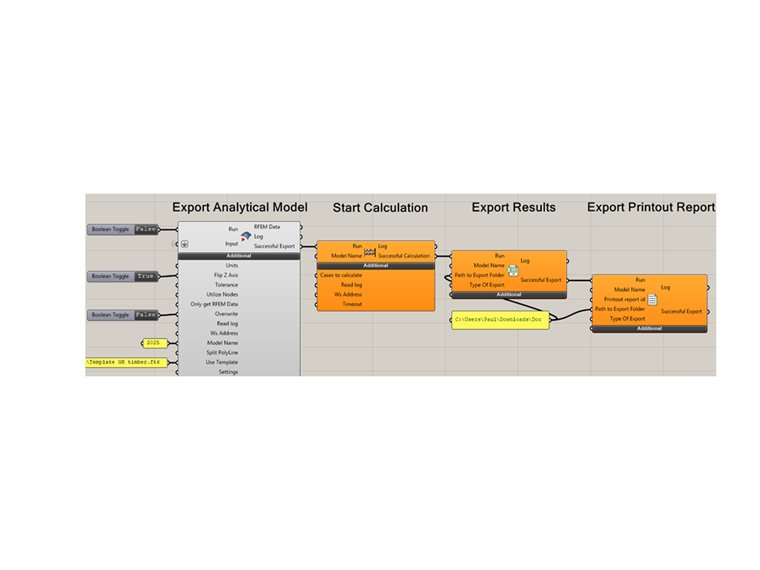
When exporting the model from Grasshopper to RFEM, an empty model file is first created in RFEM, and the data from Grasshopper is loaded into this model. If the save path of a template file is specified in the export component (Use Template), the data from the template file is loaded when the new model is initialized, and the information imported from Grasshopper can reference it.
If the export was successful, the “RFEM 6 Calculate Component” automatically starts the calculation in RFEM. Once the calculation is complete, the preset calculation and design results are saved to a CSV file. After the results are saved, the printout report is also saved to the specified storage path using the “Export Printout Report” component.