


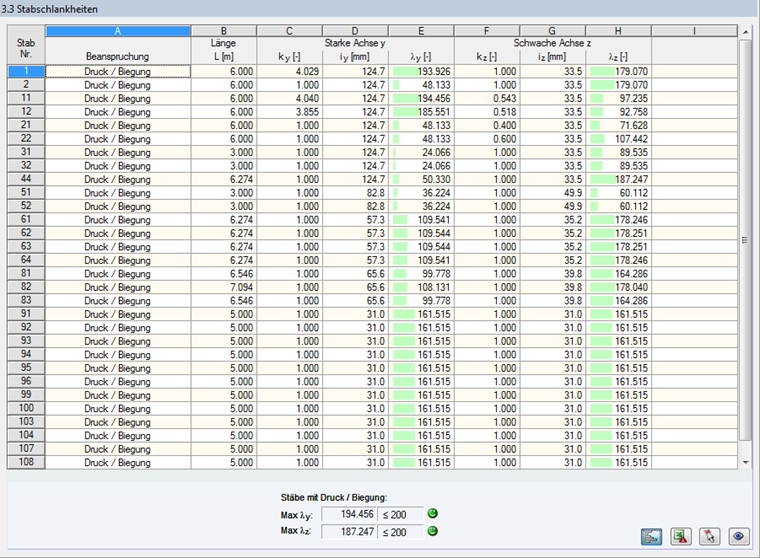
This result window is displayed when the corresponding check box has been selected in the General tab of the Details dialog box (see Figure 3.14).

The table lists the effective slendernesses of the designed members for both directions of the principal axes. They have been determined as a function of the load type. Below the list, you will see a comparison with the limit values defined in the General tab of the Details dialog box (see Figure 3.14).
Members of the "Tension" or "Cable" type are not displayed in this window.
This window is only of an informative nature. It provides no stability analysis of slendernesses.