Answer:
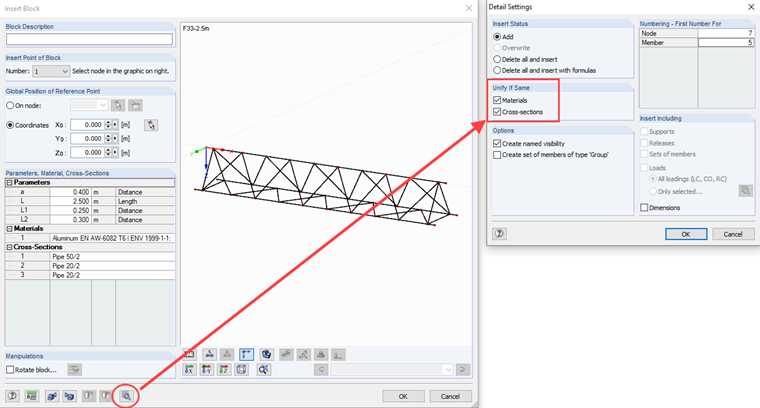
When inserting a block, you can select in Detail Settings what should happen in the case of identical materials and cross-sections. If you want to unify them, activate the options as shown in Image 01. Then, the new materials and cross-sections will be unified with those available in RFEM or RSTAB.
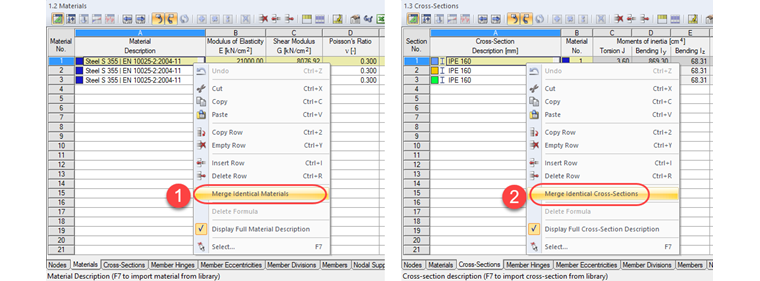
If the blocks have already been inserted, it is possible to unify the cross-sections and materials later (see Image 02). It is only important to unify the materials first and then the cross-sections, as a material is always assigned to a cross-section. To open the shortcut menu with the "Merge Identical Materials" option, left-click one of the cells in Column A and run the shortcut menu by clicking the right mouse button.