It is necessary to import the modified cross-section into RFEM / RSTAB again. To do this, click the "Import Cross-Section from Program SHAPE‑THIN" button in the "Edit Cross-Section" dialog box and select the modified SHAPE‑THIN cross-section. Click "Yes" to confirm the query asking about overwriting the cross-section (Image 01).
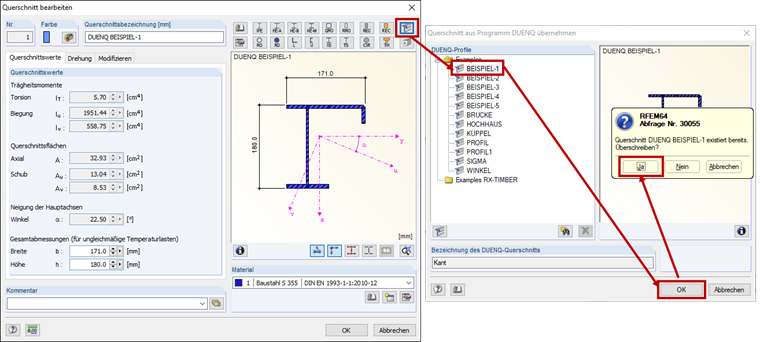
Transfer of Modified Cross-Section from SHAPE-THIN to RFEM 5 / RSTAB 8
I have imported a SHAPE‑THIN cross-section into RFEM / RSTAB. How can I update the cross-section in RFEM/RSTAB if the cross-section has been changed in the SHAPE‑THIN program?
Answer:
Author
Ms. von Bloh provides technical support for our customers and is responsible for the development of the SHAPE‑THIN program as well as steel and aluminum structures.
;