


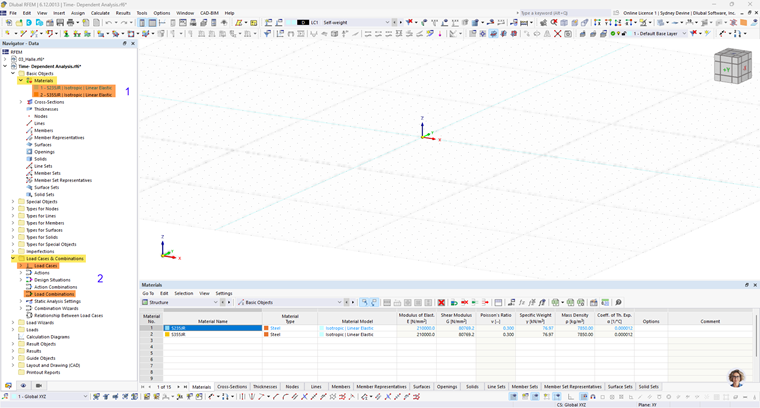
The following overview shows the user interface of RFEM. The locations in the Navigator that have extended input options when the 'Time-Dependent Analysis (TDA)' add-on is activated are marked.
Basic Objects ➀
In the 'Basic Objects' category, the materials are extended with specific properties. An additional tab is available for suitable materials and material models, where you can define the time-dependent parameters of the material.
Load Cases and Combinations ➁
In the 'Load Cases and Combinations' category, the analysis type 'Structural analysis | Time-Dependent Analysis (TDA)' is additionally available for load cases and load combinations. For this, you can specify the duration of the loading.
Static Analysis Settings ➂
In the 'Static Analysis Settings' category, an additional 'Time-Dependent Analysis' tab is added. Here, you can control the time increments for the calculation.
Construction Stages Analysis (CSA) ➃
If the 'Construction Stages Analysis (CSA)' add-on is activated at the same time, the construction stages are extended with the time-dependent analysis.
The extended input options are described in the chapter Input.