Community
Sign in to your account

Sign up for the Dlubal Extranet to get most of the software and have exclusive access to your personal data.

Create Account
By signing-in you agree to Dlubal Conditions of Use & Sale. Please see our Privacy Notice, our Cookies Notice.
0
Webshop
Contact Sales Team
Language
  • Deutsch
  • English
  • Français
  • Español
  • Português
  • Italiano
  • Česky
  • Polski
  • Pусский
  • 中文(简体)
  • Industries
    • Reinforced Concrete Structures
    • Prestressed Concrete Structures
    • Steel Structures
    • Timber and Wood Structures
    • Masonry Structures
    • Aluminum and Lightweight Structures
    • Buildings
    • Industrial Structures and Plants
    • Pipelines
    • Bridge Structures
    • Cranes and Craneways
    • Towers and Masts
    • Glass Structures
    • Tensile Membrane Structures
    • Cable and Tensile Structures
    • Laminate and Sandwich Structures
    • Temporary Structures
    • Scaffolding and Rack Structures
    • Offshore Structures
    • Silos and Storage Tanks
    • Renewable Energy Plants
    • Solar Structures & Mounting Systems
    • Shipbuilding and Floating Bodies
    • Conveyor Structures
    • Drilling Structures
    • Swimming Pools and Water Parks
    • Container Structures
    • Drilled Pile Foundations
    • Staircase Structures
    • Power Plants
    • Hydraulic Steel Engineering
    • Mechanical Engineering
    • Pneumatic Structures
    Application Areas
    • Structural Engineering
    • Finite Element Analysis (FEA)
    • Wind Simulation and Wind Load Generation
    • Stress Analysis
    • Nonlinear Analysis
    • Stability Analysis
    • Nonlinear Buckling Analysis
    • Warping Torsion Analysis
    • Dynamic and Seismic Analysis
    • Nonlinear Dynamic Analysis
    • Pushover Analysis
    • Form-Finding and Cutting Patterns
    • Steel Joints
    • BIM Planning
    • Cold-Formed Sections
    • Soil-Structure Interaction
    • Facade Analysis
    • Foundations and Foundation Engineering
    • Construction Stages
    • Fire Resistance
    Standards
    • Eurocodes (EC)
    • German Standards (DIN)
    • British Standards (BS EN, BS)
    • Italian Standards (NTC)
    • US Standards
    • Canadian Standards (CSA)
    • Australian Standards (AS)
    • Swiss Standards (SIA)
    • Chinese Standards (GB, HK)
    • Indian Standards (IS)
    • Mexican Standards (RCDF, CFE Sismo 15)
    • Russian Standards (SP)
    • South African Standards (SANS)
    • Brazilian Standards (NBR)
    Online Services
    • Geo-Zone Tool Top Menu Icon Snow Load, Wind Speed, and Seismic Load Maps
    • Cloud Calculation Icon Cloud Calculations
    • Structural Analysis Wiki Icon Structural Analysis Wiki
    • Cross-Section Properties of Steel and Timber Sections Icon Cross-Section Properties of Steel Cross-Sections
    Structural Design for Solar Systems

    Dlubal Software helps you create and verify any solar mounting system. Work efficiently with steel, aluminum, and concrete structures in a single environment.

    Explore Tools
    Solar Structures Solar Structures | Mobile Version
    Dlubal API

    The new Dlubal API service (gRPC) provides you with a flexible interface to the structural analysis software based on Python and C#, with direct access to the entire Dlubal product range.

    Start With API
    Background for the main menu banner API Background for the main menu banner API
  • Icon representing RFEM 6, a finite element analysis software application. RFEM 6 Only Structural Analysis and Design Software You Need for Your Projects

    RFEM 6 serves as the basis of the modular program family and is used to define structures, materials, and actions for plate, wall, shell, and beam structures, as well as for solids and contact elements.

    More Information
    Add-on Switch Icon Add-ons
    • Additional Analyses
    • Dynamic Analysis
    • Special Solutions
    • Design
    • Connections
    RSTAB 9 Icon without borders RSTAB 9 Iconic Frame and Truss Analysis Software

    RSTAB 9 is a powerful analysis and design software for 3D beam, frame, or truss structure calculations, reflecting the current state of the art and helping structural engineers meet requirements in modern civil engineering.

    More Information
    Add-on Switch Icon Add-ons
    • Additional Analysis
    • Dynamic Analysis
    • Special Solutions
    • Design
    RSECTION 1 Icon without borders RSECTION 1 User-Defined Cross-Section Properties

    RSECTION supports structural engineers by determining cross-section properties for a wide variety of cross-sections and allowing for subsequent stress analysis.

    More Information
    Add-on Switch Icon Add-ons
    • Effective Sections
    RWIND 3 Icon without borders RWIND 3 CFD Software for Digital Wind Tunnels

    RWIND 3 is a digital wind tunnel for simulating wind flows around any building geometry and for the calculation of the wind loads on their surfaces.

    More Information
    API Icon Dlubal API Your Gateway to Parametric Modeling and Automation

    The new Dlubal API service (gRPC) provides you with a flexible interface to the structural analysis software based on Python and C#, with direct access to the entire Dlubal product range. Benefit from seamless and powerful integration into your Dlubal software—ideal for parametric modeling and complex optimization tasks.

    Discover API
    API Documentation API Documentation
    • Index
    • Getting Started
    • Applications
    • Model Objects
    • Subscriptions & Pricing
    • Examples
    FEA for Steel Connections

    Design and analyze steel connections using CBFEM, compliant with EN 1993‑1‑8 and AISC 360, fully integrated in RFEM 6 for faster, more accurate structural workflows.

    Learn More
    Steel Connections Steel Connections
    Dlubal Community

    This platform offers a space for technical inquiries, engaging discussions on structural analysis and design, feature suggestion, and direct interaction with the Dlubal team and fellow users.

    Join Now
    Background for the Dlubal Community main menu banner Background for the Dlubal Community main menu banner
    Outdated Products
  • Support
    • Frequently Asked Questions (FAQ)
    • Knowledge Base
    • Product Features
    • Licensing
    • Ask Individual Question
    • Our Support Team
    • Submit Program Feature or Idea
    • FAQ for Licensing & Authorization 
    • Report Problem or Program Issue
    • Program Updates
    • Program Issues
    • Formulas | Math is fun!
    Training
    • First Steps with RFEM
    • First Steps with RSTAB
    • Online Training
    • Training at Dlubal
    • Individual Training
    • Videos
    • E-Learning Videos
    • Webinars – Learn Online
    • Online Courses
    Service
    • Free Support / Service
    • Extranet | My Account
    • Project Support
    • Service Contract
    • Geo-Zone Tool for Load Determination
    • Updates & Upgrades
    • Previous Program Versions
    Sales
    • Webshop
    • Our Sales Team
    • Contact Our Sales Team
    • Schedule an online product demo
    • Why Dlubal Software
    AI Support Assistant
    • Mia – Your 24/7 AI Assistant
    • Discover Your Personal AI Assistant
    Free Support & Service

    Need help? Access free support options including 24/7 AI assistance, email support, and webinars.

    Learn More
    Free Support & Service Free Support & Service
    Find Answers Fast

    Find quick answers to common questions about Dlubal Software. Search or filter hundreds of FAQ to solve issues in no time.

    View FAQ
    Frequently Asked Questions (FAQ) FAQ | Mobile Version
  • News
    • Current News
    • New Product Features
    • Subscribe to Newsletter
    • New Programs
    • Dlubal Blog
    Training
    • Online Training
    • Individual Training
    Events
    • Event Overview
    • Trade Fairs and Conferences
    • Webinars
    Master Engineering with Webinars

    Join industry leaders and explore solutions in structural engineering and software. Enhance your skills with our live sessions!

    See Next Webinars
    3D FEA Software RFEM 6 | First Steps Menu Banner Image | News Webinars | Mobile Version
    Unlock the Power of Innovation

    Discover cutting-edge tools and enhancements designed to boost your engineering workflow.

    Explore New Features
    Explore New Features Menu Banner Image | News_ProductFeatures | Mobile Version
  • Download Full Version

    Would you like to try out the capabilities of the Dlubal Software programs? You have the opportunity to do so! With the free 90-day full version you can thoroughly test all our programs.

    Start Trial Version Now
    Dlubal Free Zone

    In the Dlubal free zone, you can access webinars, articles, and software trial versions—all free of charge and conveniently located in one place.

    More Information
    Examples
    • Structural Analysis Models to Download
    • Submit Structural Analysis Model
    • Introductory Examples and Tutorials
    • Verification Examples
    • Image Overview
    Documents
    • Online Manuals
    • Manuals
    References
    • Customer Projects
    • Why Submit Your Customer Project?
    • How to Submit Customer Project?
    • Submit Customer Project
    Free Models to Download

    Explore thousands of ready-to-use structural models. Download, adapt, and use them as templates to accelerate your design process.

    Discover Models
    Structural Analysis Models to Download Free Models to Download | Mobile Version
    Dlubal Free Zone

    Get expert help whenever you need it. Enjoy free AI assistance, email support, live webinars, and premium services for Service Contract Pro users.

    Get Support
    Free Support & Service Free Support & Service | Mobile Version
  • E-Learning
    • RFEM 6 for Beginners
    • RFEM 6 for Students
    • Programming with RFEM 6 and Python
    • RFEM 6 with Rhino & Grasshopper
    • RFEM 5 for Beginners
    • Modeling with RFEM 5
    • Structural Analysis Learning Videos for Students
    • Quick Tutorials for Dlubal Programs
    • Best Tips and Tricks in RFEM
    • Dlubal Online Training Recordings
    • Recorded Dlubal Webinars
    Students and Schools
    • Free Structural Analysis Software for Students
    • Request or Renew Free Student License
    • Request for Free Instructor License
    • Submit Student Thesis
    • Why Submit Your Thesis?
    • Graduation Theses with Dlubal Structural Analysis Software
    • Free Structural Analysis Software for Educational Institutions
    • Request School Package
    • Free Introductory Training at Your University
    • Request Training Date
    Knowledge Platform
    • First Steps with RFEM
    • Videos
    • Online Manuals
    • Structural Analysis Wiki
    • Knowledge Base
    • Frequently Asked Questions (FAQ)
    Infotainment
    • Podcast
    • Dlubal Blog
    • Introduction to Structural Analysis and Design
    First Steps with RFEM 6

    Take your first steps with RFEM 6 and discover how quickly you can model and calculate. Customize with add-ons for even more possibilities.

    Get Started
    3D FEA Software RFEM 6 | First Steps Menu Banner Image | News Webinars | Mobile Version
    Free Structural Analysis Software for Students

    Thousands of students worldwide already benefit from Dlubal Software. Enjoy free access, training, and expert support throughout your studies.

    Get Free License
    Free Structural Analysis Software for Students Free Structural Analysis Software for Students
  • About Us
    • History and Facts
    • Company Philosophy
    • Why Dlubal Software?
    • Product Comparison
    • Quality Policy
    • Our Team
    Contact
    • Dlubal Locations Worldwide
    • Authorized Dlubal Resellers
    References
    • Customer Reviews
    • Customer Projects
    • Why submit your customer project?
    • Verification Examples
    • Your Review
    • Participation in Research Projects
    Our Customers

    We present our customers who realize their projects with Dlubal Software. Learn how our customers worldwide implement innovative solutions in construction and engineering using advanced tools for structural analysis and dynamic analysis.

    View Our Customers
    Building Success Together

    Discover how leading engineers around the world trust our solutions to elevate their projects with us.

    See Our Customers
    See Our Customers Menu Banner Image | Company_OurCustomers_Mobile
    Find Your Dream Job

    Join a global leader in engineering software and take your career to new heights.

    Explore Open Positions
    All Open Positions Menu Banner Image | Open Positions Mobile
  • Achieve More Together
    • Career at Dlubal
    Teams
    • Product Development
    • Customer Service
    • Sales
    • Marketing
    • Software Development
    • Administration
    Jobs
    • All Open Positions
    • Product Development
    • Customer Support
    • Sales
    • Marketing
    • Software Development
    • Administration
    • Interns
    • Others
    Dlubal Team News
    • Team Stories
    Build Your Future with Us

    Reveal how our team shapes the future of engineering. Experience innovation, growth, and exciting challenges.

    Your Career Opportunities
    Career at Dlubal Menu Banner Image | Career at Dlubal Mobile
    Meet the Experts

    Our dedicated engineers are here to assist you with modeling, design, and technical challenges—anytime, anywhere.

    Connect with Support
    Our Team Menu Banner Image | Company_OurTeam | Mobile Version
  • Webshop
Main Products
Icon representing RFEM 6, a finite element analysis software application.
RFEM 6
RSTAB 9 Icon without borders
RSTAB 9
RWIND 3 Icon without borders
RWIND 3
RSECTION 1 Icon without borders
RSECTION
Online Services
Geo-Zone Tool icon
Geo-Zone Tool
Cross-section Properties
Cross-Section Properties
API Icon
API
Cloud Calculation Icon
Cloud Calculation
Downloadable Models
Downloadable Models
Dlubal Community Icon
Dlubal Community
Knowledge Base Articles Icon
Knowledge Base
Online Webinars
Webinars
Sign in to your account

Sign up for the Dlubal Extranet to get most of the software and have exclusive access to your personal data.

Login Create Account
90-Day Free Trial
Sign in to your account

Sign up for the Dlubal Extranet to get most of the software and have exclusive access to your personal data.

Login Create Account
  • Products
  • Finite Element Analysis (FEA)
  • Add-ons for RFEM 6
  • Additional Analyses
  • Geotechnical Analysis for RFEM 6
  • Geotechnical Analysis for RFEM 6
RFEM 6 icon in 32px size used for header banners, symbolizing the software's branding. Add-on for RFEM 6
Online Manuals
  • Manual | Geotechnical Analysis
  • Tutorial for RFEM 6
  • RFEM 6/RSTAB 9 | First Steps
Show Pricing

Geotechnical Analysis

Another useful add-on is Geotechnical Analysis, which allows you to represent soil conditions realistically. It determines the soil to be analyzed in RFEM using the properties from soil samples. This helps you achieve a much higher quality in the structural analysis of buildings.

A prominent green download icon set against a dark backdrop provides a visual cue for initiating downloads. Download 90-Day Free Trial Contact Our Sales Team
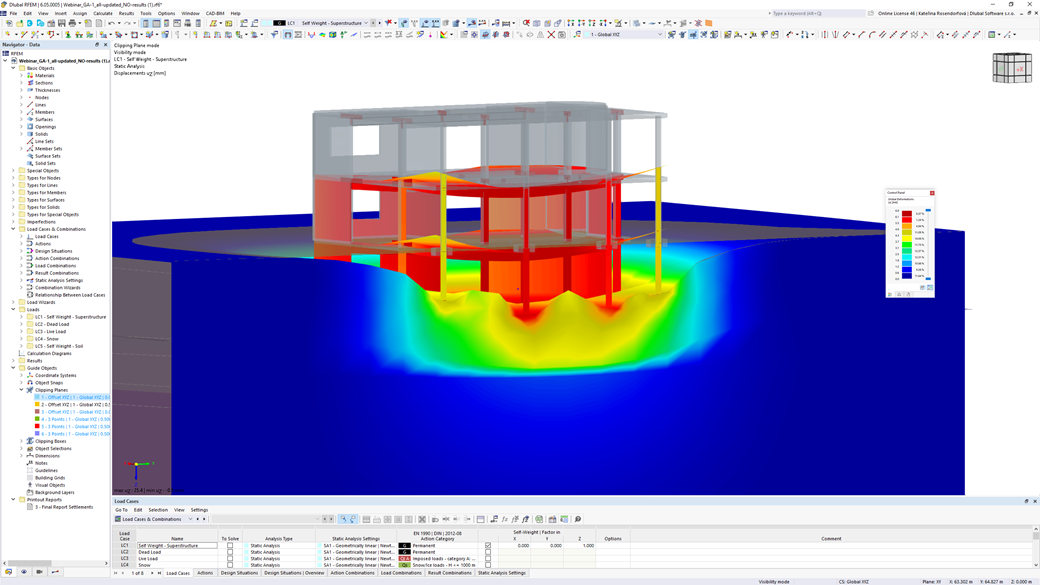
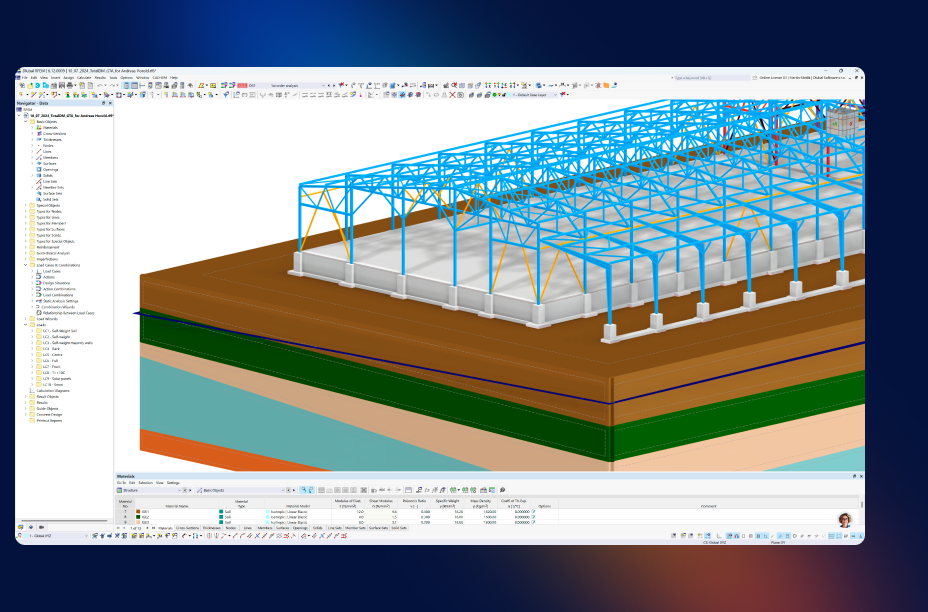
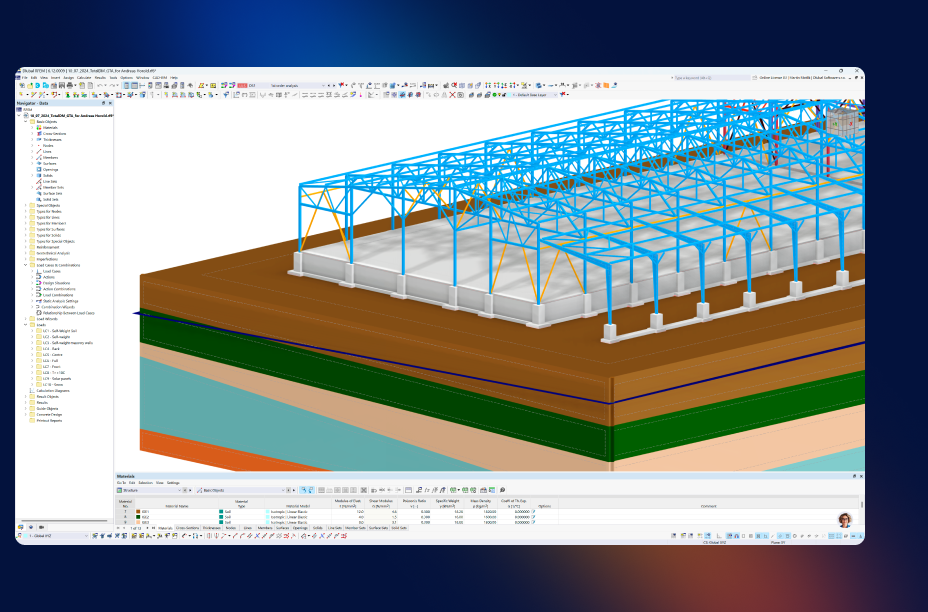
Visual representation of features in Geotechnical Analysis add-on for simulating soil interaction and foundation behavior in RFEM 6. Visual representation of features in Geotechnical Analysis add-on for simulating soil interaction and foundation behavior in RFEM 6.
  • Overview
  • Product Features
  • Use Cases
  • Articles
  • FAQ

Discover Geotechnical Analysis for RFEM 6

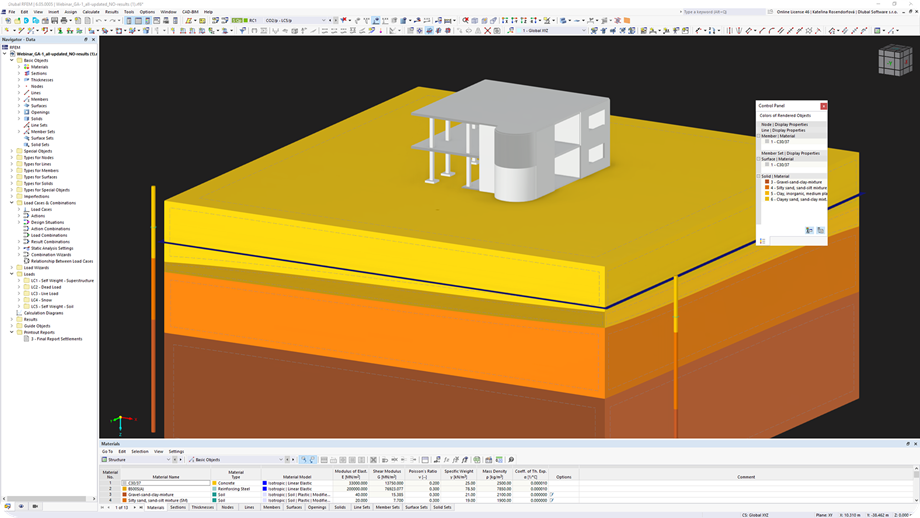
Another useful add-on, Geotechnical Analysis, allows you to realistically determine the soil conditions. This RFEM add-on uses the properties from soil samples to determine the soil body to be analyzed. You can thus achieve a much higher quality in the structural analysis of structures.

  • Special nonlinear geotechnical material models available for realistic simulation
  • Geological layers can be accurately defined based on subsoil expertise.
  • Soil massif logic enables automatic definition and storage of the soil.
  • Soil-structure interaction can be realistically simulated using the 2D constrained modulus method or as a 3D solid model, also nonlinear.
  • Piles and anchors with nonlinear load-bearing behavior available
  • Compatible with all add-ons for RFEM 6
  • Results, such as settlements, stresses, and elastic foundation coefficients, can be output graphically, in tables, and as diagrams.
Banner C | Geotechnical Analysis

Your Advantages

Direct input of soil boring logs from soil investigations

Automatic generation of the soil solid, including its layer boundaries from soil boring logs

Modeling of realistic load-bearing behavior of piles and anchors

Immediate consideration of the soil-structure interaction

Use Cases

The Geotechnical Analysis add-on integrates advanced soil-structure interaction directly in RFEM 6, enabling engineers to perform detailed stability, deformation, and earth pressure analyses based on realistic soil behavior. Typical use cases include:

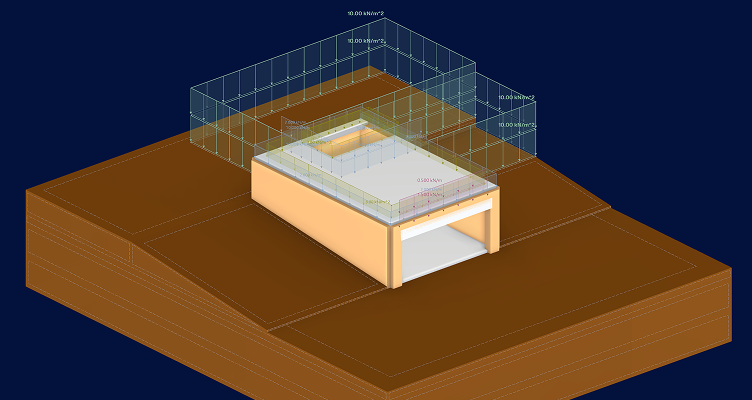
Illustration graphics for geotechnical analysis use cases with RFEM 6 add-on, showcasing application in structural engineering projects. Illustration graphics for geotechnical analysis use cases with RFEM 6 add-on, showcasing application in structural engineering projects.
Slope and Retaining Wall Assessment

Simulate earth pressures and slope stability to design retaining walls and embankments safely and efficiently.

Piling and Deep Foundation Modeling

Model piles and anchors with nonlinear behavior to predict load transfer and optimize foundation systems for buildings and infrastructure.

Realistic Soil Material Modeling

Implement site-specific soil layers using Mohr-Coulomb or other nonlinear material models. Capture realistic soil behavior under varying loads for more precise geotechnical analysis.

Excavation and Basement Support

Plan temporary or permanent support structures for deep excavations. Analyze soil reactions to avoid excessive deformation or collapse during construction.

Key Features

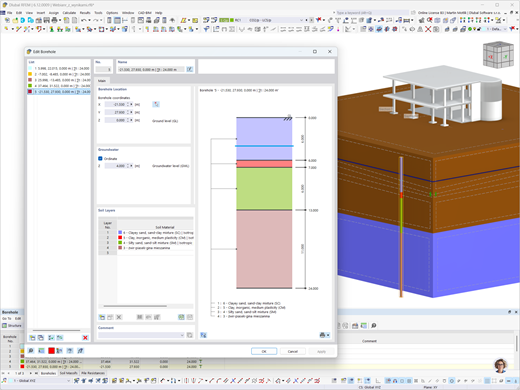
Entry of soil layer data from subsoil investigations using soil samples in engineering software applications.

Soil Samples

You can enter the soil layers obtained from subsoil investigations at each location into the program as soil samples. Then assign the identified soil materials, including their material properties, to the corresponding layers.

Soil Sample Selection

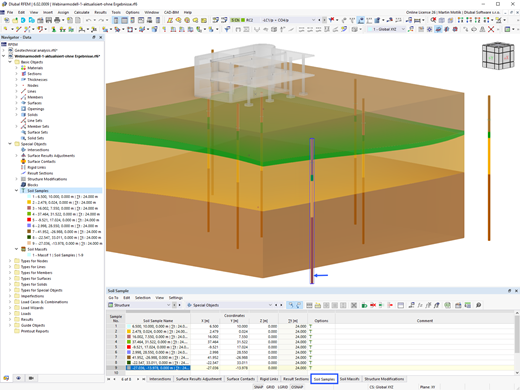
Soil Massifs

Use the soil samples as a basis for a definition of the respective soil massif. This way, the program allows for user-friendly generation of the massif, including the automatic determination of the layer interfaces from the sample data, as well as the groundwater level and the boundary surface supports.

Pile member type in geotechnical software for analyzing resistance parameters such as skin friction and pile peak pressure.

Member Type "Pile" for Geotechnical Analyses

In the Geotechnical Analysis add-on, the member of the "Pile" type is available. For the pile, the pile resistance types are created. They define the resistance parameters from the skin friction and the pile peak pressure.

Show All Features

Designed with Geotechnical Analysis Add-on for RFEM 6

A real-world project showcasing safe and reliable design on challenging soil conditions using the Geotechnical Analysis add-on in RFEM 6.

Logistics Center in Khmelnytskyi

Geotechnical Analysis played a key role in verifying the concrete base slab on poor soil conditions, ensuring safe load transfer and deformation-free operation of heavy vehicles in a large-span logistics center.

View Customer Project
Aerial view of the logistics center in Khmelnytskyi showing geotechnical features analyzed in a customer project. Aerial view of the logistics center in Khmelnytskyi showing geotechnical features analyzed in a customer project.
What do our users say?

The support is excellent, helpful, fast, and the operators are courteous and kind. I recommend it.

Enrico Frezzini
Enrico Frezzini Engineer

It is great to see how Dlubal has become an outstanding software for structural engineers. Kudos!

Pedro R. Munoz PRM Engineering

I like RFEM because it's user-friendly, simplifies repetitive tasks, and allows full control over parameters.

Marco Parolin
Ing. Marco Parolin Ingegnere civile

Ideal solution for structural analysis according to European and Swiss standards.

Guillaume Faillenet
Guillaume Faillenet Perreten et Milleret

Simplicity, modularity, and responsive support for structural steel analysis!

Cédric Dubois Skyray

Satisfied with Dlubal Software for Ten Years!

Jérémy Vigouroux BDP Conception

Geotechnical Engineering Articles

Illustration of generating a soil body using soil samples in RFEM 6 with the Geotechnical Analysis add-on.

Creating Soil Body from Soil Samples in RFEM 6

Given that the realistic determination of the soil conditions significantly influences the quality of the structural analysis of buildings, the Geotechnical Analysis add-on is offered in RFEM 6 to determine the soil body to be analyzed.
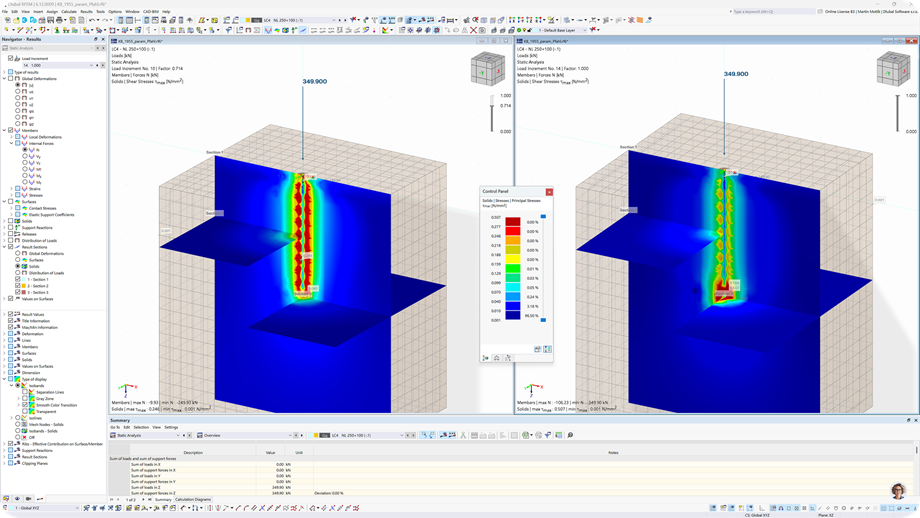
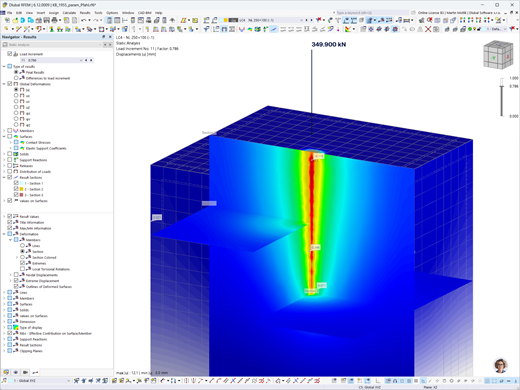
Results of axial forces in a pile and principal shear stresses in the adjacent soil. Geotechnical analysis with Tschuchnigg resistances.

Parametric Pile Modeling with Empirical Pile Resistances According to Tschuchnigg

The article describes the use of global parameters to determine pile resistance depending on soil and cross-section properties according to the empirical method developed by Tschuchnigg.

View All Articles
Try Dlubal software free for 90 days

Discover the full potential of Dlubal software with powerful programs like RFEM, RSTAB, RWIND, and RSECTION. Try them for free and see how easy it is to model, analyze, and document even complex structures. Our experts are happy to guide you through a short online demo tailored to your industry.

A prominent green download icon set against a dark backdrop provides a visual cue for initiating downloads. Download 90 Day Free Trial Salesman Icon | Trial Banner Book Consultation

Frequently Asked Questions

How can I consider groundwater-related subsidence in a 3D solid soil massif?

The changed loads resulting from the difference in weight in the damp and saturated states, and the consideration of buoyancy, can be taken into account relatively easily as solid loads.

You can find more information here: FAQ section

How can I define the oedometric modulus for soil material?

To consider soil-structure interaction using the constrained modulus method, the “Stiffness modulus” material parameter can be defined for soil-type materials.

This requires soil material from the library to be used as the basis for entering the soil properties.

Read more here: Oedometric Modulus

How can I set the deformations from an LC/CO or a construction stage to 0?

In the dialog box of structural analysis settings, you can find the "Equilibrium for undeformed structure" checkbox under Options II.

If this is active, the structure is analyzed with the deformation reset to 0.

Learn more: Setting Deformations to 0

What value can I use for cohesion in order to avoid singularities?

To use numerical methods, such as FEM, in geotechnical engineering, it is reasonable to set the cohesion as not equal to zero. Therefore, a small cohesion between 0.5 and 1.0 kN/m² can be applied even for non-cohesive soils.

API Documentation
Online Manual

Browse our online manuals on geotechnical analysis anytime to boost your work and support your projects.

Dark blue play icon represented as an SVG graphic. Suitable for multimedia interfaces or interactive design elements.
Videos

Explore essential videos focused on geotechnical analysis. These tutorials guide you through practical workflows and help you master key features quickly.

Dark blue play icon represented as an SVG graphic. Suitable for multimedia interfaces or interactive design elements.
Webinars

Access our recorded webinars on geotechnical analysis at any time. Watch sessions whenever you want to deepen your knowledge.

Webshop

Customize your individual program package and find out all the prices online!

  • RFEM 6 Family
  • RSTAB 9 Family
Go to the webshop

Calculate Your Price

1,850.00 USD
+0.00 USD
Building with Soil
Total Amount 1,850.00 USD
Structural Analysis and Design Software
Dlubal Software, Inc.

30 South 15th Street, 15th Floor
PA 19103 Philadelphia
United States

+1 (267) 702-2815 [email protected]
Dlubal Software GmbH

Am Zellweg 2
93464 Tiefenbach
Germany

+49 9673 9203-0 [email protected]
Solutions
  • Reinforced Concrete Structures
  • Steel Structures
  • Timber and Wood Structures
  • Steel Joints
Products
  • RFEM 6
  • RSTAB 9
  • RSECTION 1
  • RWIND 3
Support
  • Frequently Asked Questions (FAQ)
  • Ask Individual Question
  • Geo-Zone Tool for Load Determination
  • Contact Our Sales Team
News
  • Subscribe to Newsletter
  • Current News
  • Event Overview
  • Online Training
Resources
  • Free Full Trial Version
  • Submit Customer Project
  • Customer Projects
  • Online Manuals
Join Dlubal
Dlubal Community YouTube Facebook LinkedIn Twitter Instagram Pinterest TikTok
© 2001-2025 Dlubal Software GmbH | All rights reserved
Legal Notice
About Us
Sitemap
Language
  • Deutsch
  • English
  • Français
  • Español
  • Português
  • Italiano
  • Česky
  • Polski
  • Pусский
  • 中文(简体)