


Answer:
To display the color scale in RFEM 5, create the following settings:
- For member results: Activate the option "With Diagram", "Without Diagram", or "Cross-Sections" under "Results" → "Members" in the Display navigator.
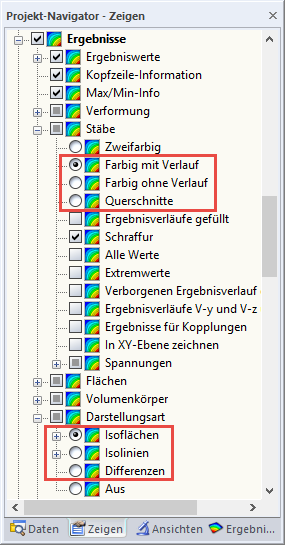
- For surface results: Activate the "Isobands", "Isolines", or "Differences" option under "Results" → "Display Model"; see Image 01.
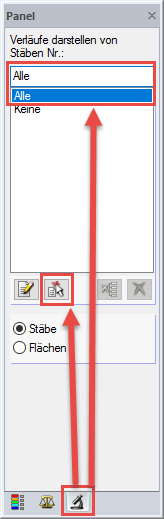
- For member and surface results: Select all or specific members/surfaces within the "Filter" tab in the panel.
2
Panel