Question:
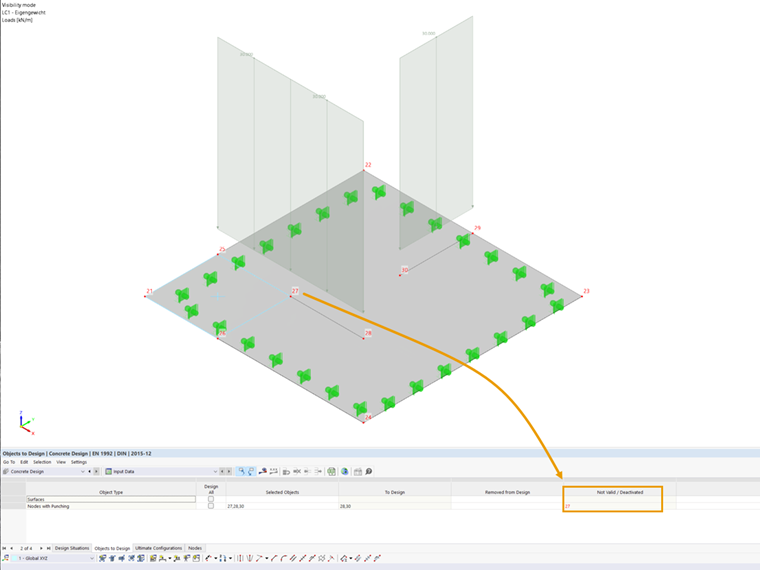
In the table of the objects to be designed in the Concrete Design add-on, punching nodes are listed in the not valid/deactivated column, although I have defined them as punching nodes. How can I fix this?
Answer:
There can be several reasons for this error.
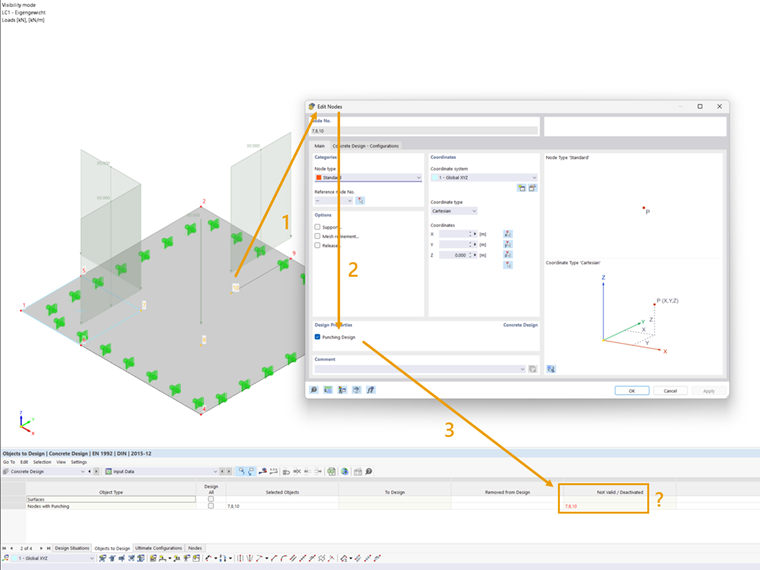
Missing Surface Reinforcement
In the surface with the punching nodes, no reinforcement is available.
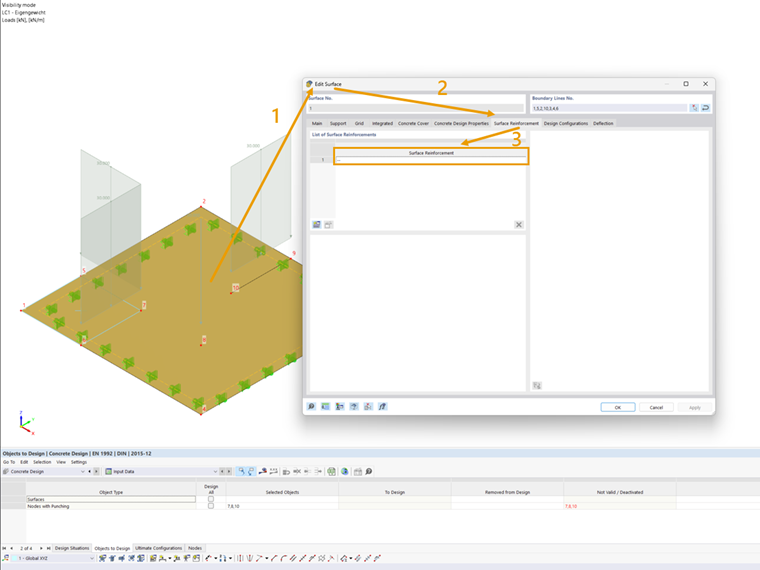
You can find out how to create surface reinforcement here: Surface Reinforcement
Missing Dimensions
In RFEM 6, the geometry of punching nodes is usually determined using the cross-section of the connected structural component (wall, column). If a slab or floor slab is designed in isolation within a 2D positional analysis and therefore no walls or columns in the form of surfaces or members exist in the model, RFEM cannot determine the structural component dimensions automatically. Instead, you have to specify the dimensions manually:
Not Supported Nodes
In the case of punching nodes that are not supported by a nodal or a linear support, the dimensions of the connected components can be defined via the ultimate configurations.
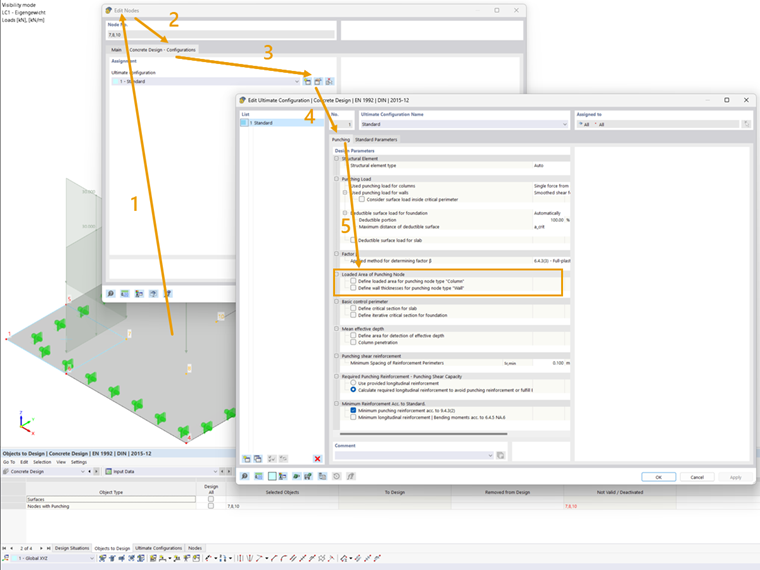
More information can be found here: Ultimate Configurations (Punching)
Supported Nodes
For punching nodes that are held by a nodal or linear support representing a connected component, you can specify the dimensions in the support settings.
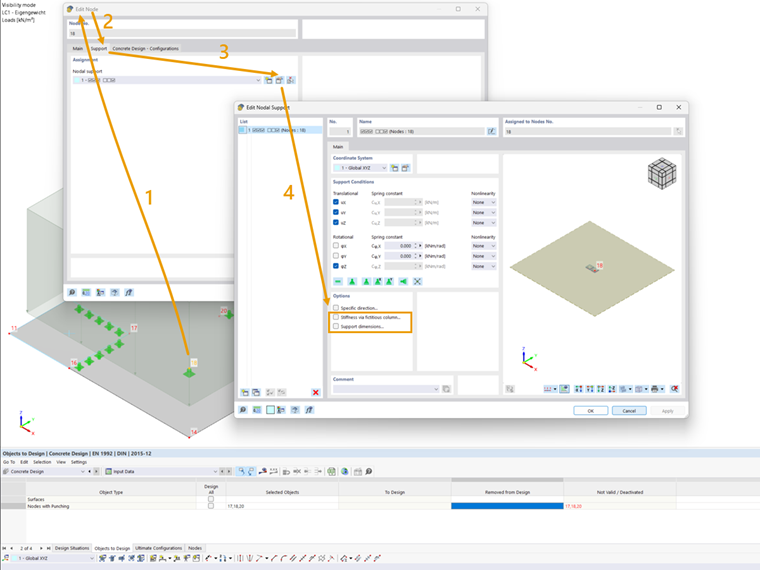
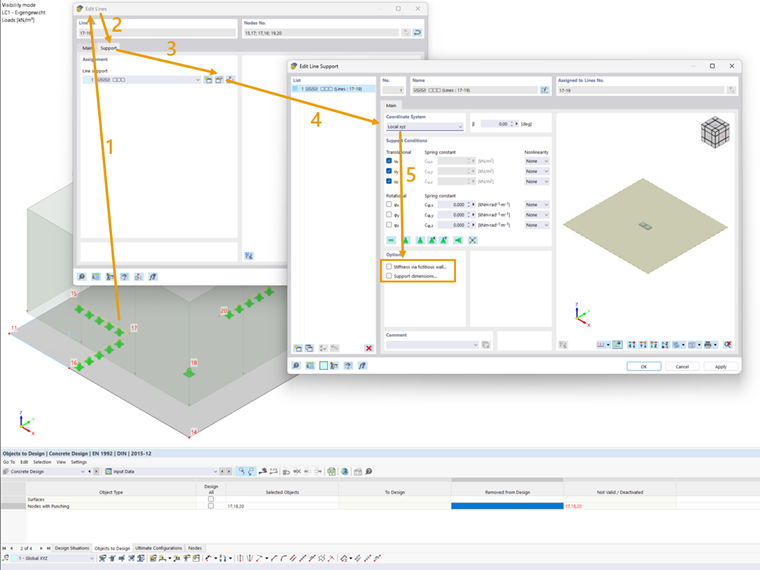
More information can be found here:
Fictitious Columns (Nodal Supports) | Fictitious Wall (Line Supports)
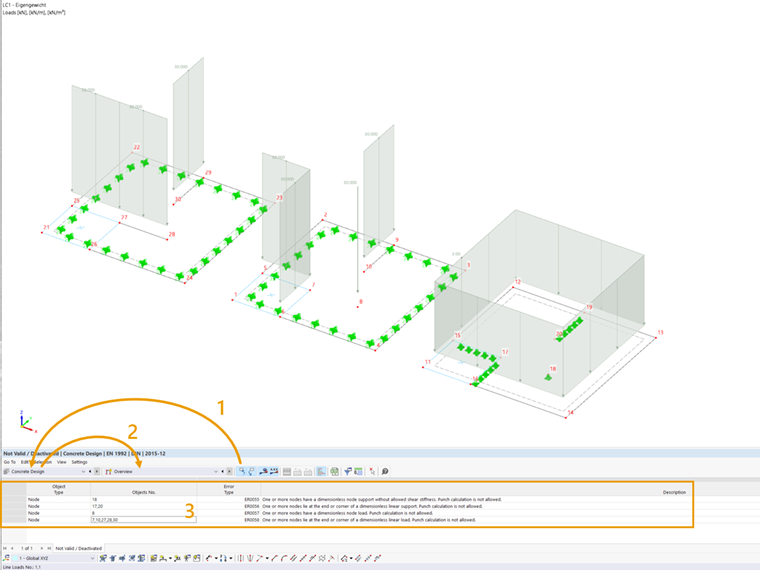
Not Valid Nodes
If punching nodes are located in the middle of a line load or a line support, no punching shear occurs. Therefore, these nodes are indicated as not valid.