Answer:
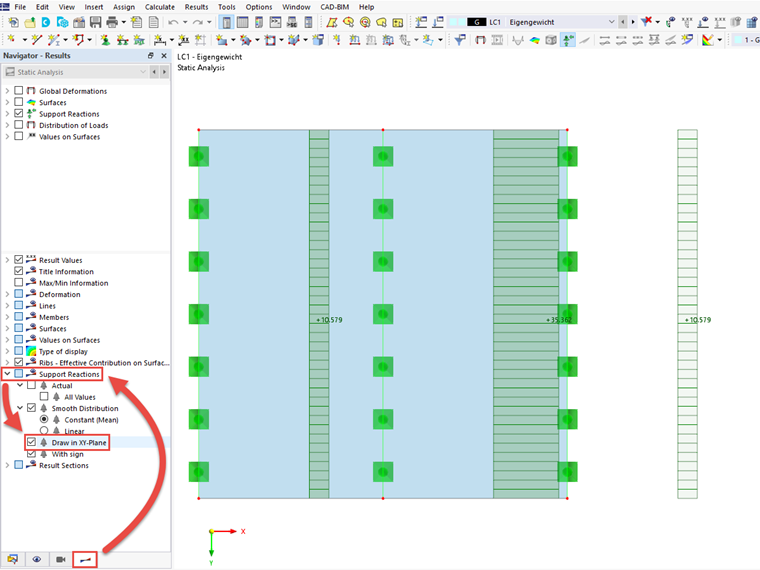
In the Results navigator, go to the display settings of the results. There, you can activate the "Draw in XY Plane" option under the Support Reactions.
Sign up for the Dlubal Extranet to get most of the software and have exclusive access to your personal data.
Sign up for the Dlubal Extranet to get most of the software and have exclusive access to your personal data.
Sign up for the Dlubal Extranet to get most of the software and have exclusive access to your personal data.
In the Results navigator, go to the display settings of the results. There, you can activate the "Draw in XY Plane" option under the Support Reactions.