Answer:
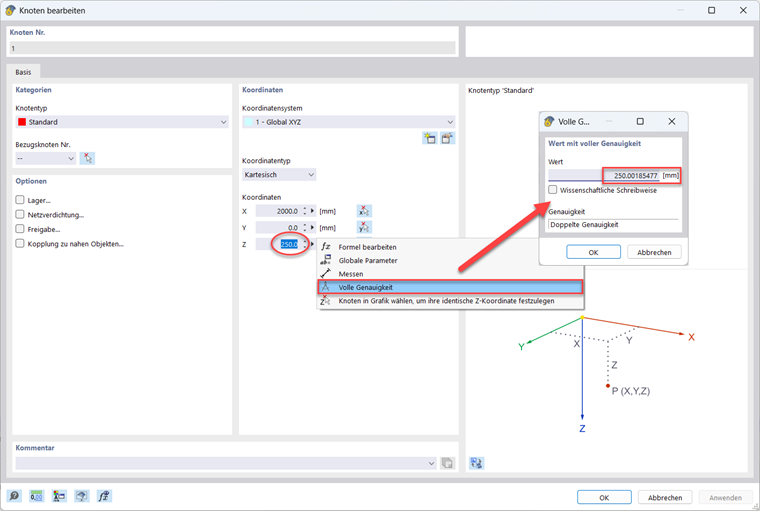
Members are recognized as continuous if they have the same orientation in space. This may be the case for some members visually, but the actual position may still be outside the tolerances. Therefore, check the position of the nodes with full accuracy (see the image). These can deviate slightly from the nominal value during modeling, so that the corresponding member orientations no longer match.
Two features facilitate the adjustment of node coordinates:
- Selecting a node or point in the graphic and adopting its (x, y, or z) coordinates
- Specifying the coordinates for several selected nodes