


Subject:
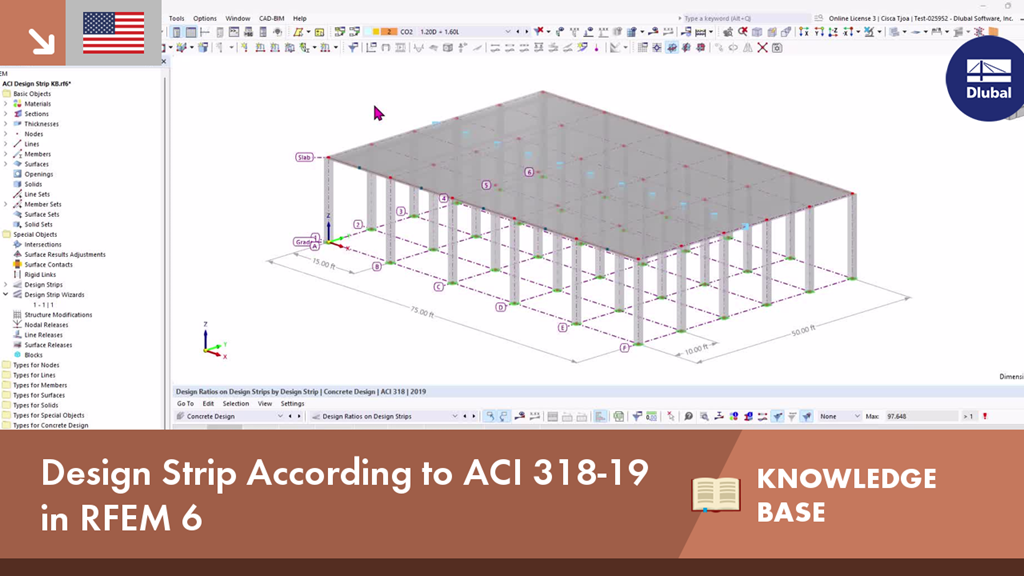
Design Strip According to ACI 318-19 in RFEM 6
Comment:
The Design Strip Method according to ACI 318-19 Section 8.4.1 [1] is used in two-way slab design for distributing/averaging moments and designing the slab reinforcement.
Description:
Design Strip in RFEM 6
Design Strip is a shortcut tool to automatically generate an underlying Result Beam which integrates internal forces from the slab. Design Strip is located under the ‘Special Objects’ folder. To create a new strip, define the strip type, reinforcement direction, and strip width and assign it to a Line or Line/Surface.
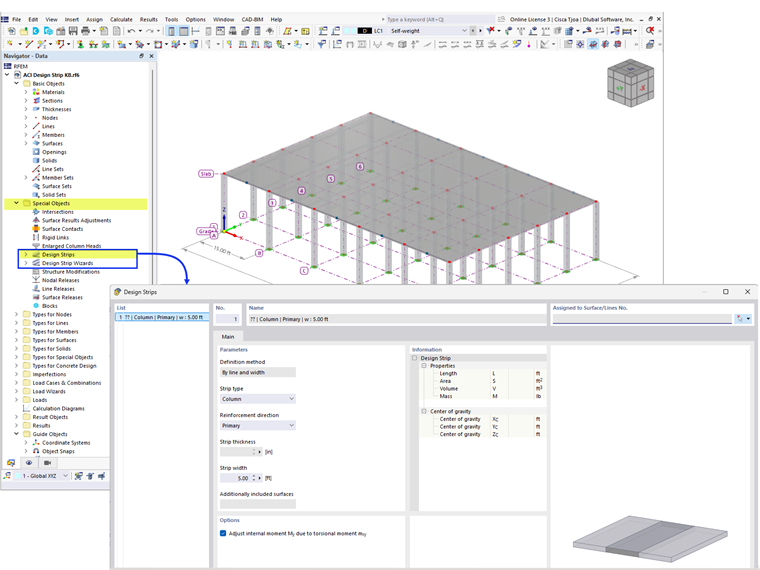
Strip Type:
• Column is centered on columns and used for the inner area of the slab
• Middle is for the remaining slab area between column strips and bounded by column and/or edge strips
• Edge is used along the boundary lines of the surface and are eccentrically set into the surface with member eccentricity

Result beam section dimensions are based on the strip width (input by the user) and the slab thickness.

Design strips can only be created on surfaces with a uniform thickness. Member Sets are automatically created for each design strip and are useful for grouping multiple members that span one direction of a single surface.
Design Strip Wizard in RFEM 6
Instead of manually creating individual design strips as shown above, the Design Strip Wizard can be utilized to generate them automatically.
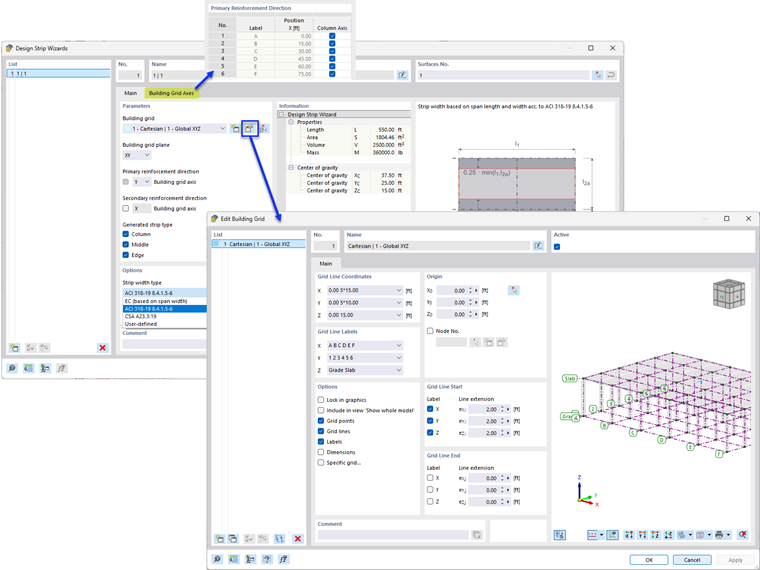
Building Grid is used to define the location of the column strips. The actual locations of the columns/supports are not considered. Only a Cartesian grid is possible. However, design strips can be generated on different grid planes (XY, XZ, YZ) based on the settings. This allows for them to be created not only on horizontal slabs, but also on vertical walls. Design strips can be generated in one or both directions of the grid plane.
Generated strip type provides the option to generate only Column strips (including Edge) and/or Middle strips.
Three different Strip width types are available:
• Acc. to ACI 318-19 8.4.1.5-7 – The column strip width on each side is determined as 25% of the span length or width, whichever is less.
• Based on span width
• User-defined
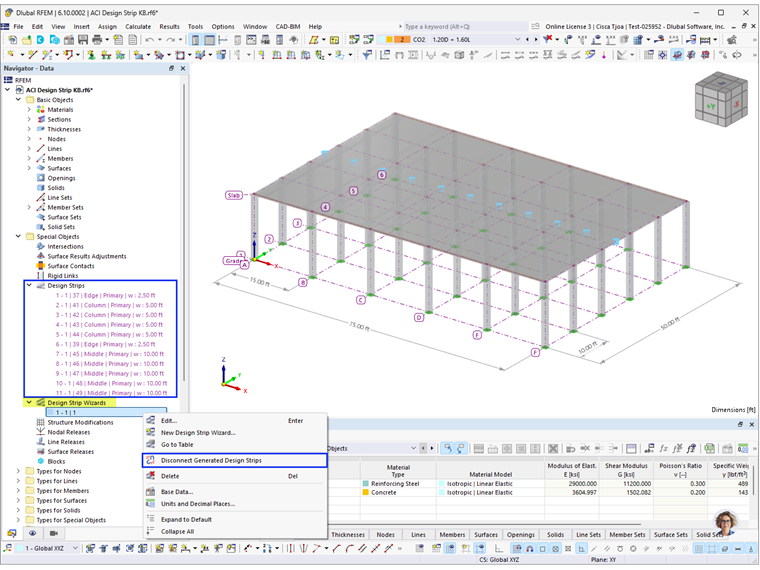
The Design Strip Wizard can automatically generate design strips for basic orthogonal surfaces. When modifications are required, manual design strips can be created and added to the surface. Additionally, generated strips can be disconnected from the wizard, allowing for adjustments or deletions as needed.
Concrete Design Add-on
With the Concrete Design add-on, the longitudinal reinforcement of design strips can be defined.
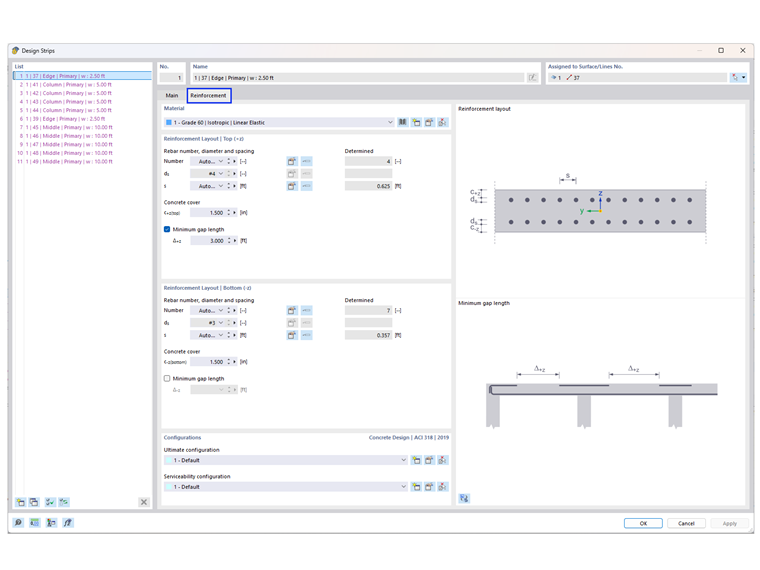
By default, the number and spacing of the reinforcement are set to be calculated automatically, and the minimum gap length of 5.0 ft is set on the upper surface. Shear reinforcement is not available for design strips. If a stirrup is required, it can be considered with Punching Shear Design.
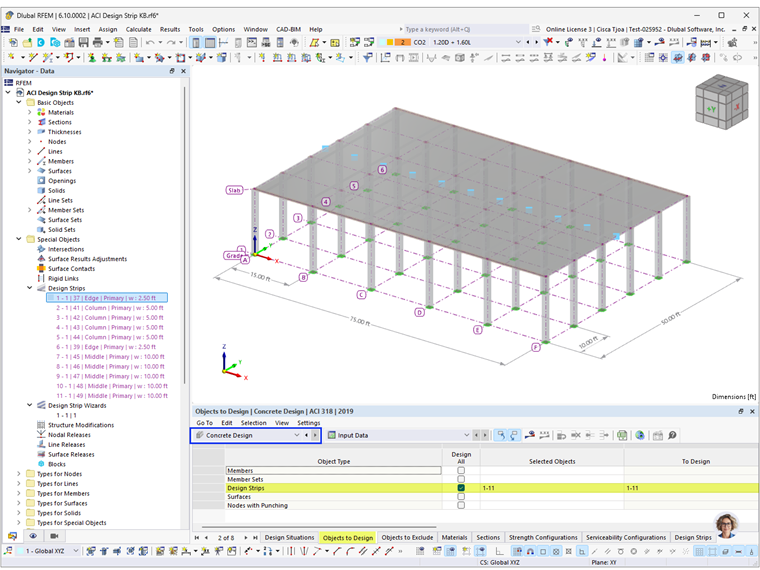
Punching Shear Design in RFEM 6 According to ACI 318-19 and CSA A23.3:19Under the ‘Objects to Design’ tab, define the required design strips to be designed.
Concrete Design Results
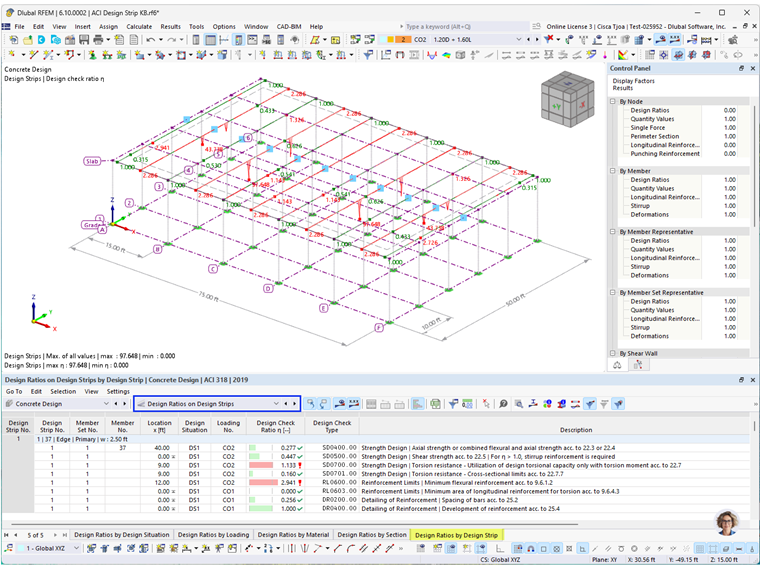
Design Ratios on Design Strips
One-way shear strength without shear reinforcement is checked for design strips according to ACI Section 22.5 in Design Check SD0500. Two-way shear strength check is available with the punching shear design stated above.
Design checks based on design support and deflection limits are not available for design strips. The remaining design checks are provided and follow a similar procedure to member design.
Reinforcement on Design Strips
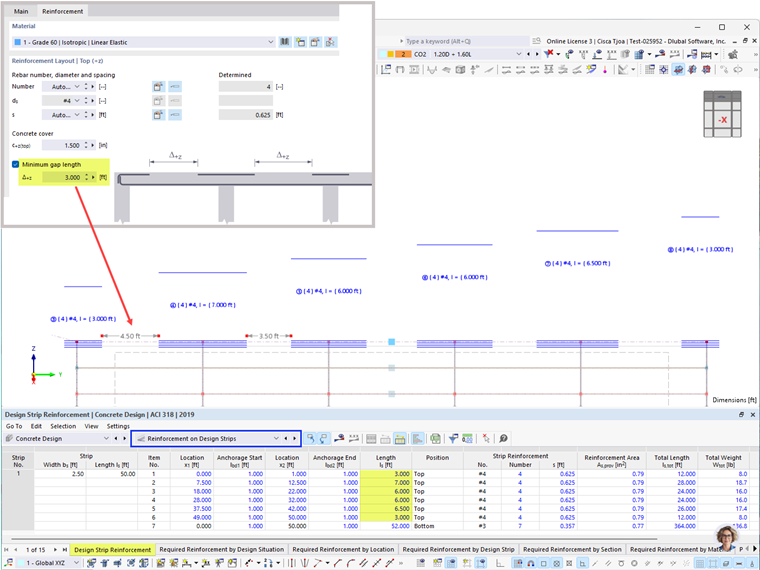
The anchorage is assumed to be straight with a length of 12.0 in, in accordance with ACI 318 Section 25.4.2.1(b).
RFEM automatically generates "segments" along the strip length based on the defined minimum gap length, Δ-z, and the required reinforcement, A-s,req. Gap lengths may vary along the length.
Conclusion
The Design Strip Method in RFEM 6 offers an efficient and simplified approach for designing two-way slabs in accordance with ACI 318-19. With Design Strips, the creation of result beams and integration of internal forces are automated. The Design Strip Wizard further enhances productivity by automating strip creation on orthogonal surfaces, while still allowing for manual modifications when needed. With the Concrete Design add-on, users can define and design the longitudinal reinforcement.