Answer:
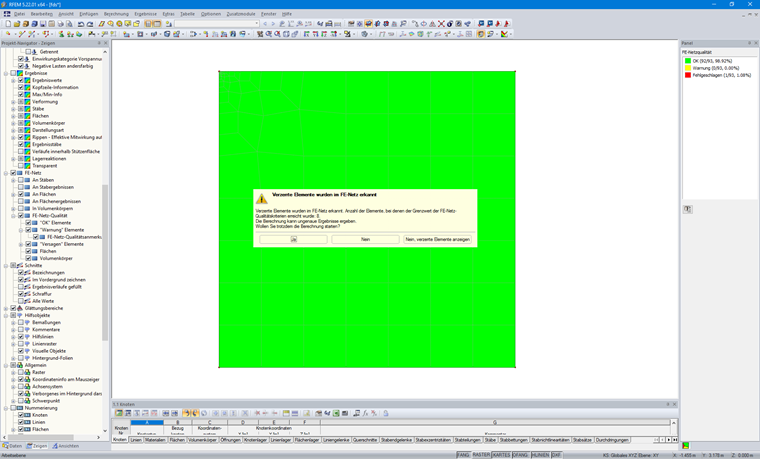
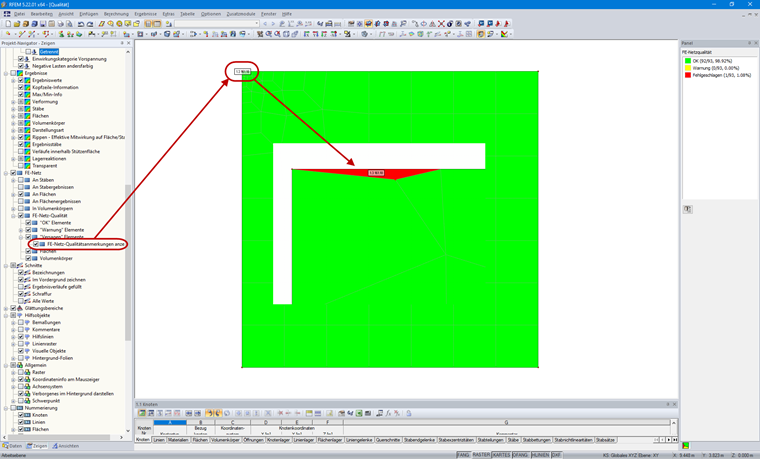
If the distorted elements are so small that they cannot be detected (see Image 01), we recommend using the "Display Mesh Quality Annotations" option. You can find this option in the Display navigator → FE Mesh → FE Mesh Quality. There, you can activate the annotations for the "Warning" and "Failure" elements (see Image 02). Thus, you can immediately recognize where the location is by using the values. For larger models, it may be helpful to hide the model during the search.