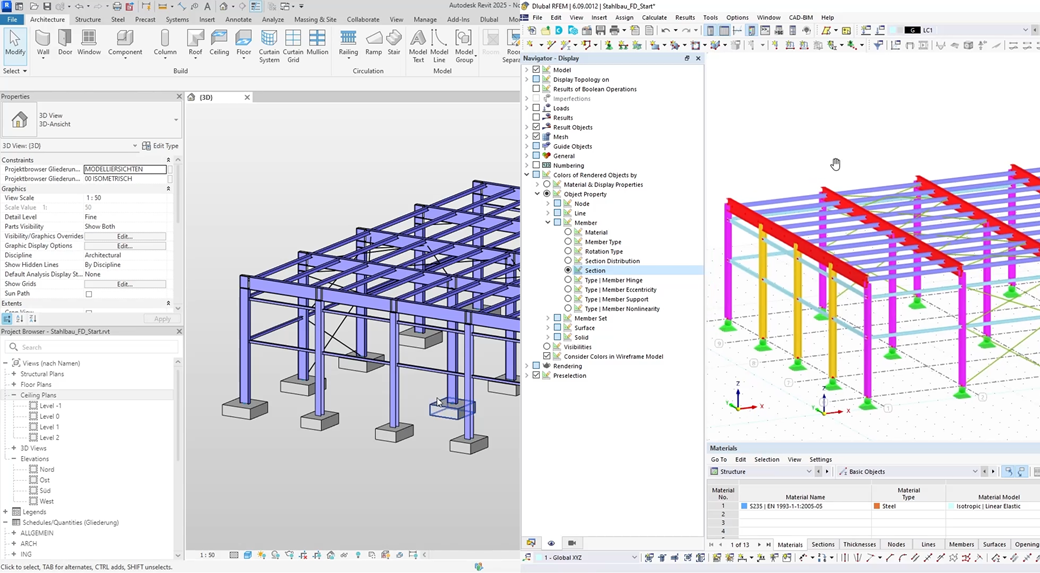
Bidirectional Synchronization
Create new models in either direction and seamlessly synchronize changes as your project evolves.
Sign up for the Dlubal Extranet to get most of the software and have exclusive access to your personal data.
Sign up for the Dlubal Extranet to get most of the software and have exclusive access to your personal data.
Sign up for the Dlubal Extranet to get most of the software and have exclusive access to your personal data.

Create new models in either direction and seamlessly synchronize changes as your project evolves.

Effortlessly transfer your architectural or analytical model from Revit to RFEM for rigorous structural calculations and design checks.

Push optimized cross-sections and design modifications from your structural software directly back into your CAD/BIM model.

Browse our online manual for detailed guidance on the Revit interface. Find step-by-step instructions for installing the add-in and mastering the model export and import processes.

Watch practical demonstrations from our experts. Learn exactly how to efficiently share structural data between Revit and RFEM to streamline your daily workflows.

Access our archive of recorded Revit sessions, or register for upcoming live webinars completely free of charge.