


Reinforced concrete design plays a vital role in structural engineering, requiring precision, reliability, and efficiency. As the demands of modern construction grow increasingly complex, engineers need software that not only keeps pace but also enhances their productivity. RFEM 6 from Dlubal Software offers a powerful, all-in-one solution that simplifies the process of designing reinforced concrete structures. This article explores the key features of RFEM 6’s Concrete Design add-on, showcasing how it integrates tasks, optimizes workflows, and helps engineers achieve more with less effort.
1. RFEM 6 Concrete Design Add-on: An Overview
The RFEM 6 Concrete Design add-on centralizes the design process into a single, integrated platform. Previously, RFEM 5 required separate add-ons for different concrete design tasks, such as beam design, column design, and punching shear checks. RFEM 6 changes this by combining these features into one streamlined module. This consolidation makes it easier for engineers to access the tools they need, ensuring a more efficient and seamless design experience.
Key Benefits:
- Unified Add-on: RFEM 6 includes all reinforced concrete design tasks in one add-on, eliminating the need for multiple modules.
- Included Standards: Built-in support for major standards such as Eurocode 2, ACI 318, and CSA A23.3 means that engineers no longer need to purchase separate modules for each standard.
- Deflection Design: The deflection design feature, now included by default, simplifies the process that was previously an additional module in RFEM 5.
2. Program Features and Workflow Enhancements
RFEM 6 introduces several user-friendly features that streamline the design process, from initial setup to final calculations.
Streamlined Input and Activation:
- Add-on Activation: Only the necessary add-ons for specific tasks need to be activated, reducing unnecessary clutter in the program.
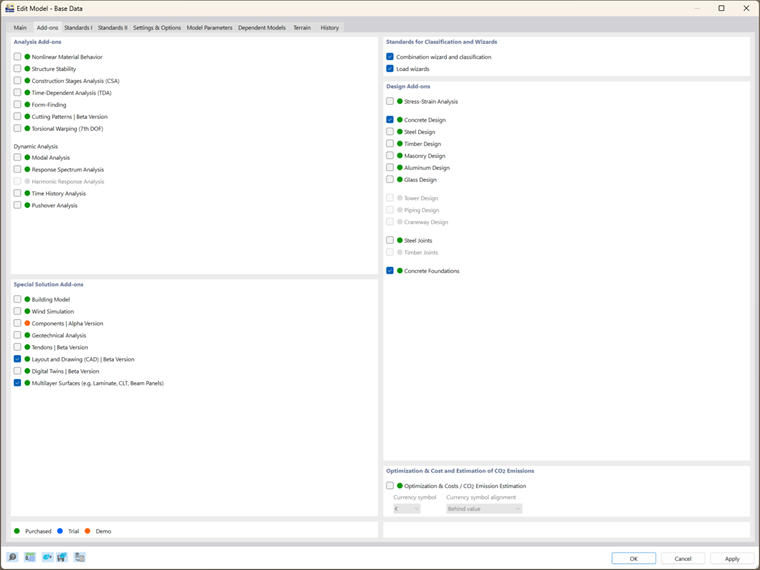
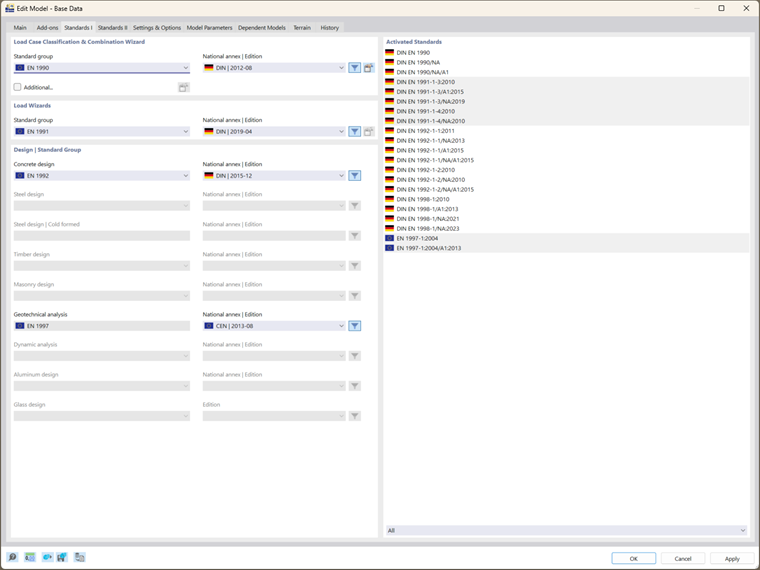
- Simplified Design Standard Input: Users only need to define the design standard once at the start of the project, improving consistency and saving time.
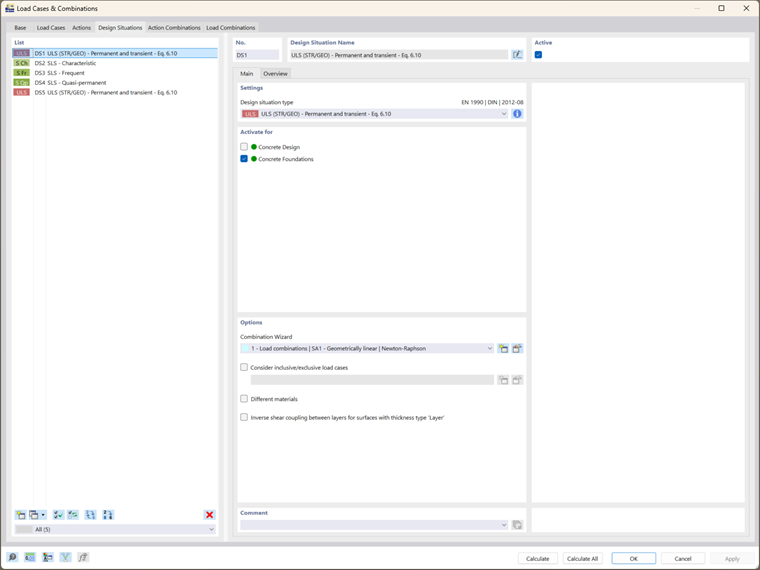
- Automatic Load Assignment: The system automatically assigns design loads, eliminating manual input and reducing the chance for error.
Structural Input and Types:
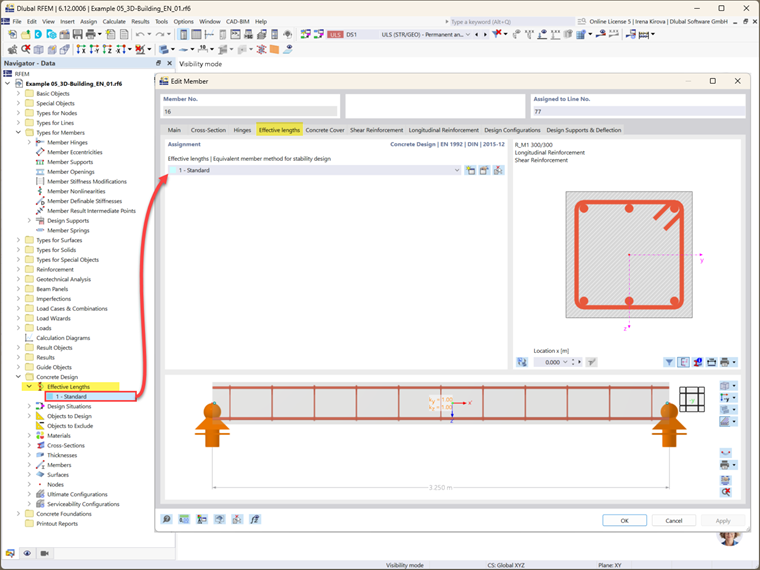
- Use of Predefined Types: RFEM 6 introduces “types” for structural elements like beams and columns. These predefined types speed up input and ensure that all properties are consistently applied throughout the design.
3. Key Design Features in RFEM 6
RFEM 6 introduces a suite of advanced features that significantly enhance the efficiency and accuracy of reinforced concrete design. By integrating design tasks and offering greater control over inputs, RFEM 6 empowers engineers to create more precise and reliable designs with less effort.
Unified Design Process for Beams, Columns, Surfaces, and Punching Shear Nodes
One of the standout features of RFEM 6 is its ability to combine the design of beams, columns, surfaces, and punching shear nodes into a unified process. This integration eliminates the need for engineers to switch between different modules for each task, making the design workflow smoother and more cohesive. This holistic approach not only saves time but ensures that all structural components are optimally designed in harmony with one another, reducing the risk of errors that can arise from separate, isolated calculations.
Reduced Input Effort: Standardized Material Properties
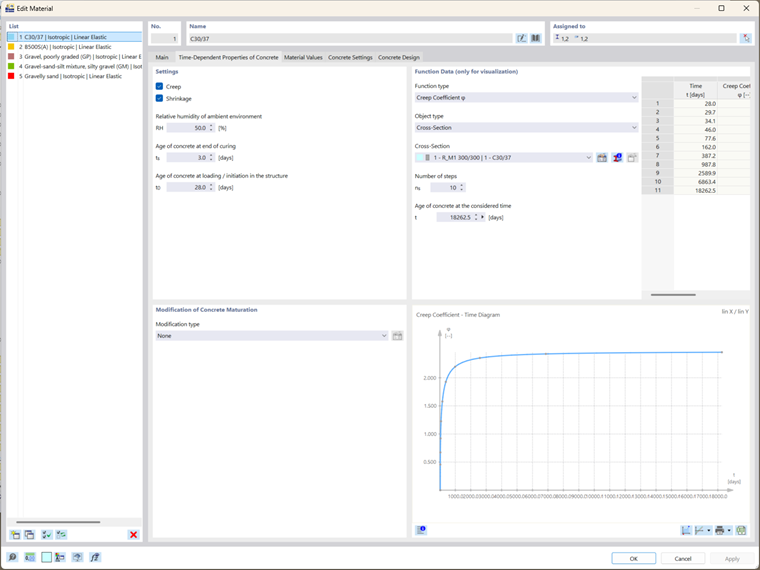
RFEM 6 significantly reduces the input effort required from engineers by standardizing critical material properties across the entire design process. For example, parameters such as creep and shrinkage, which traditionally need to be defined separately for each structural element (e.g., beams, columns, or slabs), are now applied consistently throughout the model. This unified approach ensures that the material properties are applied correctly to all components and eliminates the tedious task of reentering values for every part of the structure. Engineers can focus on higher-level decisions, knowing that RFEM 6 will handle the consistency of material parameters.
Enhanced Design Control Using Configurations
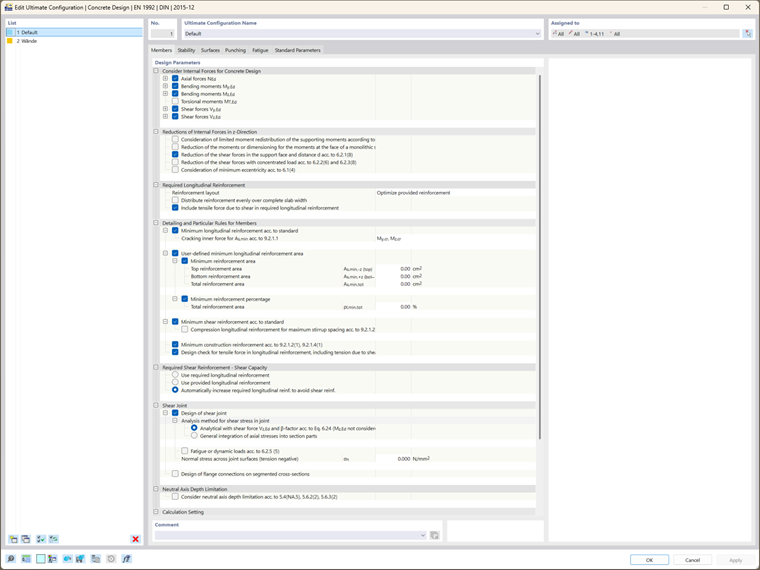
RFEM 6 gives engineers greater control over the design process by allowing them to configure settings specific to their project’s requirements. Using design configurations, engineers can fine-tune parameters for different types of structural elements, whether adjusting general design parameters or those related to stability, punching, etc. This flexibility allows engineers to customize the design for various scenarios, ensuring that each component meets the necessary performance and safety standards.
Individual Limit Values for Serviceability Limit State
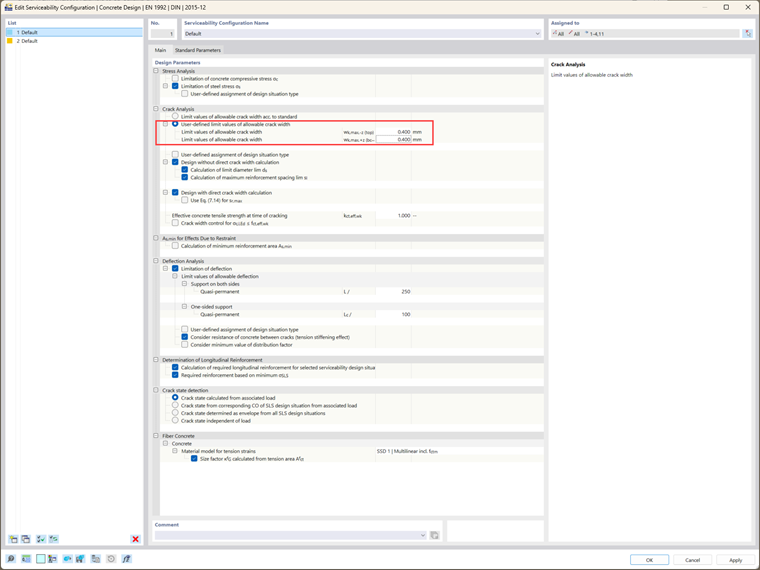
Serviceability limit state (SLS) checks are crucial for ensuring that a structure performs well under everyday conditions without excessive deflections or cracking. In RFEM 6, engineers can define individual limit values for each design situation in the serviceability limit state. This allows for more tailored and accurate assessments. For example, when designing a high-rise building, a higher tolerance for deflection might be acceptable in certain areas, while stricter limits might be needed in others, such as near sensitive equipment or in public spaces. By allowing for these individual limit values, RFEM 6 ensures that the design is both practical and cost-effective, while also maintaining the required level of performance for all parts of the structure.
Durability Classes for Concrete Design
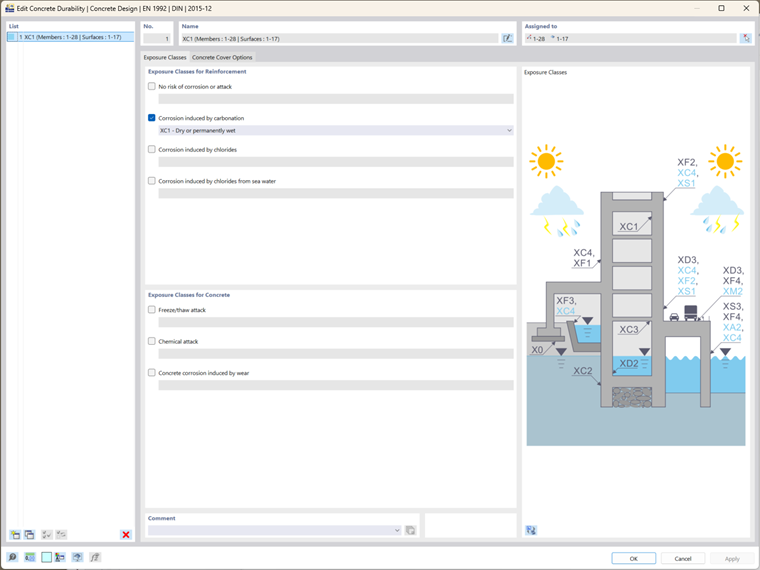
RFEM 6 introduces the concept of durability classes (also known as exposure classes), which can be defined for individual structural members and surfaces. This feature allows engineers to specify the environmental conditions their concrete elements will be exposed to, such as contact with water or exposure to aggressive chemicals. Once defined, the durability class is automatically applied to each member and surface in the model, simplifying the input process.
Performance Improvement with Multiple Calculation Cores
The demand for more complex analyses and faster results has become a necessity in modern structural engineering. RFEM 6 answers this challenge by leveraging multiple calculation cores, significantly improving performance. This feature allows RFEM 6 to run analyses in parallel, cutting down calculation time and making it easier to handle larger, more complex models. For example, a high-rise building with multiple interconnected slabs, beams, and columns would require a considerable amount of processing power. By using multiple cores, RFEM 6 can process these complex calculations simultaneously, ensuring that engineers receive timely results, even for the most intricate designs. This performance boost makes RFEM 6 a valuable tool for engineers working under tight deadlines or on large-scale projects.
Detailed Results Output and Enhanced Report Features
RFEM 6 enhances results output and reporting by providing detailed design checks and a comprehensive Results navigator that combines results for beams, surfaces, and nodes in one view. Engineers can easily review results for each design situation (e.g., ultimate limit state or serviceability limit state) both graphically and in tabular form, making it easy to evaluate how the structure performs under different loads.
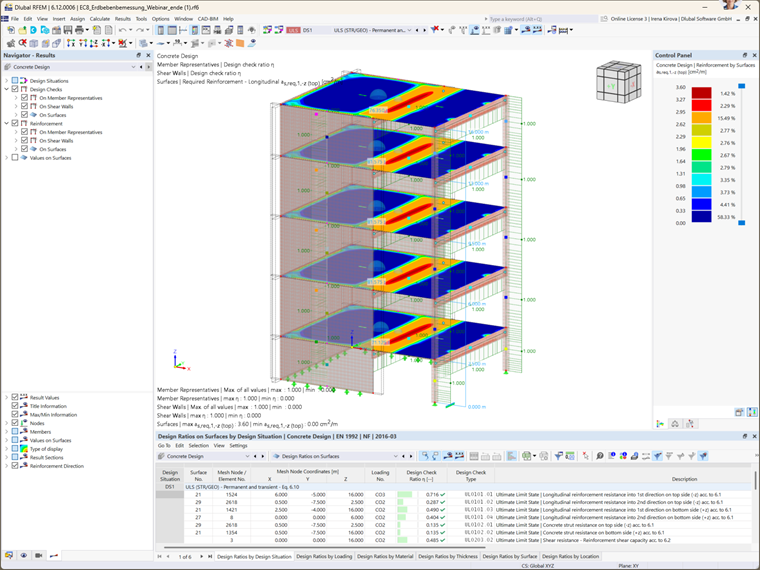
The software now outputs required, uncovered, and existing reinforcement, highlighting any deficiencies and making it easier to adjust the design. Engineers also have full control over output tables, allowing for customized reports that meet specific project needs. The new printout report is faster and more efficient, streamlining the report generation process.
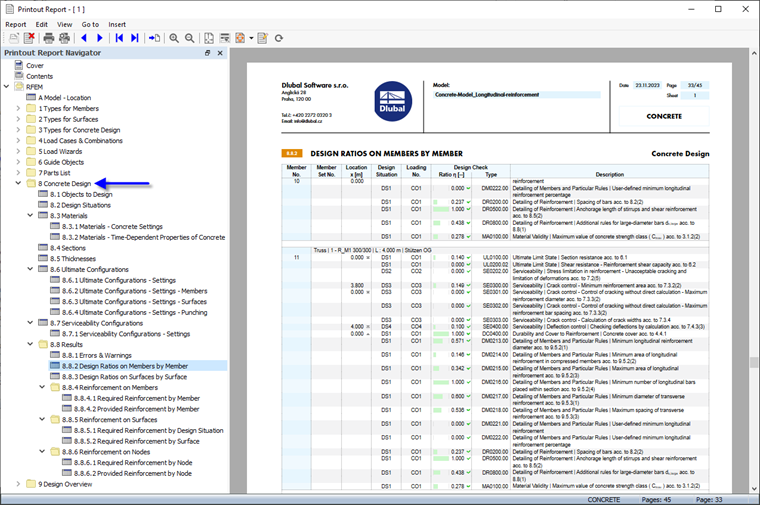
Another major improvement is the way the program handles the results. In RFEM 6, changes to input data no longer require recalculating all results. Instead, only the affected results are updated, significantly reducing calculation time and improving workflow efficiency.
5. Advanced Design and Analysis Features
RFEM 6 offers advanced analysis options that provide greater control over material behavior and deformation calculations.
Nonlinear Material Behavior:
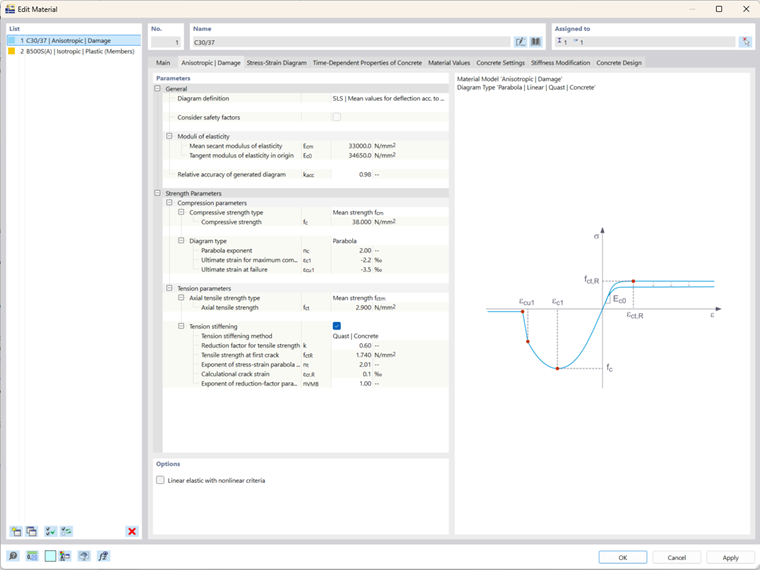
- Nonlinear Concrete Behavior: RFEM 6 includes a full package for nonlinear material behavior, allowing for realistic analysis of reinforced concrete structures under various load conditions.
- Interaction with Other Materials: Nonlinear analysis takes into account other materials, such as steel and masonry, making it possible to simulate complex structural behavior.
Time-Dependent Analysis (TDA):
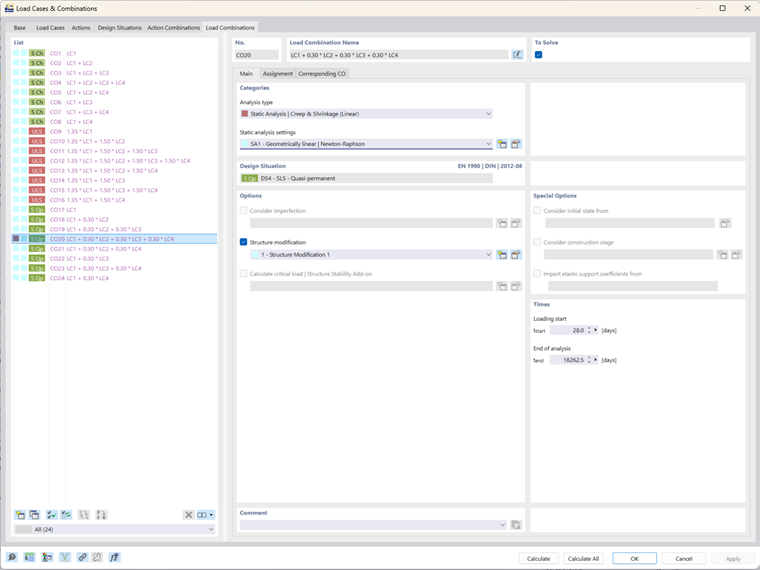
- Creep and Shrinkage: TDA allows users to account for the long-term effects of creep and shrinkage, which is crucial for accurate modeling of reinforced concrete over time.
- Rheological Model: The Kelvin-Voigt model in TDA enables detailed time-step analysis, capturing the gradual deformation of concrete structures.
Deformation Analysis:
- Effective Stiffness Method: This method, now integrated into the RFEM 6 Concrete Design add-on, improves deflection calculations by considering the structure’s stiffness both before and after cracking.
Conclusion
RFEM 6 significantly enhances the reinforced concrete design process by integrating key tasks into one cohesive add-on. With its advanced features for nonlinear material behavior, time-dependent analysis, and new design checks, RFEM 6 empowers engineers to design safer, more efficient structures with greater ease. As Dlubal continues to evolve RFEM 6, this software promises to meet the growing demands of the industry, making it an invaluable tool for structural engineers.