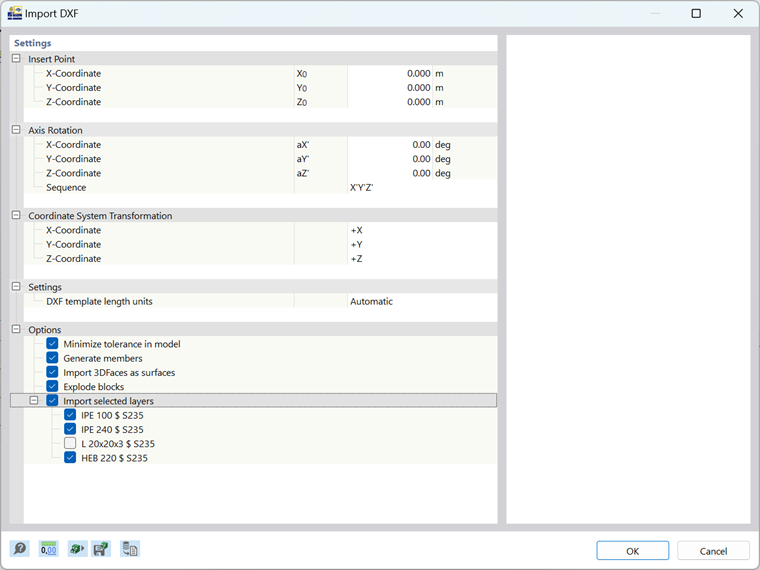
DXF import allows you to import nodes, lines, and surfaces (3D surfaces).
Insert Point and Rotation
You can enter the insert point manually or define it graphically in the work window using the
 button. A rotation is possible as an option. A positive angle α rotates the model clockwise.
Coordinate System Transformation
Select the corresponding check box to change or mirror the coordinates.
Options
Generate members
You can convert the imported lines into members. For this, it is necessary to enter the cross-section and material names accordingly in the layer descriptions.
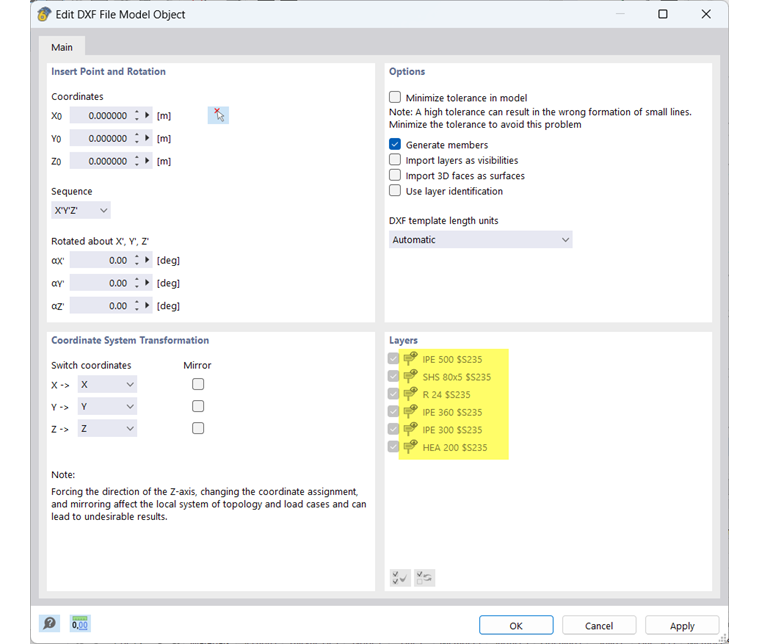
Import layers as visibilities
Select this check box to import layers as user-defined visibilities. You can find the created visibilities in the Navigator – Views.
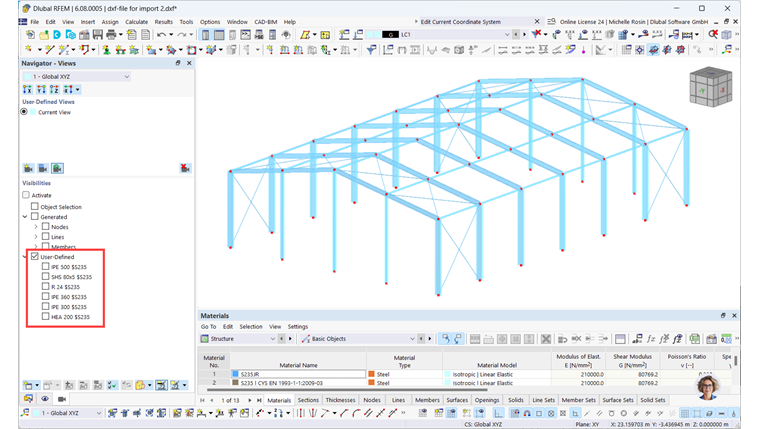
Import 3D faces as surfaces
If you activate this option, 3D surfaces of the DXF template are automatically created as surfaces in RFEM.
Use layer identification
You can specifically define which layers should be imported.
Length units of DXF template
If the length units of a DXF template are not to be automatically adopted from the DXF file, you can select the appropriate unit from the list.
Layer
This section is available if the Import from selected layers check box is selected in the "Options" section.