


This export option allows for a direct export to BricsCAD. The current RFEM model is directly transferred to BricsCAD. For the export, it is necessary to open both applications at the same time.
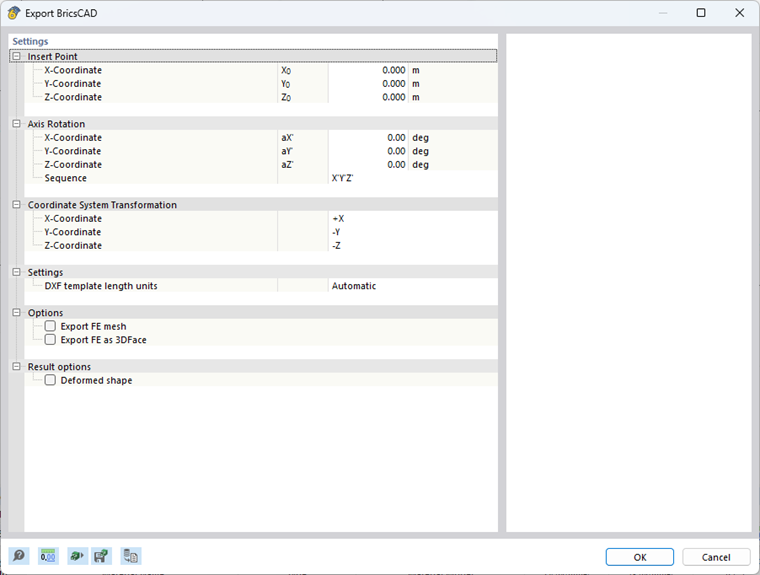
Insert Point
The insert point corresponds to the model coordinates in RFEM. You can manually change the insert point along the X, Y, and Z axes.
Axis Rotation
You can also rotate the model about the global axes. A positive angle rotates the model clockwise.
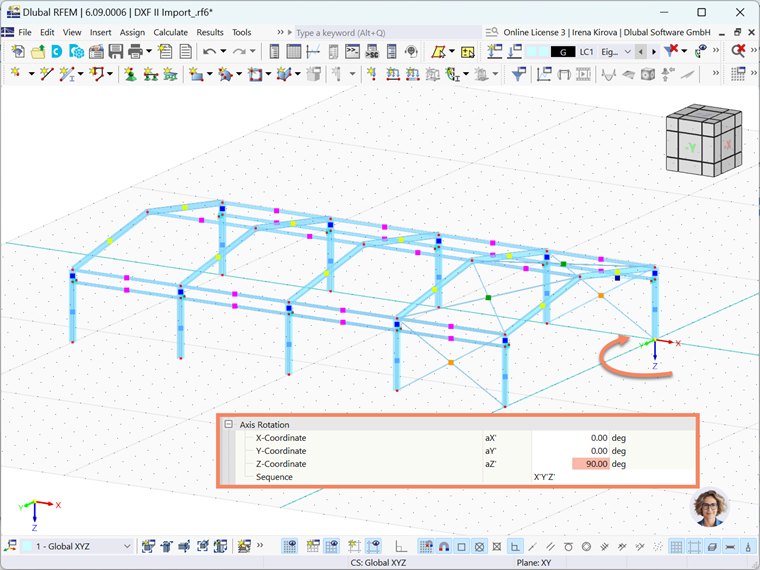
The sequence of the axis rotations can be defined separately.
Coordinate System Transformation
In the corresponding drop-down menu, you can swap the axes or change the direction of an axis.
Settings
If the "Length units of DXF template" are not to be automatically adopted from the DXF file, you can select the appropriate unit from the list.
Options
Export dimensions
Dimension lines can be exported from RFEM.
Export FE mesh
The generated FE mesh is exported in the form of lines and nodes.
Export FE as 3DFace
RFEM exports each FE mesh cell as a 3DFace element. In AutoCAD, for example, they are recognized as a surface and displayed in the model as a multi-surface mesh.
Result options
Deformed Shape
The deformed mesh of the active load situation is exported.
Export Deformed Shape as 3DFace
RFEM exports the deformed mesh to 3DFace elements. In AutoCAD, for example, they are recognized as a surface and displayed in the model as a multi-surface mesh.