


If you assign “Nodes on member” to members, these nodes receive relative coordinates, for example, 25% of the total member length. This defines the position of these nodes.
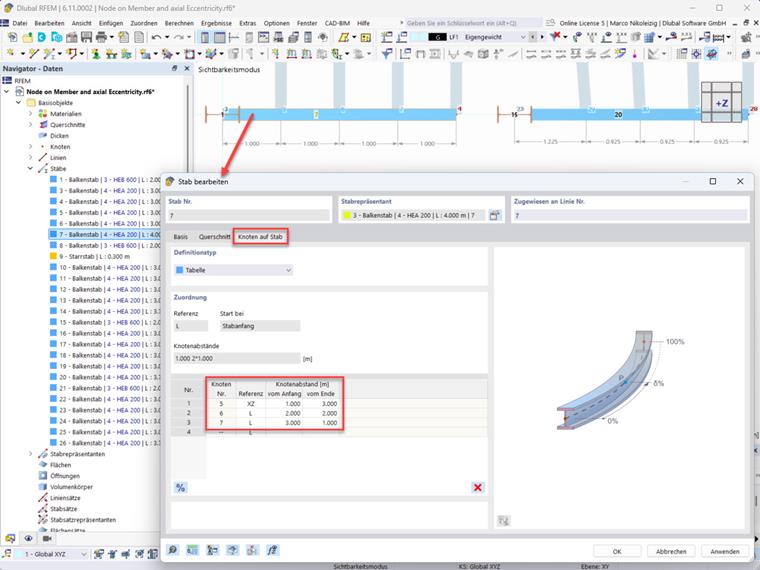
If you subsequently assign an axial eccentricity to the corresponding member, the “nodes on member” are shifted, because the new position of the nodes is related to the new position of nodes or the new member length. The member length is shortened by the amount of the axial eccentricity.
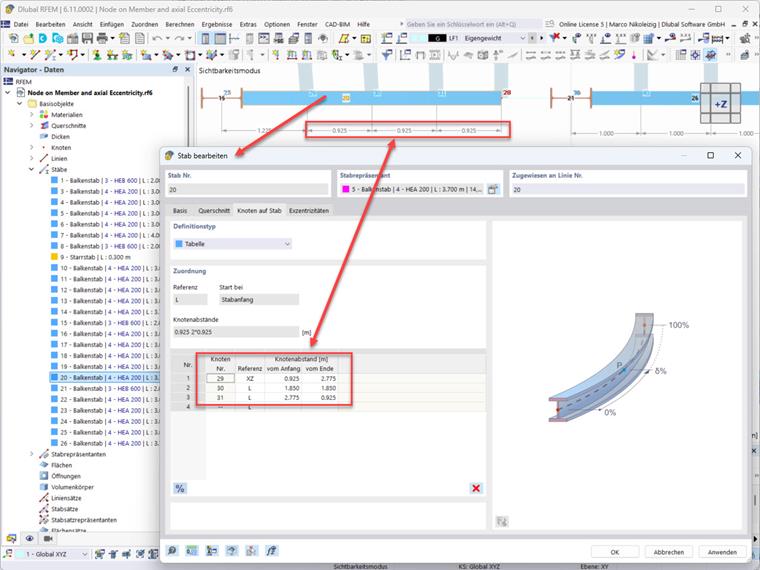
It would then be necessary to manually redefine the position of all “nodes on member” afterwards. For example, by entering the position of the “nodes on member” related to the member end. However, the desired distances (absolute values) would have to be known for this.
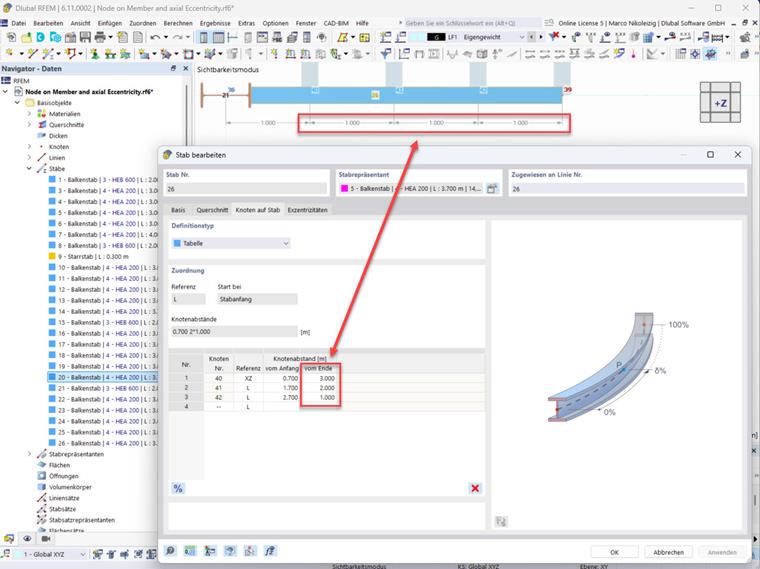
Alternatively, you can omit the axial eccentricity input and split the member at the desired location instead. You can assign the “Rigid member” type to the newly created member to simulate the eccentricity.
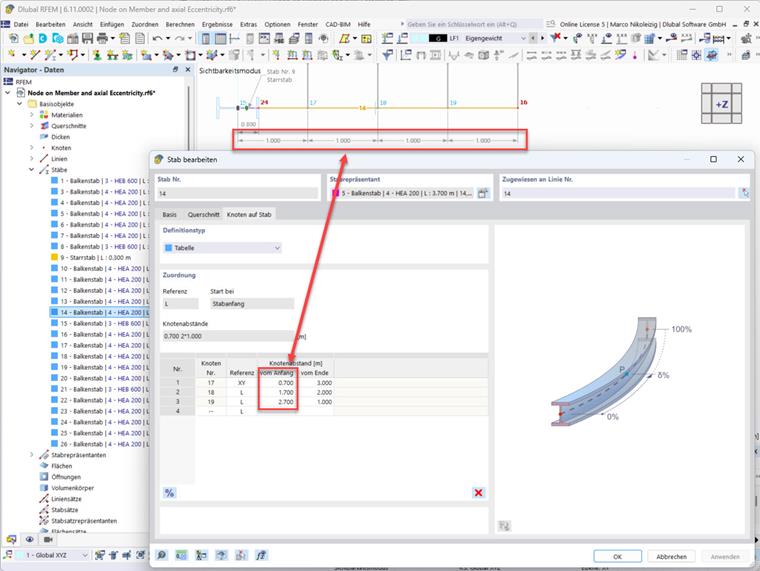
However, keep in mind that entering the axial eccentricity and the rigid member will introduce changes in stiffness into the structural system. For more information, refer to the following Knowledge Base articles:
- KB 1634 | Effect of Member Eccentricities when Calculating Internal Forces
- KB 1439 | Considering Eccentricities of Members and Surfaces
To download the model used, see “Models to Download” at the bottom of the website or click on the following link.