


In order to model a lap joint for an I-beam, it is necessary to enter the “splice plate” component for the web and both flanges, meaning that you have to define three components.
When entering the data, the add-on checks which parts of the two connected members belong together. To do this, it checks which line between the two flanges is in contact, for example. In the add-on, this is referred to as a “common weld”.
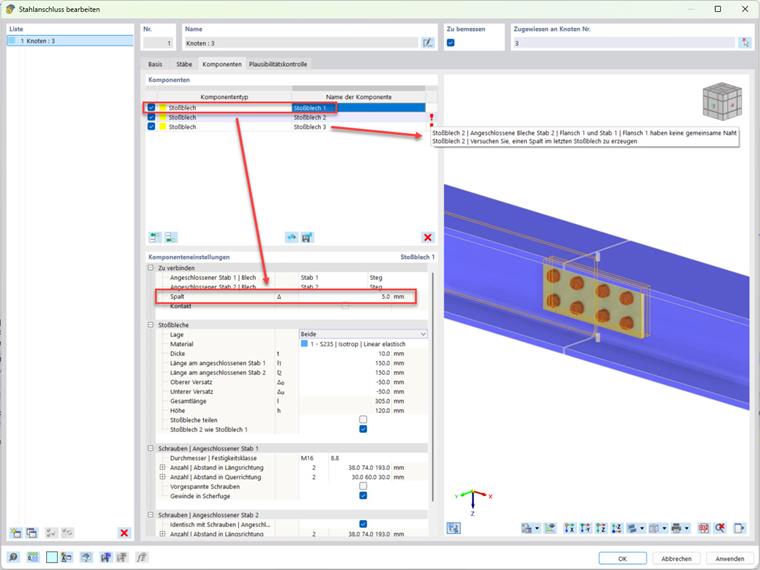
Part of the splice connection is a gap between the members involved, which can be defined in the add-on. If this gap is already defined in the first “splice plate” component, no “common seam” can be recognized for the subsequent “splice plate” components, that is, no connection between the two member ends concerned.
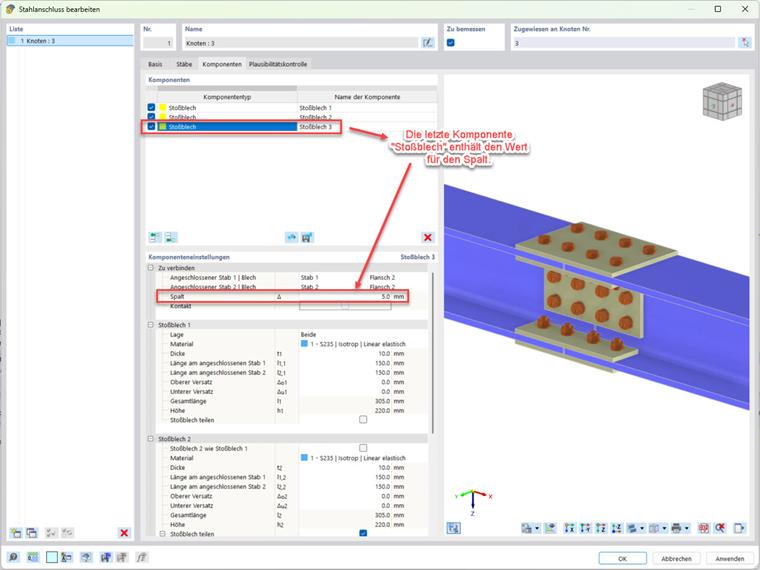
The correct procedure is to define the gap in the last “splice plate” component. Then the complete splice joint is recognized. The value for the joint in the previous “splice plate” components is left at zero in each case.
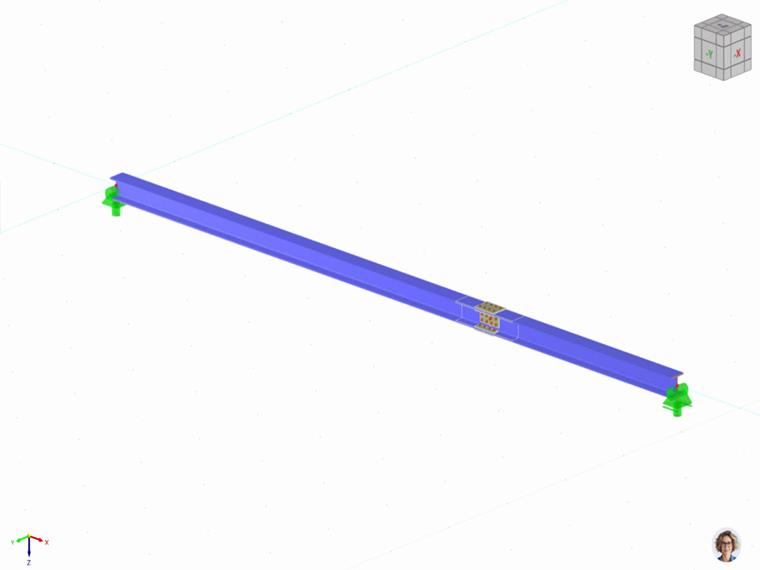
Click on the following image to download a sample model.
Link to:
FAQ 5778 | "Bolted Splice Joint on I-Beam Part 2/2"