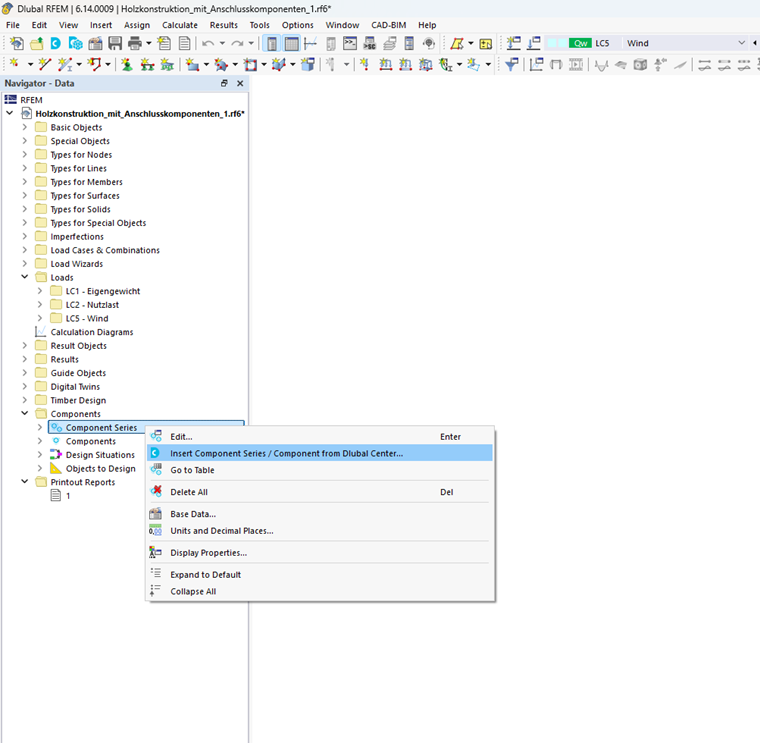
After activating the add-on, you can select components from existing component series and assign them to the model. The required data can be entered either via the Dlubal Center or directly in the component dialog box.
The flexible user interface of RFEM allows for several approaches to editing components and component series:
- Using the Dlubal Center to select component series and components
- Using the Component dialog box to adjust the properties of an inserted component