


The properties and behavior of components are defined in the Components add-on using component series. A component series summarizes all the information required for the modeling, parameterization, and design process of a group of components.
In addition to general information, such as manufacturer, material, or assignment type, each component series also contains the data structures and files needed to describe the individual components. This includes, for example, parameter data, images for visualization, and scripts for analysis and design.
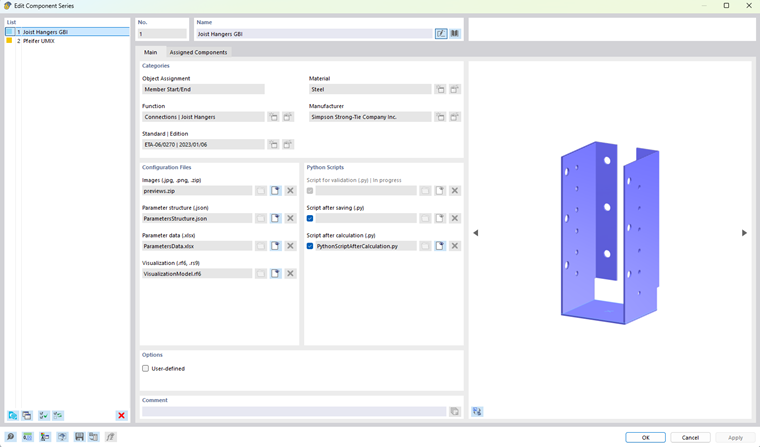
The component series dialog box serves as the central management interface for this information. It is divided into two tabs: Main and Assigned Components.
In the “Assigned Components” tab, the selected components and their associated parameters are displayed in a table.
Both tabs are described in detail in the following chapters. These chapters explain both the general properties of a component series and the significance of the stored files and their interaction during modeling and the design process.
Sections in “Main” Tab
| Categories | General properties of the component series |
| Configuration Files / Python Scripts | Files and data structures as the basis for modeling and calculation of the components |
| Options | Option to activate a user-defined component series |
For user-defined component series, you can customize and extend all content. This allows you to create your own component libraries and use them directly in RFEM.