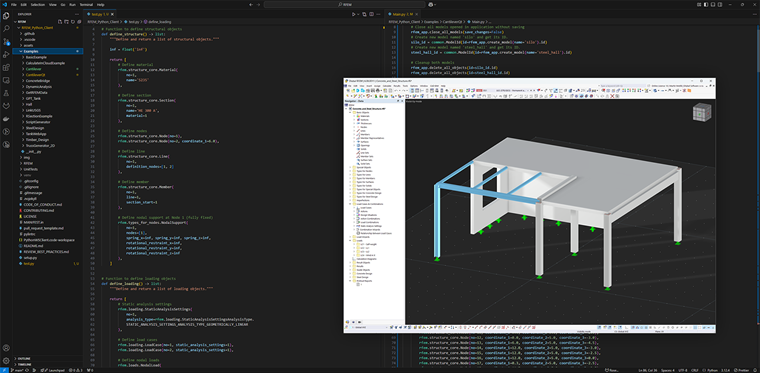
User-Defined Components allow you to create your own component series and use them in RFEM 6. In addition to the series provided in the Dlubal Center, this also allows you to integrate company-specific design logic and detailed design checks.
Prerequisites
The following is required to create and perform calculation on user-defined components:
- Basic subscription to the Dlubal API
- Creating an API key in the Extranet
- Integrating the API key into RFEM
Creating API Key in Extranet
- Open the Extranet
- Navigate to API & Cloud → API II → My API Keys
- Select Create new API key
- Assign a name and generate the key
- Save
Integrating API Key into RFEM
- Open RFEM
- Open the View → Console menu
- Select Python | Dlubal API | gRPC
- Select the key icon
- Enter the API key (name + key)
- Confirm
The key is saved in a config.ini file.
Creating User-Defined Component
You can activate the entry of a user-defined component as follows:
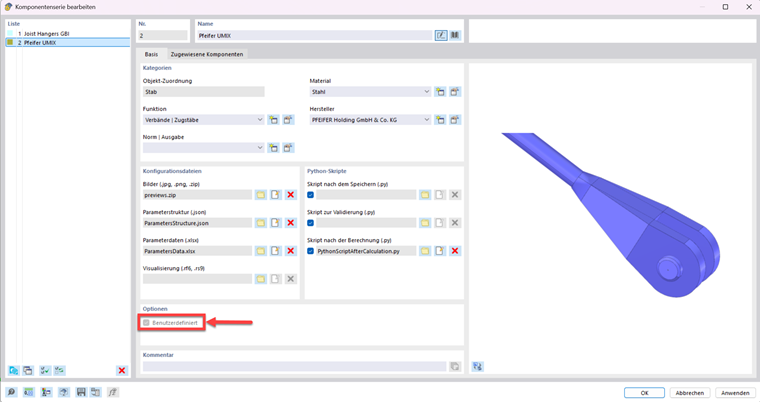
- Open the Component Series dialog box.
- Select the User-defined option.
This will unlock all input boxes.
Categories (Metadata)
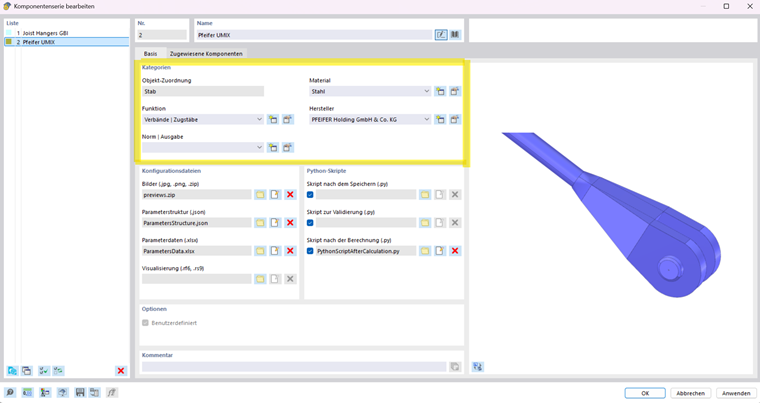
- Assignment type (for example, object assignment)
- Manufacturer / new manufacturer
- Standards and edition
- Function / category
- Material
Configuration Files (Files)
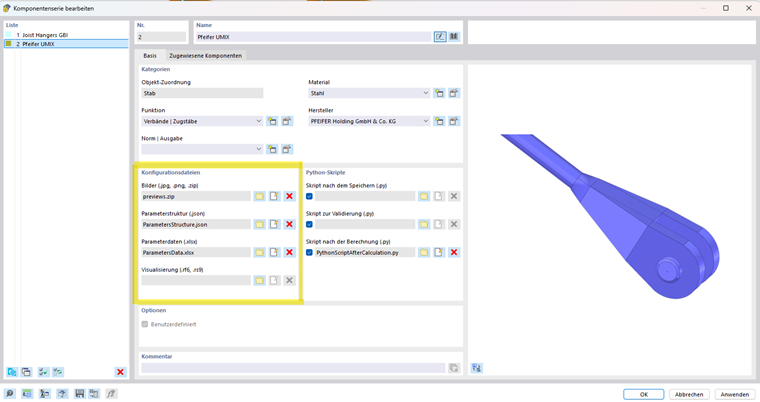
1. Images
- Add any images or system sketches
- Purpose: visual display of the component
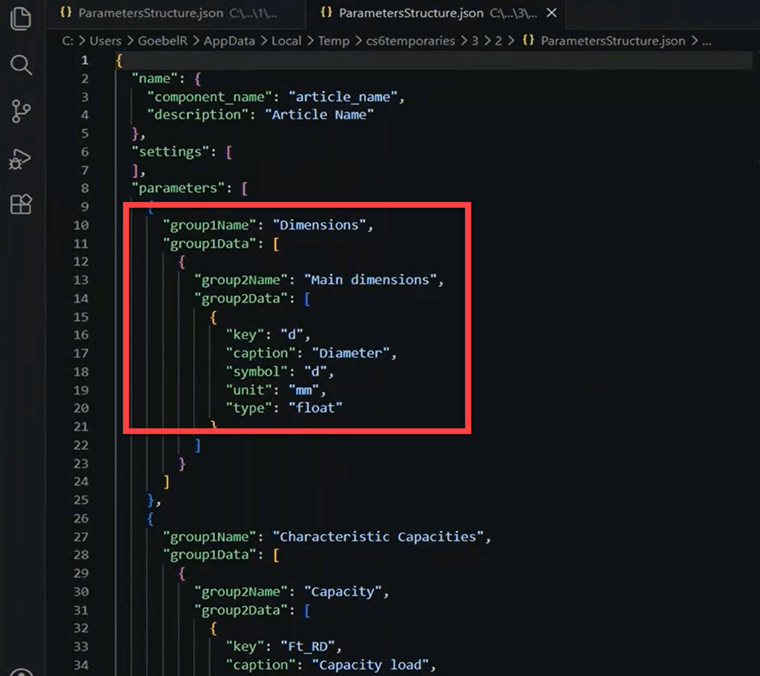
2. Parameter Structure (JSON File)
- Grouping of the input structure
- Definition of parameter assignment
Important Fields:
| group |
|
|
|
|
|
| key |
|
| caption |
|
|
|
| symbol, unit |
|
| type |
|
Additional groups can be added as needed.
3. Parameter Data (Excel File)
- The data defines the parameter structure.
- It is necessary to give each row a unique name.
- The columns can be freely defined but must be used consistently.
4. Visualization (RFEM 6 file)
- It allows for detailed visualization in the RFEM work window
- However, a component can also be generated without a visualization file
Python Scripts (Script After Calculation)
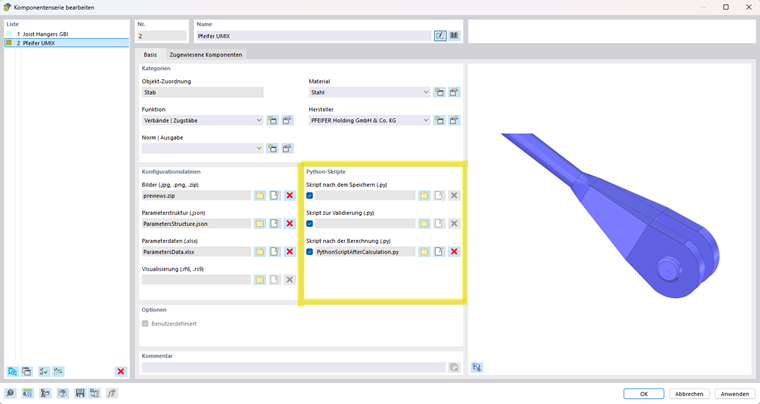
The Script after calculation controls the design checks of the component.
Function: "define_design_checks"
- Definition of design check categories
- Type = Display in RFEM (freely selectable)
- Description, category, and subcategory can be freely defined
Function: "evaluate_single_check"
- Transfer of design ratios to RFEM
Function: "setup_component_series_data()"
- Performing the design process
- Reading parameters via "properties_parameters"
- The key must be identical to those in JSON and Excel
- Consistent type between definition and evaluation required
Saving and Reusing Components in Dlubal Center
You can save a user-defined component as a template so that you can use it in other projects as well.
Proceed as follows:
- In the Component Series dialog box, click the
 button at the bottom.
- The “Save Component Series” window appears with the suggested save location: Documents → Dlubal Software → Component Series.
- Enter a file name and then click the Save button.
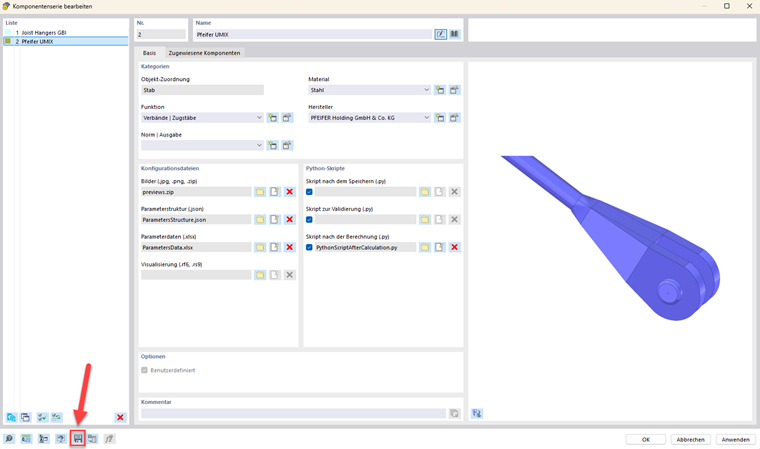
User-defined components are added to the Component Series category in the Dlubal Center. Under the entry Owner → User-Defined, you can select the appropriate component and assign it to a member.
As an alternative, use the
 button at the bottom of the Component Series dialog box to import the component from a file.