The Components add-on provides RFEM with a new way to incorporate structural components and connections into the model using predefined or user-defined component series and to design structural analysis directly.
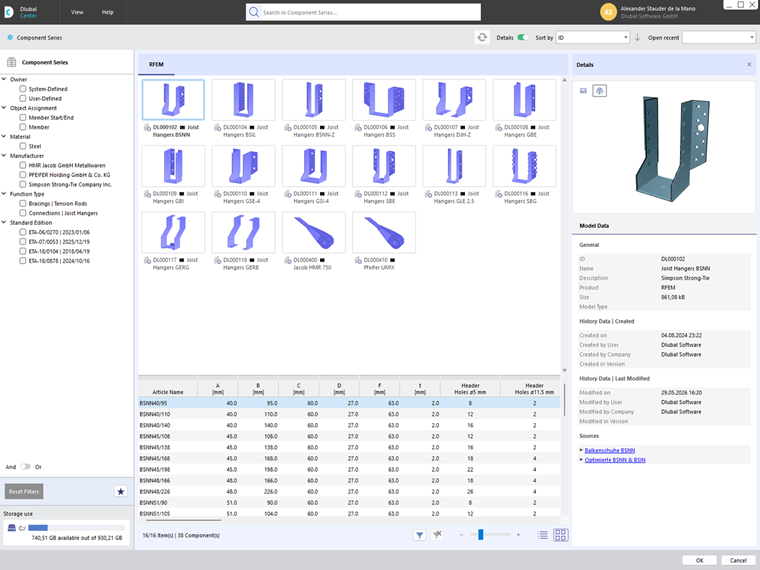
The most significant enhancement is the integration of component libraries into the program environment. Through the Dlubal Center, component series can be selected, filtered, and inserted directly into the model (see the image Component Series in Dlubal Center). The parameters, load capacities, and other properties required for each component are automatically retrieved from the stored data.
Furthermore, users can create their own component series and use them for modeling and design process.
The components are placed on members or member ends using defined assignment types.
For more information on the individual features and workflows of the Components add-on, see the following chapters. For more information on other add-ons, see the chapter Add-ons in the RFEM manual.