


The calculation results from the Components add-on allow you to evaluate the design of components used in the model. After the calculation, the design checks are automatically performed using the internal forces from the RFEM model, and the results are clearly displayed in the result tables.
The results output includes, among other things:
- Component series contained in the model,
- Individual components, including their design status,
- Selected design situations,
- Components to be designed, and
- Design results according to the respective assignment type (for example, at the member start, member end, or along the member).
Result Output
After the calculation, the results are available together with the results from the main program and other add-ons. The results can be analyzed using the result tables.
The most important tables are:
- Component Series
- Shows all component series used in the model
- Components
- Lists all components in the model. For individual components, the design can be activated or disabled as needed
- Design Situations
- Contains the design situations used for the design. Individual design situations can be excluded from the design
- Objects to Design
- Shows all components or mounting locations that are considered in the design
After the calculation, the design results are displayed separately according to the respective assignment type—for example, for components at the member start, at the member end, or along a member.

Output Control
Click the
 button to open the “Result Table Manager” dialog box. There, you can control which tables and tabs are displayed. You can also select which rows and columns are visible in each table.
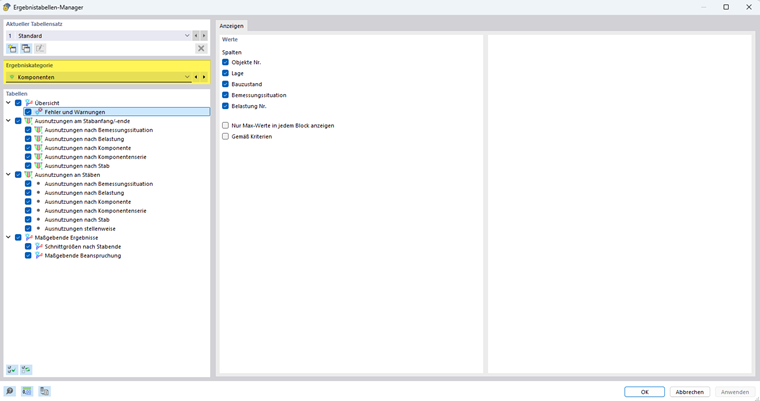
For more information on controlling the output of results, see the chapter Result Evaluation of the RFEM manual.