


Installing the add-on is straightforward. You’ll need a valid license, which you can purchase on the product page and in the Dlubal Webshop. Next, select the Components entry in the Model Base Data dialog box, which you can open via the File → Base Data menu or by clicking the
 button in the toolbar. Switch to the Add-ons tab.
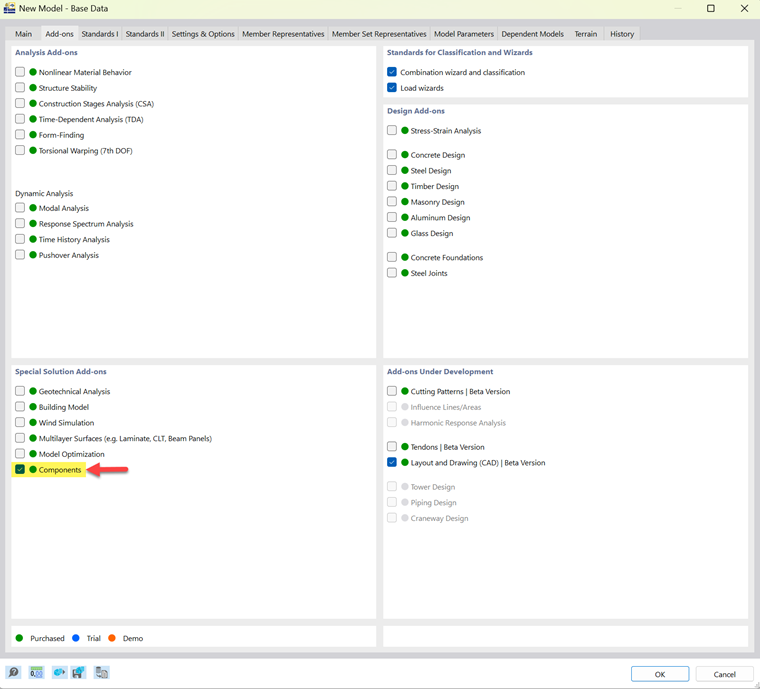
A green dot next to the add-on’s name indicates that you have a license. An orange or blue dot indicates that you can only use the add-on as a demo or trial version and that its functionality is limited.
Once you have activated the add-on, the user interface will be expanded to include additional entries in the Data Navigator and in the tables.