


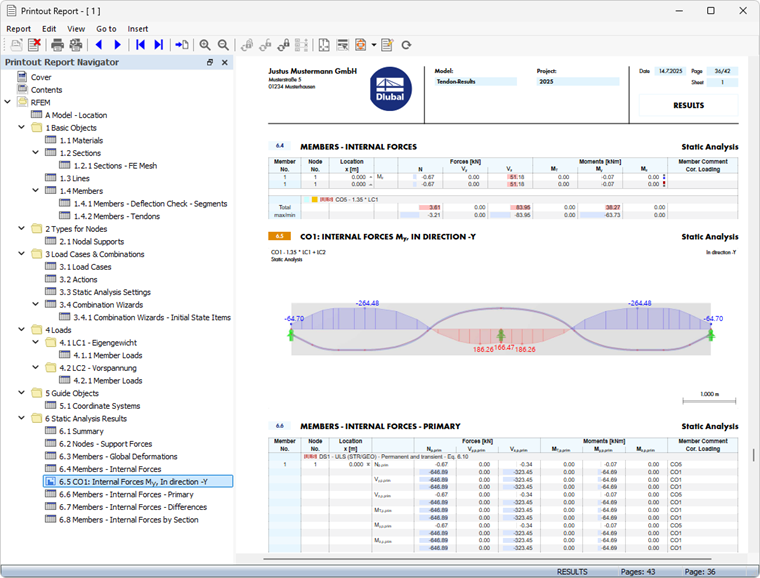
The Tendons add-on is fully integrated into the user interface of the RFEM program. For documentation of the input data and results, all features described in the chapter Printout Reports of the RFEM manual are available in the “Printout Report.”
You can also use the graphic printout to document the deformations and internal forces. You can access the various print functions in the File menu or via the list button
 in the upper toolbar.
Printing Printout Report
The printout report allows for a clear display of the input data and results in tables and graphics. The usual steps are:
- Create a new printout report and select the relevant content ("Report Items")
- Transfer the selected graphics to the printout report
- Create and edit multi-print (see FAQ 005646)
- Print the printout report using the print function in the Report menu or the
 button
Exporting Data
The model and result data can also be exported to other formats. Various options are available for this in the “Export” menu. For example, you can use the “Tables” feature to save the data in tables as an XLSX file.
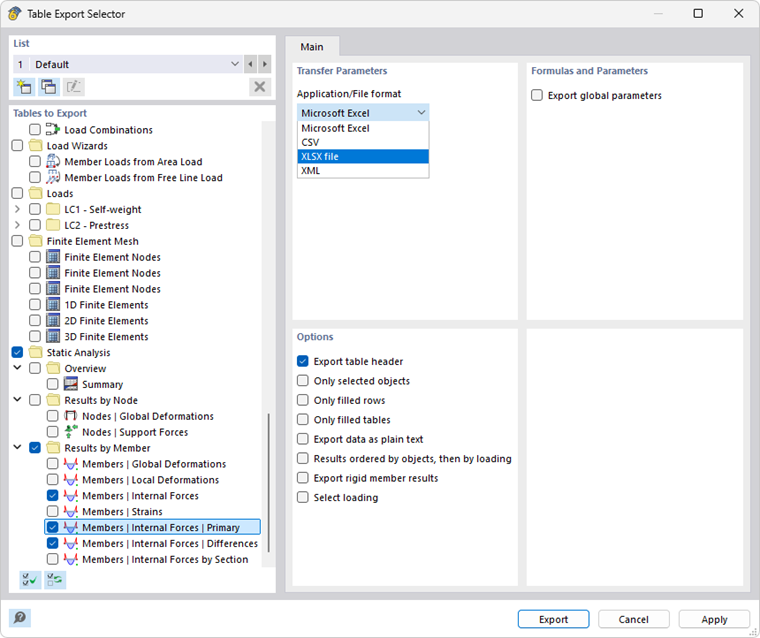
For more information on exporting data, refer to the section Export in the RFEM manual.