The results of the structural analysis are displayed graphically on the model and output numerically in the tables.
Graphics
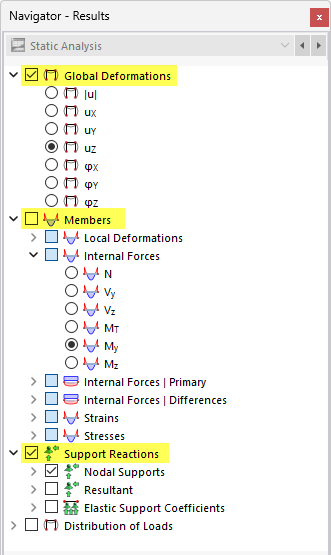
For the evaluation of the graphical results of members, the following navigator categories are relevant:
- Global Deformations
- Members
- Support Reactions
For surfaces with tendons, additional categories are available for result evaluation:
- Surfaces
- Load Distribution
- Surface Results Adjustments
Tables
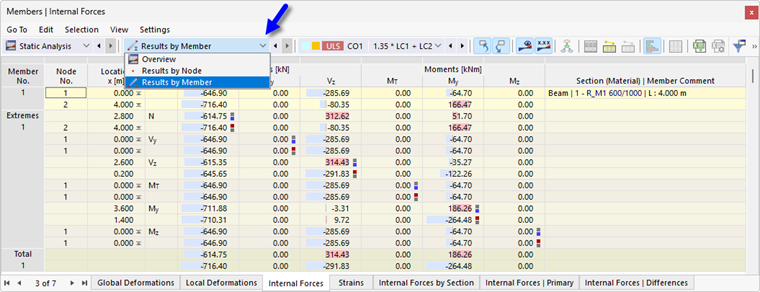
The following subcategories of structural analysis can be used as result tables:
- Results by Node
- Results by Member
For surfaces with tendons, two additional subcategories are available:
- Results by Surface in Grid Points
- Results by Surface in Mesh Nodes
Member Internal Forces
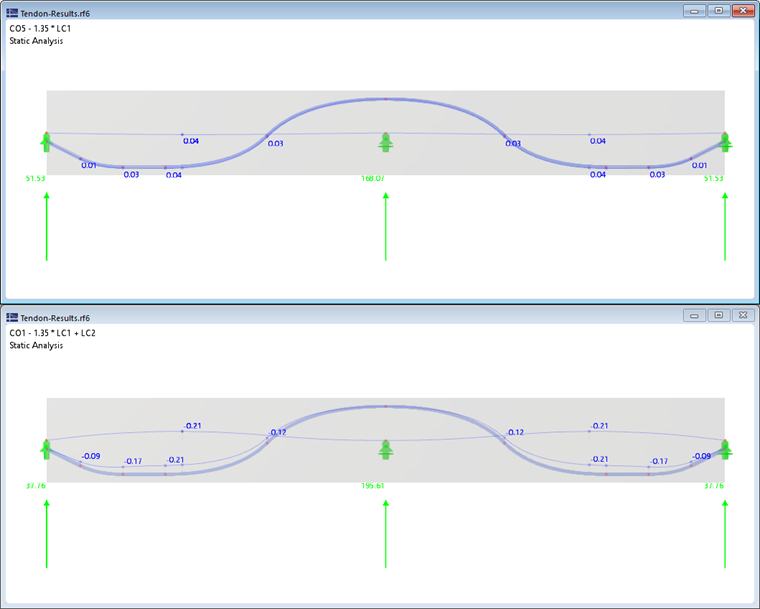
When calculating members with tendons, both statically determinate and statically indeterminate internal forces resulting from prestressing are determined (see image Statically Determinate and Indeterminate Internal Forces). This allows you to compare the effects of prestressing on a system. The following image shows the results of a prestressed concrete beam from the permanent loads without and with taking prestressing into account.
Internal Forces | Primary
For members with tendons, what are known as primary internal forces are output alongside "normal" internal forces. They result from the axial prestressing forces of the tendon, which are projected onto the axes of the prestressed concrete beam for the internal forces N, Vy, and Vz. The moments My and Mz result from multiplying the prestressing force by the eccentricity of the tendon, relative to the axis of the prestressed concrete beam.

Internal Forces | Differences
For the evaluation, you can also use the differences as the difference between "normal" internal forces and primary internal forces. They are available in a separate subcategory of the member results.
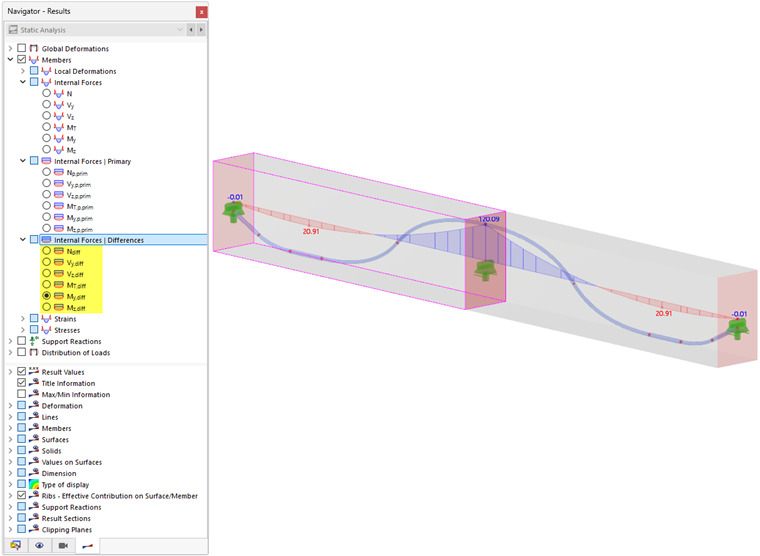
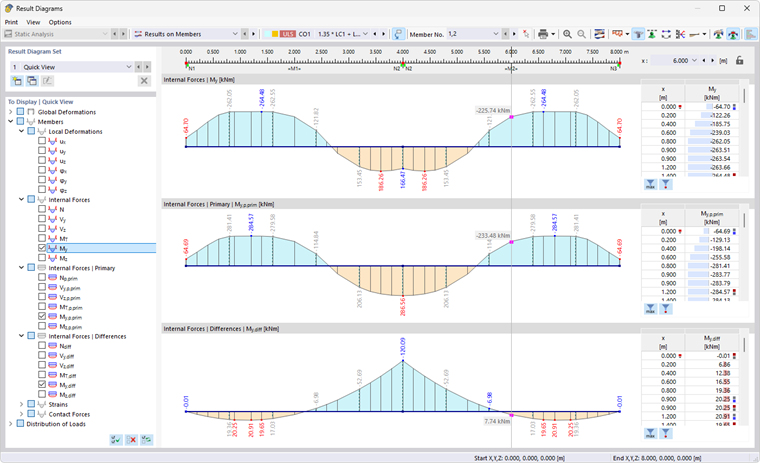
The Result Diagrams dialog box offers a convenient way to compare the three result types: "normal" internal forces, primary internal forces, and differences.