


This manual describes the “Tendons” add-on for the RFEM 6 program. With this add-on module, you can model prestressed and post-tensioned tendons in concrete structures and analyze the prestress effects on the global model.
Prestressed Concrete
Prestressed concrete structures are a special type of reinforced concrete structures where the ultimate strength and serviceability of concrete components are improved by applying a controlled prestress. This involves the use of tendons – high-strength steel bars in the form of wires, strands, or members – which are systematically pre-tensioned to counteract the subsequent self-weight and live loads.
Tendons
Tendons are the central element in prestressed concrete structures. They usually consist of high-strength prestressing steel and can run either inside (internal prestressing) or outside (external prestressing) the concrete cross-section. The tendons are prestressed before or after the concrete has hardened, which leads to a distinction between immediate post-tensioning (prestressed concrete with prestressed reinforcement) and post-post-tensioning.
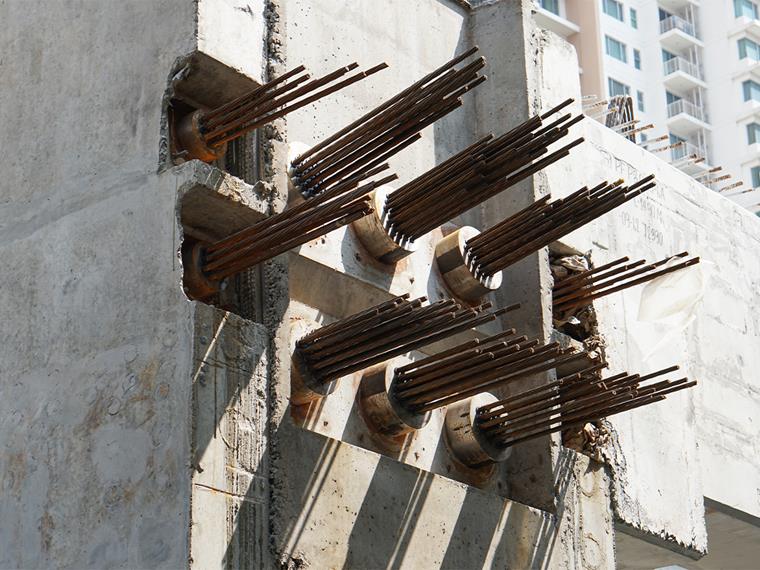
The prestress generates compressive stresses in the concrete, which partially or completely compensate for tensile stresses from subsequent loads. This results in the following advantages:
- No cracking or greatly reduced cracking in the serviceability state
- Higher load-bearing capacity due to the compressive strength utilization of the concrete
- Larger spans without intermediate supports
- Slender cross-sections, which saves material and reduces weight
Prestressed concrete structures are therefore used especially in bridge construction, for slabs with large spans, or in precast structures. The targeted use of tendons allows for a more economical and efficient construction method compared to conventional reinforced concrete structures.
Tendons Add-on
You can enable or disable the use of the special solution add-on in the “Add-ons” tab of the “Model Base Data” section.
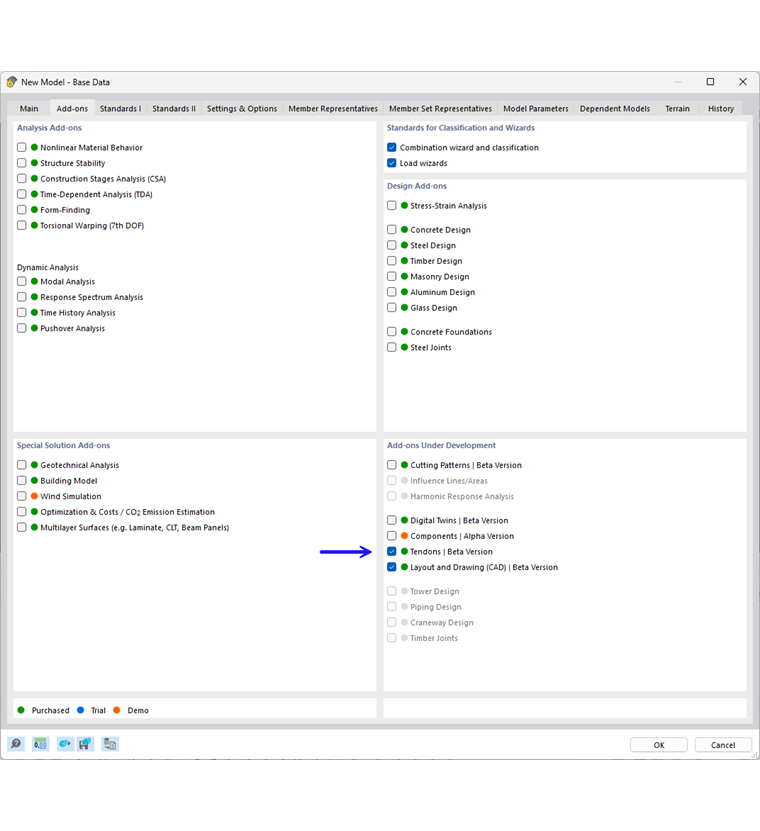
A green dot in front of the add-on name indicates that you have a license. An orange or blue dot indicates that you can only use the add-on as a demo or trial version and that the functionality is limited.
After activating the special solution add-on, the user interface is expanded with new entries in the dialog boxes and tables. The analysis of tension members is now fully integrated in RFEM.