


The prestressed concrete element represents the concrete cross-section in which the tendons are located. This can be a member with the prestressed concrete cross-section (prestressed concrete beam) or a surface with the cross-section thickness (prestressed concrete slab).
Prerequisites
Member
The following prerequisites apply for modeling as a member:
- Member type Beam or Rib
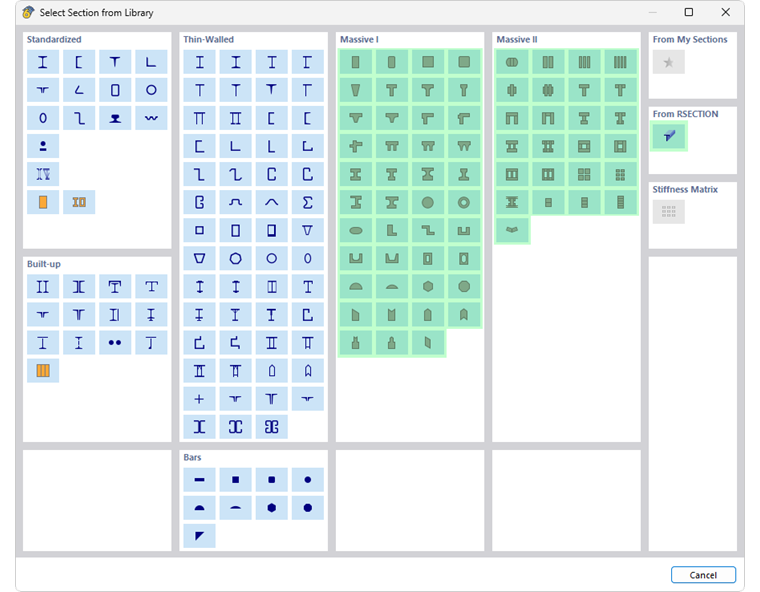
- Cross-section type Thick-walled I, Thick-walled II or From RSECTION (provided "thick-walled" according to FEA)
- Material Concrete
Surface
The following prerequisites apply for modeling as a surface:
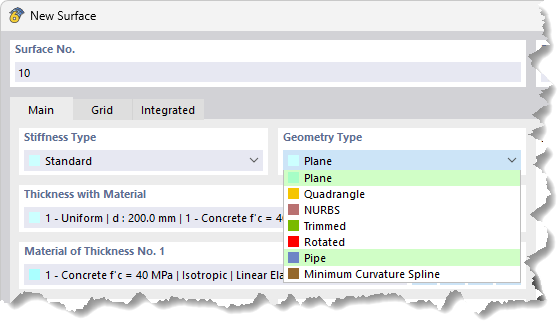
- Geometry type Plane or Pipe
- Material Concrete
Input
When entering the prestressed concrete element, a distinction must be made between the object types – member or surface.
Member
You can model the member of a prestressed concrete cross-section as usual:
- Define the line of the member.
- Assign a member to the line.
- Specify the member type in the 'New Member' dialog, 'Main' tab.
- Define the cross-section with material in the 'Cross-section' tab.
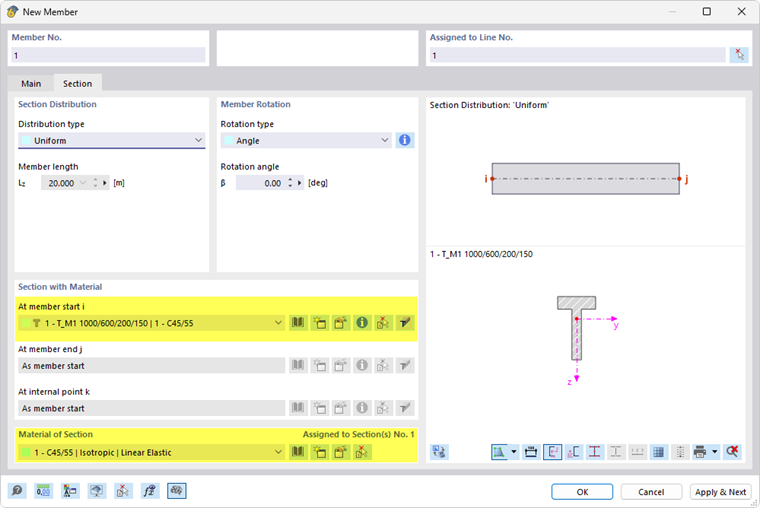
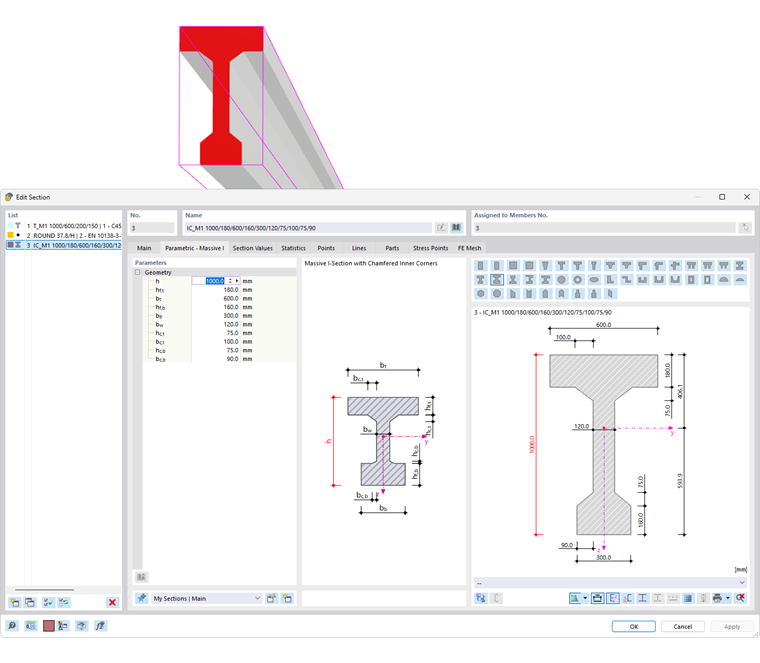
Specify the cross-section of the prestressed concrete beam, for example by
- creating a new cross-section,
- calling up the library with the
 button in the 'New Cross-section' dialog,
 - selecting the cross-section series, and
- specifying the geometry parameters.
Specify the material of the prestressed concrete beam. The
button is also helpful here for selecting the material in the library.
The dialog section 'Cross-section and Material' is described in the Cross-section chapter of the RFEM manual.
Surface
You can model the surface of a prestressed concrete element as usual:
- Define the boundary lines of the surface.
- Open the New Surface dialog ('New Surface → Plane' or 'New Surface → Pipe').
- Assign the boundary lines.
- Specify the thickness with material and the material. You can use the
button to select the concrete grade in the library.

The dialog section 'Thickness with Material' is described in the Surfaces chapter of the RFEM manual.