


To design 2D objects, you can use both surfaces and surface sets for the design of 2D objects. The design is basically the same as for member sets. However, there are no special design considerations to note.
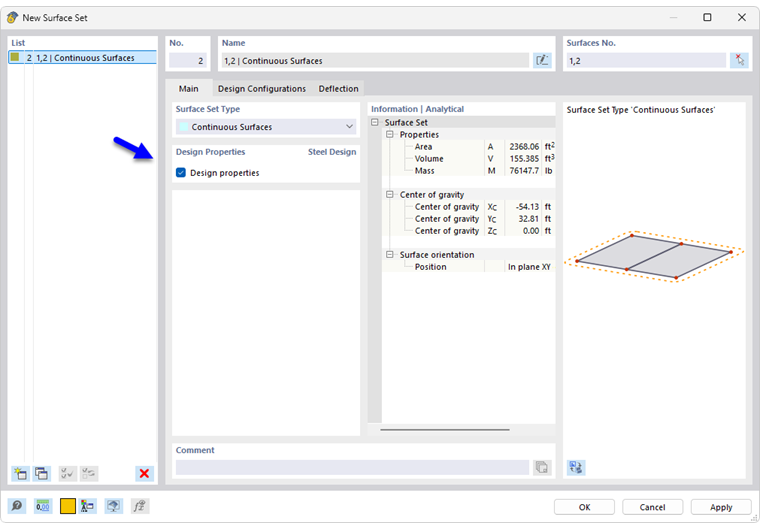
Design Surfaces or Surface Sets
Surfaces that are part of a surface set can be designed either as a surface or using the surface set. To avoid conflicting entries and results, the corresponding surfaces for aluminum design are automatically deactivated when designing as a surface set. When you specify the surfaces for design, the parent surface set is deactivated accordingly. You can check this rule in the input table Objects to Design by listing the objects in the “Not Valid / Deactivated” column.
After the design, a note is displayed in the Not Valid / Deactivated result table (see the chapter Overview) for all surfaces that have been designed and thus deactivated. Similarly, surface sets are marked with a note if they have not been designed.
Adjusting Smoothing
When designing surface sets, the smoothing settings that you have specified in the global settings for the surface results are applied. With the default setting Continuous Within Surface Sets, Otherwise Within Surfaces, smoothing is performed across common surface boundaries as soon as a surface set is available.