


After the calculation, the results are sorted according to various criteria and displayed in tables. They are also displayed in the graphics of the working window on the model. The “Navigator – Results” is adapted to Aluminum Design, allowing you to control the graphic display for the various types of design as needed.
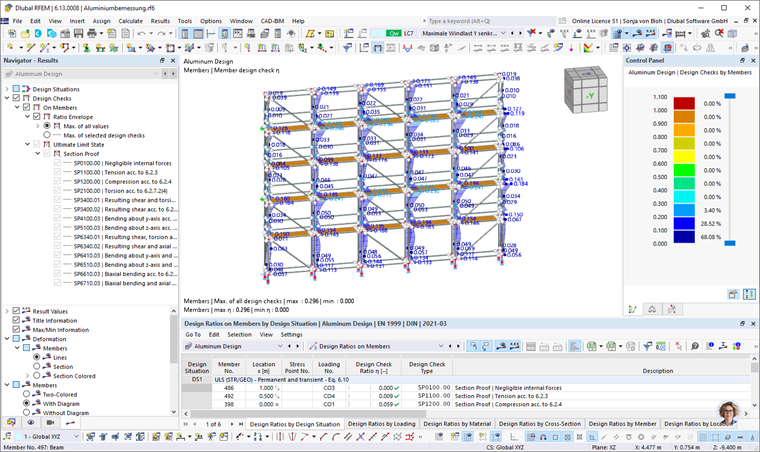
You can also view the Design Check Details with intermediate values and design check formulas. Furthermore, the Result Diagrams in Section can be displayed with the stress distribution.
The following subsections present various options available for displaying and evaluating the design results. The chapter Documentation describes how to prepare the results for printout.
Objects Without Results
If the results of a member or a surface are not displayed, this may be due to the following reasons:
- The object is not selected for design in the Objects to Design table.
- The results are hidden due to the filter settings.
Check the 6/000075 Visibilities and filter settings for the graphical results in the 6/001106#resultsOnObjectsFilterTab control panel. If the result is missing in the result table, check the filter settings in the Result Table Manager. Also, pay attention to the selected settings for synchronization with the graphic; for example, it is possible to display visible or selected objects only. In the Design Check Details dialog box, on the other hand, all results are available—regardless of filter settings and selections.
The Overview result category in the table is suitable for checking the designed objects: If an object is invalid due to material or cross-section properties or has been deactivated due to design using a member set, it is marked accordingly in the Not Valid / Deactivated result table.
Furthermore, each object selected for design in the Objects to Design input table need to have a design configuration for a limit state assigned. Otherwise, no design checks are performed for the limit state (see the chapter Aluminum Design).