The design of the Layer and Beam Panel thickness types is explained in the Timber Design add-on manual.
This chapter explains the results of the structural analysis.
Results for Layer Thickness Type
After the calculation, the results can be evaluated for each layer in the Static Analysis category.
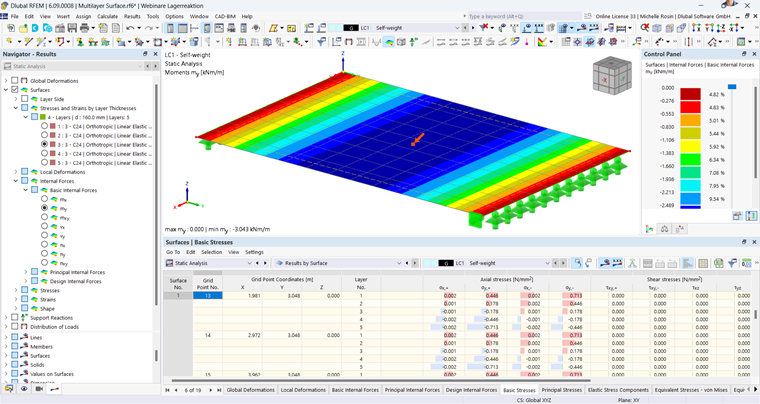
For information on deformations and results not specifically assigned to the thickness type, refer to the RFEM manual.
If a thickness type is calculated for layers, you will see a selection for “Top”, “Middle”, and “Bottom” in the Navigator – Results Layer.
With the selection of bending stress σx shown in the following image, the top, middle, and bottom stresses of the layer are displayed for each layer.
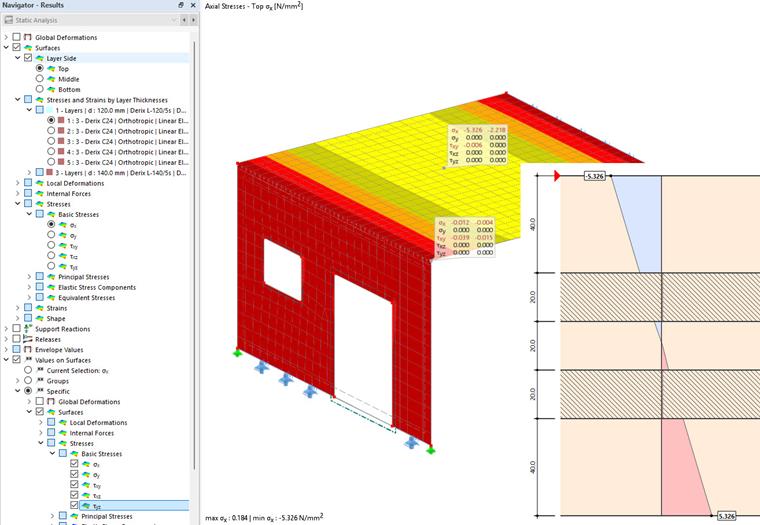
The graphical output of the stresses across the cross-section on the right edge of the image comes from the Timber Design add-on.
While the bending stresses for a single-layer plate are calculated according to the following equation, regardless of an isotropic or orthotropic material model, a decomposition into the individual locations is necessary for multilayer surfaces.
The decomposition of strains and stresses into the individual layers is already shown in the theoretical part of this manual.
In addition to the stresses, the strain is relevant for evaluating the results, which can also be displayed for each layer at the top, middle, and bottom. This is displayed in the following image.