


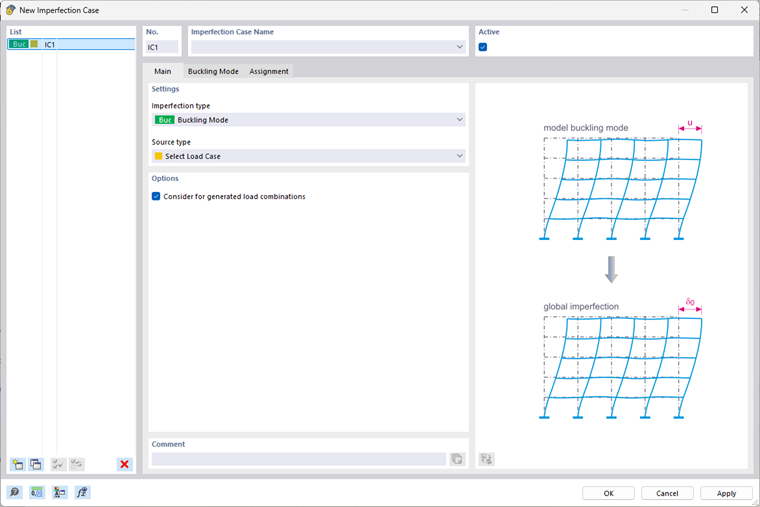
By selecting the “Buckling mode” imperfection type, you can create an imperfection shape based on a mode shape determined using the Structure Stability add-on.
Buckling Mode
Select a load case or load combination as the source for the mode shape. It is necessary to activate the “Calculate Critical Load | Structure Stability Add-on” option for this load case or load combination. The number of the mode shape is also specified in this dialog box.
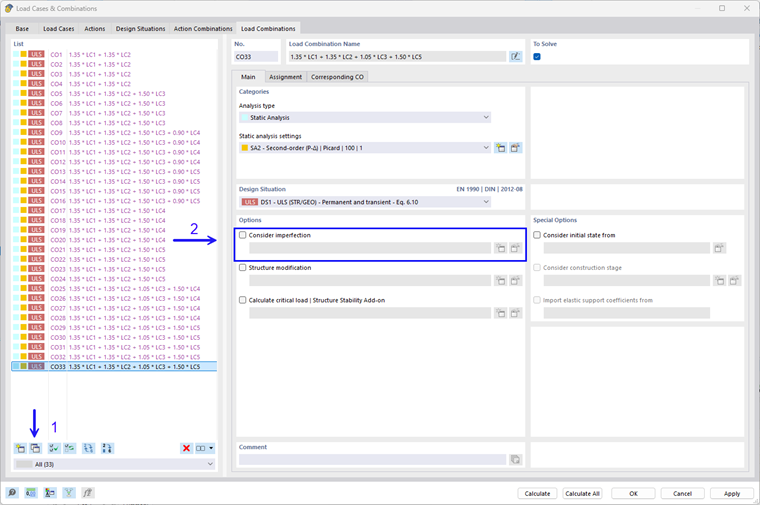
If you want to generate the imperfection from the buckling mode of a load combination, it is necessary to copy it first and deactivate the imperfections. Then, select the copied load combination as the basis for the imperfection.
Imperfection Magnitude
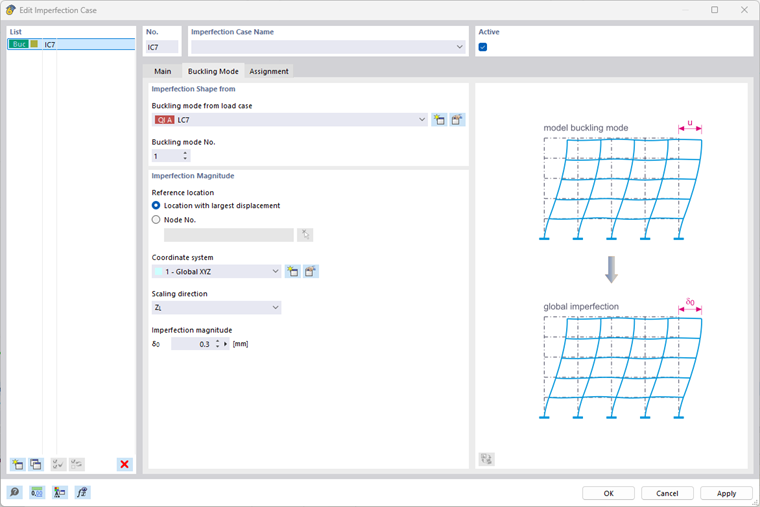
Then select a reference point and a scaling direction for scaling the buckling mode. The selected buckling mode is first normalized and then all components are scaled so that the specified deformation value is obtained in the selected direction at the reference point.
You can specify the deformation value for scaling directly or using a formula. By using the formulas, you have the option of defining a dependency on a member length.
Calculation of Imperfection Case
After calculating the imperfection case, you obtain the scaled deformations of the structure as a result of the “Static Analysis”, which are considered as imperfections. This type of imperfection is not taken into account using equivalent loads, but rather a displacement of the FE elements in the calculation.
If the imperfection case is assigned to a load case or load combination to be calculated, the imperfection case is calculated automatically.