


The results of a stability analysis can be processed together with the results of the main program and other add-ons. Frequently used functions are:
… allows for a clear display of the input data and results in tables and graphics. The usual steps are:
- Create new printout report and select relevant contents ("report items").
- Transfer selected graphics to the printout report
- Create and edit multi-prints; see FAQ
Image of printing results:
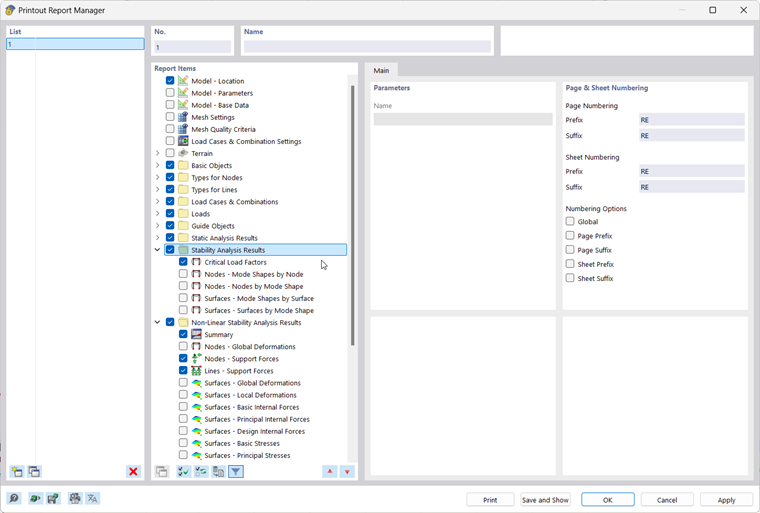
You can access all print functions via the menu bar → File or by using the Print button
 in the upper toolbar.
For more information on using printout reports for project documentation, refer to the RFEM manual.
Export
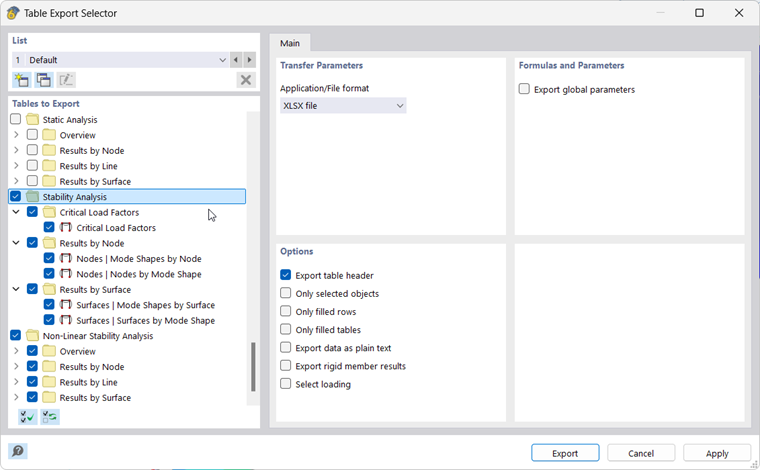
… allows you to transfer model and result data to other formats. The option to transfer the data in tabular form—for example, as an xlsx file—is available via the menu bar → Export → Tables.
Image of exporting tables:
For more information on exporting data, refer to the RFEM manual.