Grasshopper Interface
After activating the interface, the Dlubal tab becomes available in Grasshopper. It is organized into three main component groups:
- Model Data
- Loads
- RFEM 6 Import/Export.
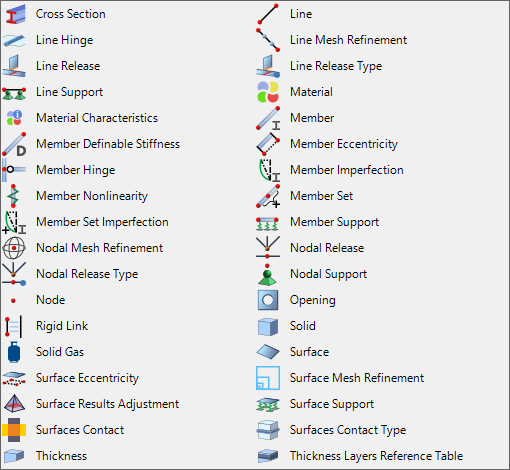
Model Data
This group is used to define and manage the structural model, including:
- Materials, cross-sections, and thicknesses (including layered structures)
- Nodes (including node mesh refinement and nodal supports)
- Lines (including line mesh refinement and line supports)
- Members (including eccentricities, hinges, nonlinearities, and member sets)
- Surfaces (including openings, eccentricities, surface mesh refinements, and surface supports)
- Solids
- Special objects (such as rigid links, line hinges, nodal and line releases, surface contacts, and surface result adjustments)
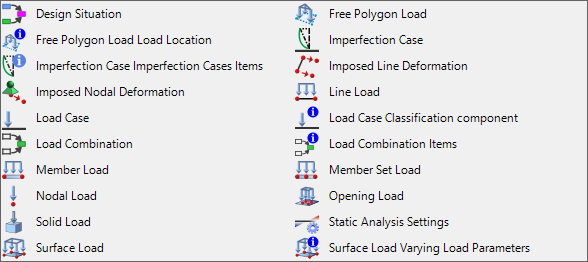
Loads
The Loads group provides components for defining and managing loads, including:
- Load cases, imperfection cases, design situations, and load combinations
- Nodal, line, member, member set, surface, and solid loads
- Nodal and line imposed displacements
- Free polygon loads
- Imperfections
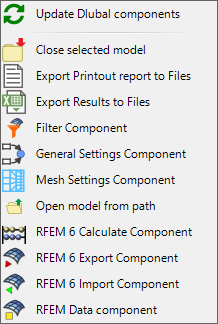
RFEM 6 Import/Export
The final group contains components for general control of RFEM 6. It allows you to:
- Configure global FE mesh settings
- Export data from Grasshopper to RFEM (including the use of templates)
- Start the calculation
- Export results to CSV or XML
- Open and close RFEM 6 files
- Import data from RFEM into Grasshopper