


The constrained modulus method is carried out by default for each structural analysis of a load case or load combination.
It is also possible to transfer the coefficients of the elastic support from another load case or load combination. This means that the foundation parameters only need to be determined in this case.
There are various ways of doing this.
Definition via Combination Wizard
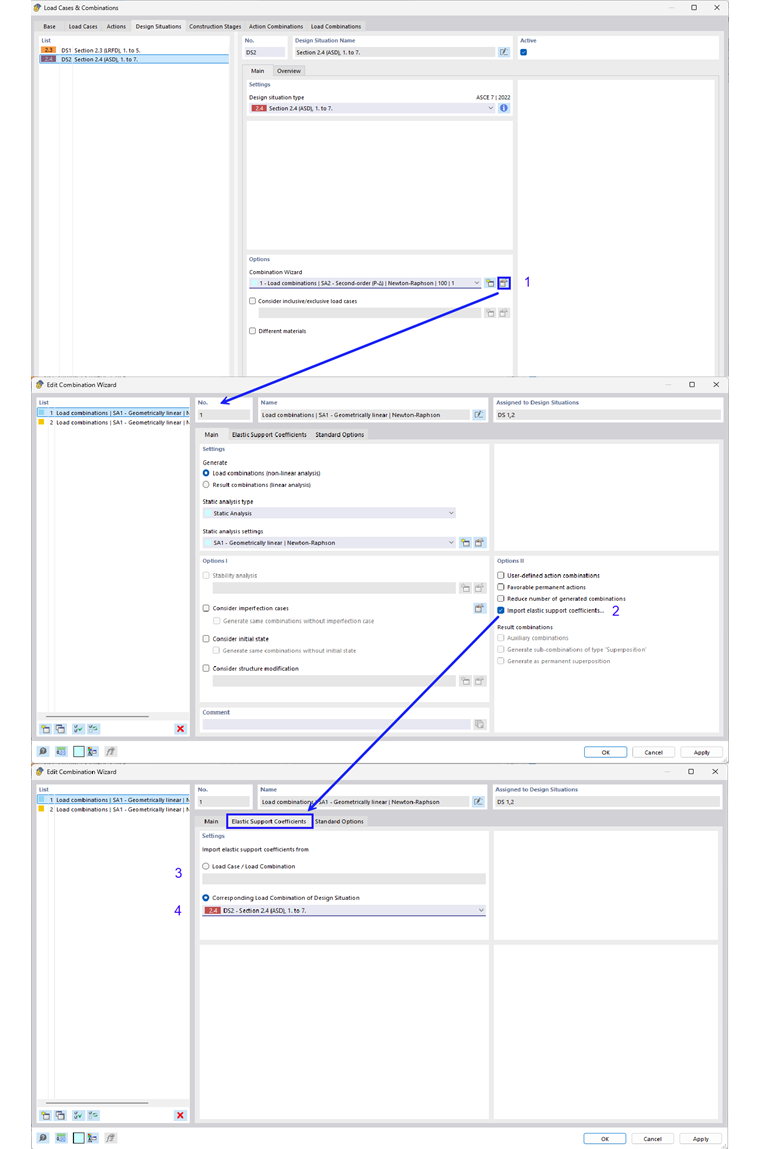
First, the import can be done using the combination wizard. The following image shows the step-by-step process for this. Here, in the “Main” tab under Options II, select “Import coefficients of elastic support...” (2) must be selected. The new tab “Coefficients of Elastic Supports” appears, where specific load cases/load combinations (3) can be selected. It is also possible to select the corresponding load combination of a design situation (4).
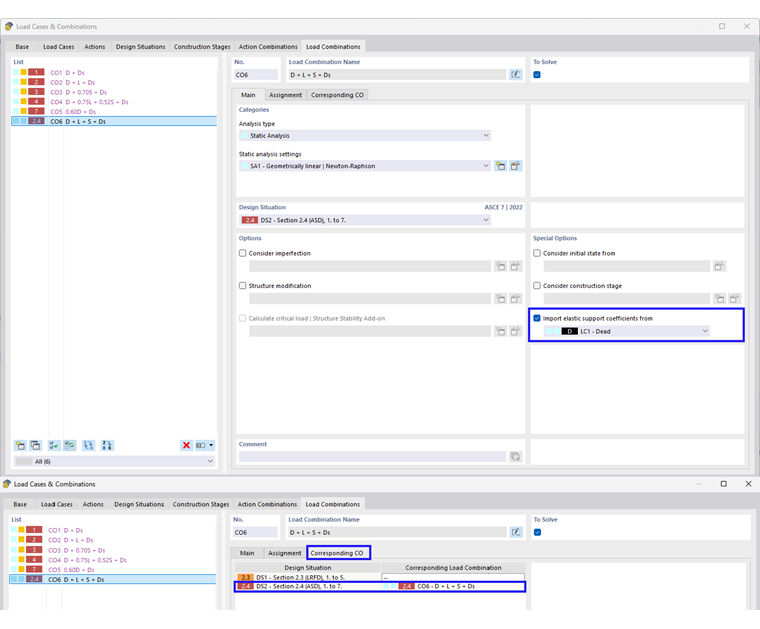
When you select the assignment of the corresponding load combination, the coefficients of these are automatically imported into the generated load combinations. This is shown in the following image. If these are not filled in, you can activate them by selecting the “Automatically assign corresponding load combinations” option in the Main tab of the “Load Cases and Combinations” input dialog box.
Manual Definition
However, it is also possible to assign load cases and load combinations manually. This is shown in the following image.
