


Different names are often used for the same materials and cross-section descriptions in various programs. Therefore, it is necessary to convert the material and cross-section descriptions so that RFEM 6 can recognize them after the data is exchanged.
The conversion tables are available in the menu bar under CAD-BIM. These tables are used when importing DSTV, DXF, IFC, SAF, or SDNF files.
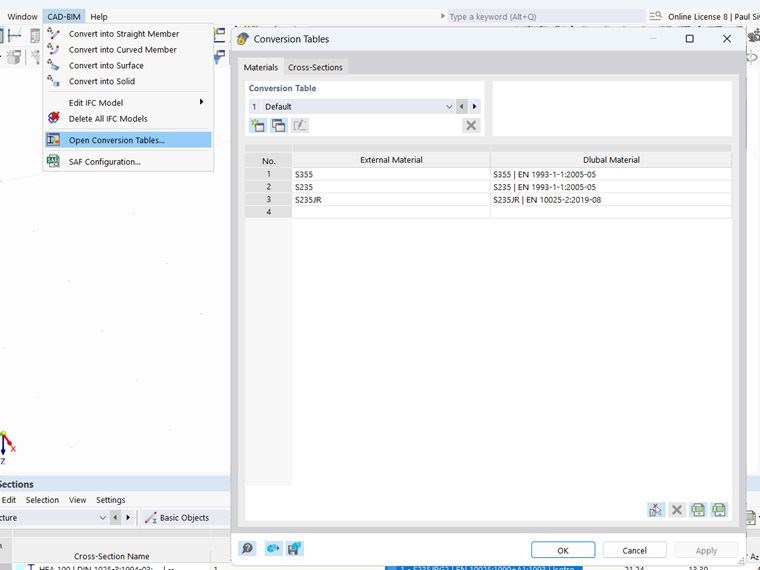
The conversion tables are divided into two separate tables (Materials and Cross-Sections), each with two columns (External Material or External Cross-Section and Dlubal Material or Dlubal Cross-Section)
When importing a file, information regarding material and cross-section descriptions is read from the external file and automatically added to the table. It is necessary to assign the corresponding Dlubal names to these external material and cross-section descriptions in the table. The Dlubal names can be selected from the material and cross-section library.
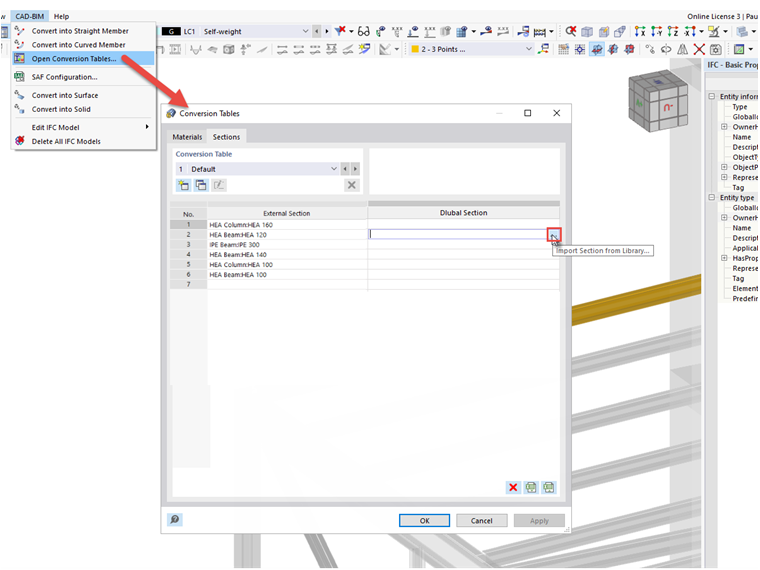
Conversion Table
You can create a new table set by clicking the
 button. Click the
 button to copy an existing table set. Any settings you have made and the selected table set are saved when you click the “Apply” button and will then be used when importing files.
Adding Entry from IFC Properties
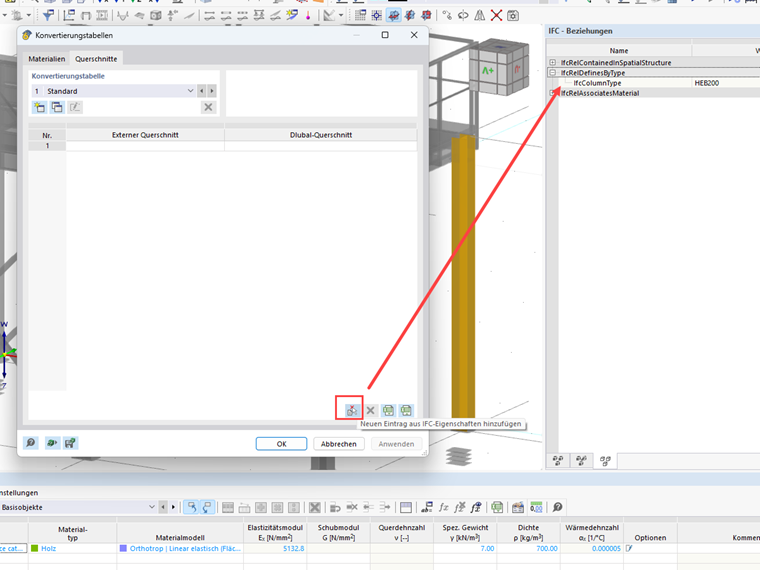
For some imported IFC files, no cross-sections are displayed in the conversion table. The table column for external cross-sections is empty. However, a cross-section description is visible in the properties of the IFC elements. This means that the cross-section information is present in the IFC file, but RFEM cannot read it directly because the information is stored in a different location within the IFC.
To add the location of the material or cross-section description later, a new entry from the IFC properties can be added to the conversion table using the
 button.
Conversion with Regular Expressions
By using regular expressions, it is possible to convert multiple objects—such as an entire IPE cross-section series—with a single entry.
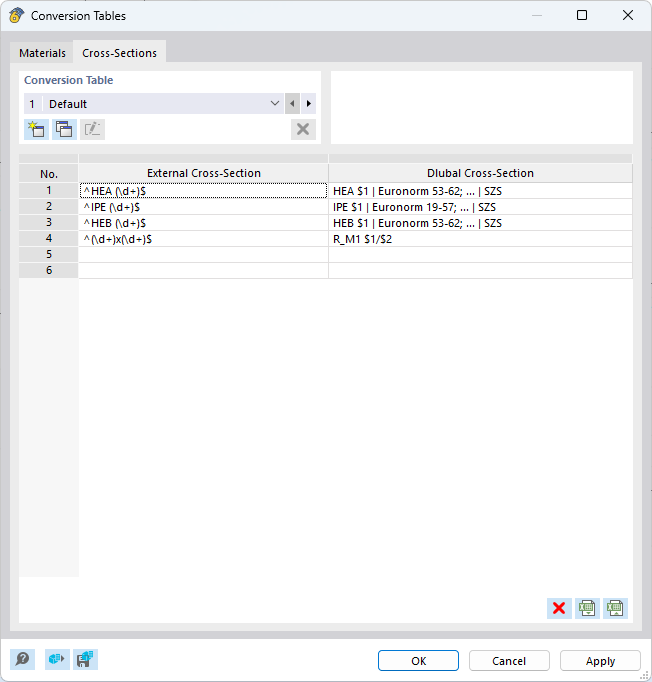
To create a conversion for the entire cross-section series, the regular expression is structured as follows:
| External cross-section | Dlubal Cross-Section |
| ^HEA (\d+)$ | HEA $1 | Euronorm 53-62; ... | SZS |
| ^IPE (\d+)$ | IPE $1 | Euronorm 19-57; ... | SZS |
| ^HEB (\d+)$ | HEB $1 | Euronorm 53-62; ... | SZS |
| ^(\d+)x(\d+)$ | R_M1 $1/$2 |
A regular expression in the conversion table always starts with ^ and ends with the $ symbol.
Any integer number can be substituted for the expression (\d+) (IPE200, IPE300, ...).
The expression $1 is related to the number used.
If two numbers are used in the external cross-section, the expression $1 is related to the first number and $2 to the second number.
Further examples of regular expression definitions are described in the following FAQ: