


After calculating the results, the Stress-Strain Analysis table category contains further subcategories.

These categories with the respective worksheets are described in the following chapters:
- Overview
- Stresses on Members/Surfaces/Solids
- Stresses in Line Welds
- Stresses on Representatives (if defined)
- Strains on Surfaces/Solids
- Stress Ranges on Members/Surfaces/Solids
- Stress Ranges on Line Welds
- Stress Ranges on Representatives (if specified)
- Governing Results
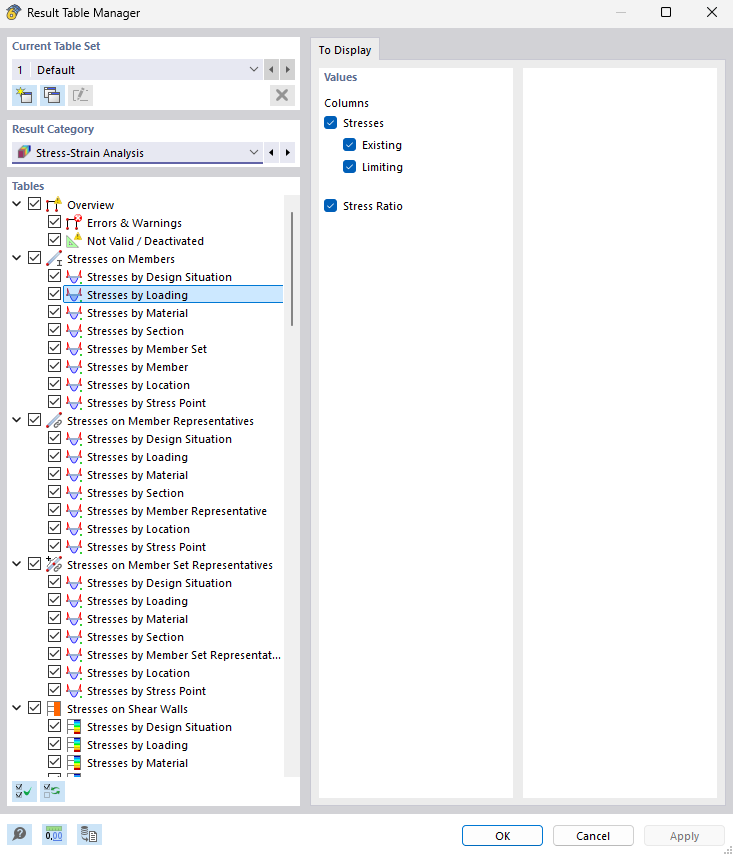
Result Table Manager
Use the
 button to open the "Result Table Manager" dialog box. There, you can control which tables and tabs are displayed.
Buttons in Table Toolbar
The toolbar of the result tables provides you with buttons that you can use to display and evaluate the results.
| Button | Function |
|---|---|

|
Select an object graphically to display its results in the table |

|
Open the Result Details dialog box |

|
Open the Stress Diagrams in Section dialog box |

|
Open the "Information About Material" dialog box with material properties |

|
Open the "Information About Section" dialog box with cross-section properties |

|
Open the Result Diagrams dialog box |