


The Line Welded Joint Configuration dialog box manages the basic specifications for the stress-strain analysis of line welded joints. The concept of the configuration dialog box is described in the chapter Stress-Strain Analysis . It also explains how you can assign the objects.
Stresses
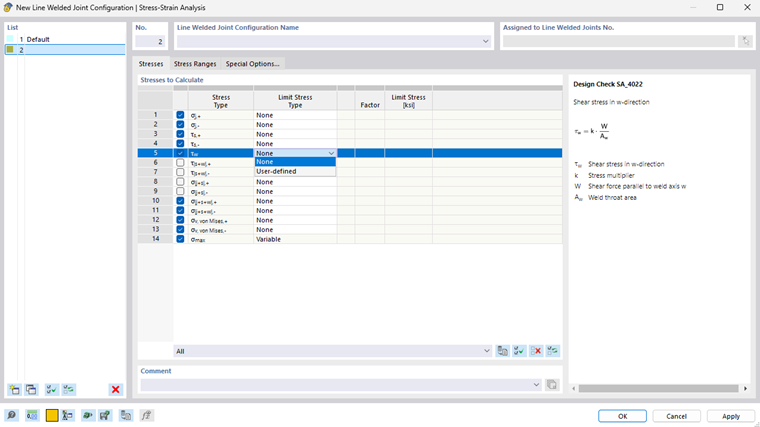
In the Stresses tab, you can select the weld stresses to be calculated.
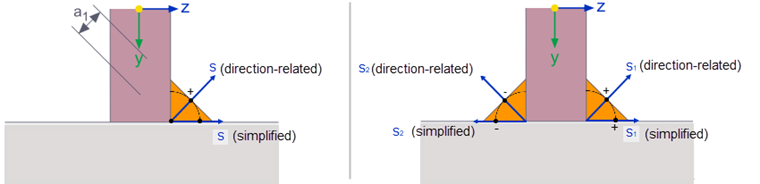
The letter in the index of the stress component stands for the acting direction of the stress. The following conventions apply:
- w corresponds to the weld axis and is always identical to the x-axis of the line on which the line weld is defined.
- s is oriented parallel to the z-axis of the first surface from the line weld definition (simplified method) or is parallel to the effective weld surface (directional method).
- j is orthogonal to the ws-plane.
The sign in the index of the stress component refers to the design location in the weld, related to the z-axis of the first surface from the line weld definition. A + indicates the design location in the s-direction of the weld that has the largest z-coordinate in the local coordinate system of the first surface. Accordingly, a - describes the design location with the smallest z-coordinate.
For intermittent welds, the discontinuous longitudinal arrangement is taken into account via a "smeared approach". According to EN 1993-1-8 [1], Section 4.9, the weld stresses are multiplied by the ratio of the effective weld length to the total line length. This design method is suitable, for example, for estimating the longitudinal shear stresses of continuous longitudinal welds. However, local stress increases due to discontinuity or concentrated load introduction cannot be determined accurately.
The “Factor” column is irrelevant for line welded joints.
If you want to use a user-defined stress as a reference, select the “User-defined” limit stress type from the list. This enables you to access the text box in the “Limit Stress” column.
Stress Ranges
In the Stress Ranges tab, you can select the stress types for which the stress ranges are to be calculated and whether limit stresses are relevant.
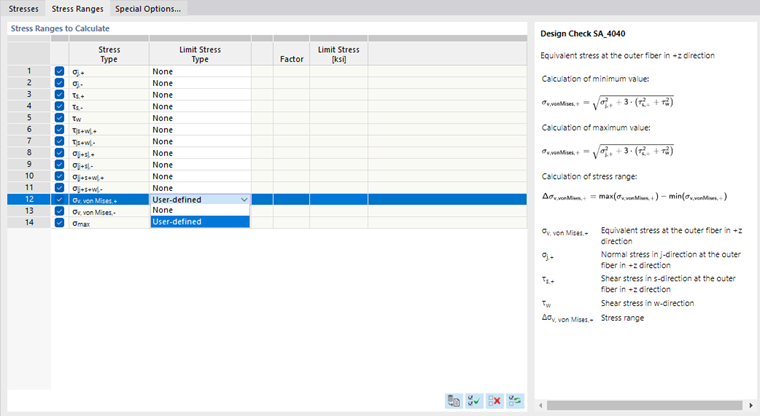
The “None” limit stress type is preset. If you want to specify a limit stress, select the “User-defined” stress type from the list and then enter the corresponding value.
Special Options
In the Special Options tab, you can make settings for smoothing the result diagrams on line welds.
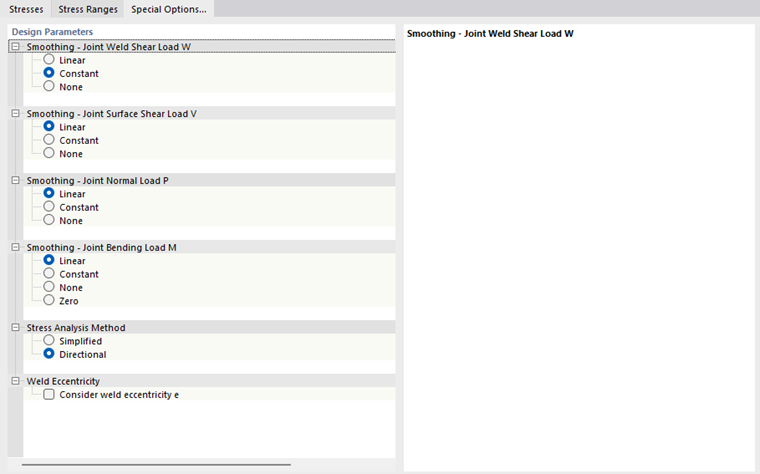
The “Linear” and “Constant” smoothing options allow for local stress peaks to be distributed over the weld length. In the case of linear smoothing, the stress distribution between the two end values is displayed in a linearized manner, while constant smoothing produces the same results everywhere.
According to EN 1993-1-8 [1], you can apply the “Stress Analysis Method” for fillet welds using the simplified approach according to Section 4.5.3.3 or directionally according to Section 4.5.3.2. Depending on the method, there are different types of stresses obtained.
If you want to consider the “Weld Eccentricity” in the stress analysis, select the corresponding check box. In this way, additional moments are taken into account that can occur, for example, in one-sided fillet weld structures.