


The Member Configuration dialog box manages the basic specifications for the stress-strain analysis of members and member sets. The concept of the configuration dialog box is described in the chapter Stress-Strain Analysis . It also explains how you can assign the objects.
Stresses
In the Stresses tab, you can select the stresses to be calculated and specify the type of limit stress.
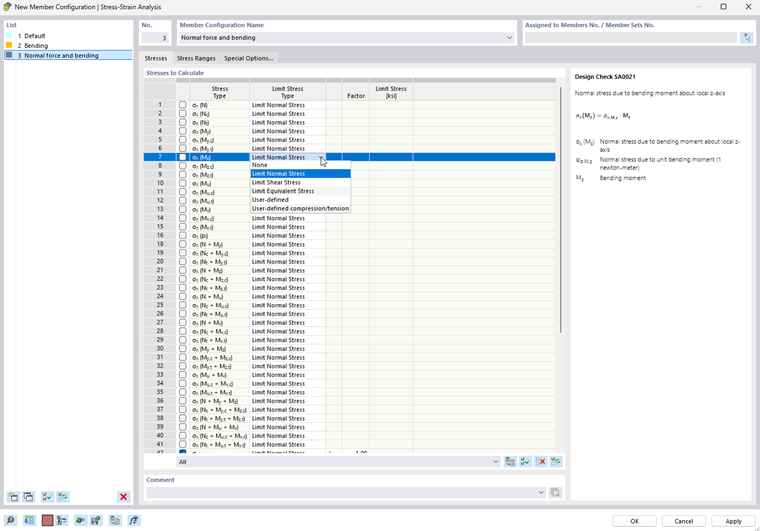
If you want to increase or reduce the limit stress for a stress type, you can scale it accordingly in the "Factor" column. If you select the "/" option, the stress is divided by the factor multiplied by "*".
If you want to use a user-defined stress as a reference instead of the limit stress stored in the material properties, select the “User-defined” limit stress type from the list. This enables you to access the text box in the “Limit Stress” column.
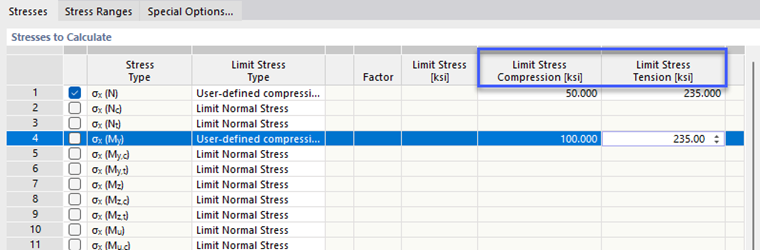
The "User-defined compression/tension" limit stress type allows you to specify sign-dependent limit stresses for certain stress components.
Stress Ranges
In the Stress Ranges tab, you can select the stress types for which the stress ranges are to be calculated and whether limit stresses are relevant.
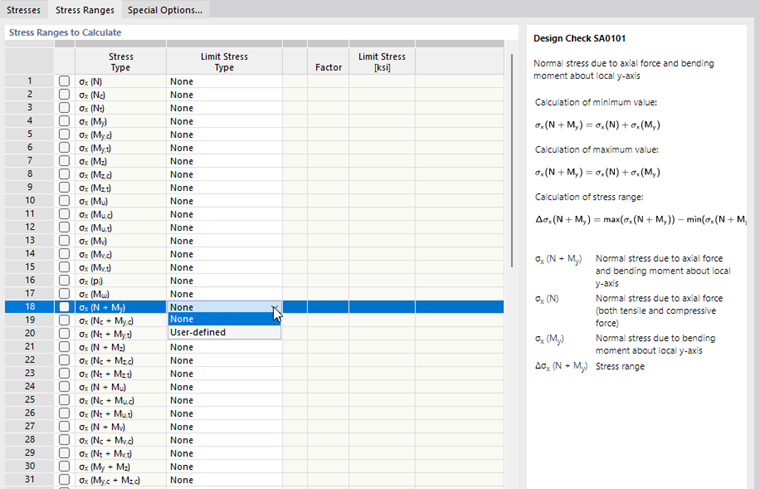
The “None” limit stress type is preset. This should allow for standard-independent use for the analysis of stress ranges. If you want to specify a limit stress, select the “User-defined” stress type from the list and then enter the corresponding value.
Special Options
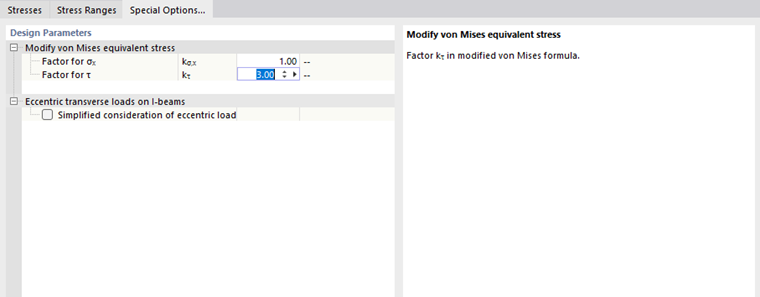
In the Special Options tab, you can specify other design-relevant parameters.
Modify von Mises Equivalent Stress
You can use the two factors to control the weighting of the normal stresses as well as the shear stresses in the Mises equivalent stress.
Eccentric Transverse Loads on I-Beams
If transverse loads are applied to the upper chord of beams, they have a decreasing effect on the bending stress in the lower chord as the cross-section height increases. For this reason, it is possible to consider eccentrically acting transverse loads by a simplified method for high I-sections: For each rolled or parametric symmetric I-section, the bending moment Mz is fully applied to the top chord. To determine the stress, the add-on uses an equivalent cross-section with the halved moment of inertia Iz.
This option provides the advantage that the shear loads can be modeled with reference to the centroidal axis in order to avoid torsion.