Answer:
The procedure for this is explained in the following example:
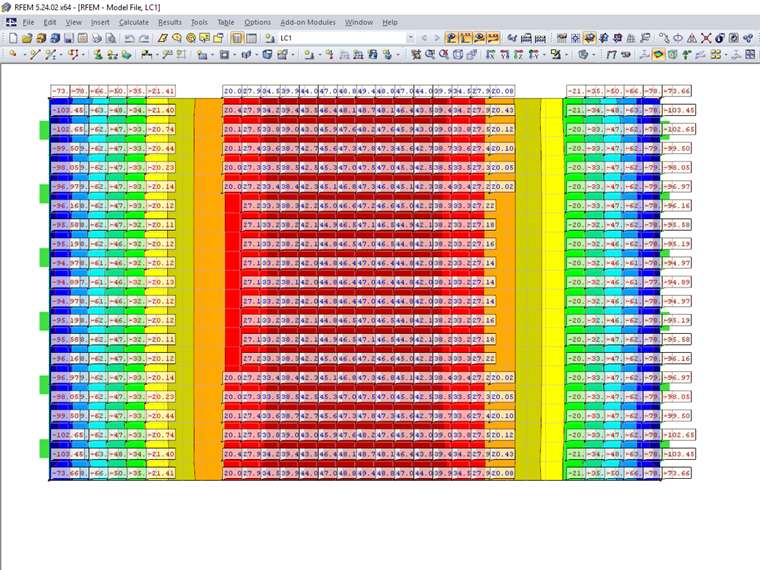
A concrete slab has bending moments from −103 kNm to +49 kNm.
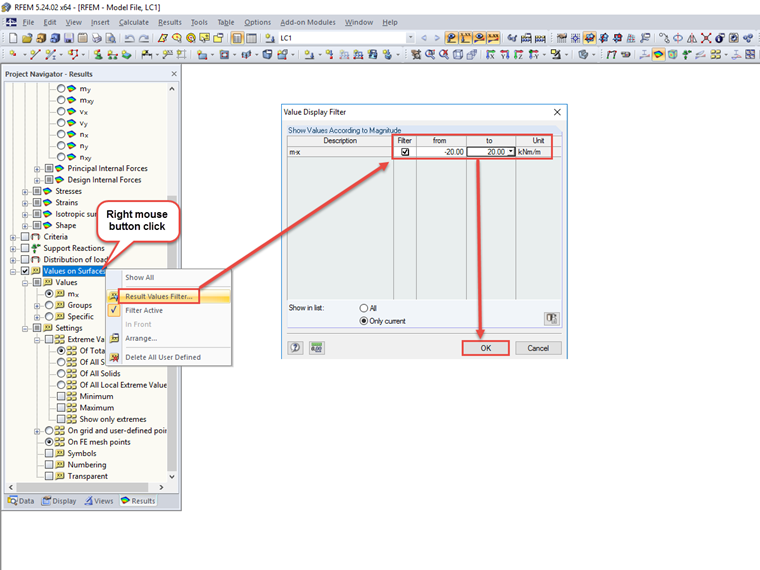
Moments from −20 kNm to +20 kNm should not be displayed as Values on Surfaces.
- Activate the filter for values between −20 and +20.
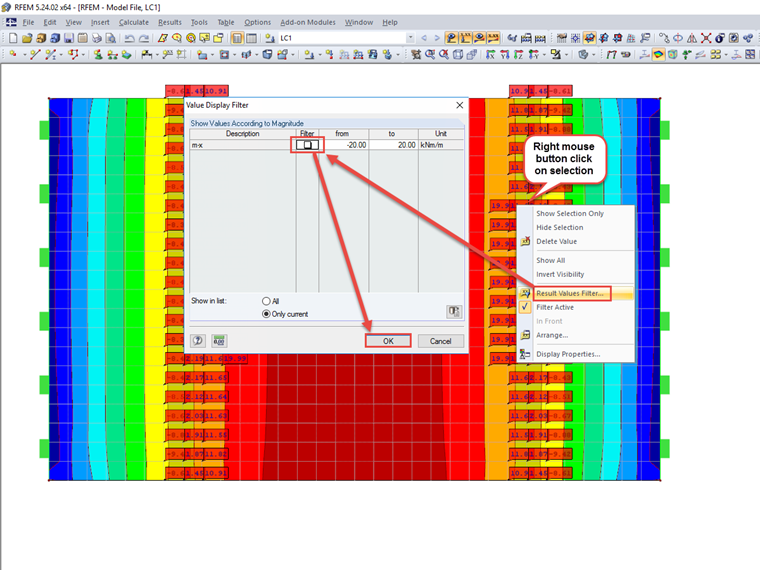
- Select all the displayed values and deactivate the filter again using the shortcut menu.
- Hide the selected values using the shortcut menu.
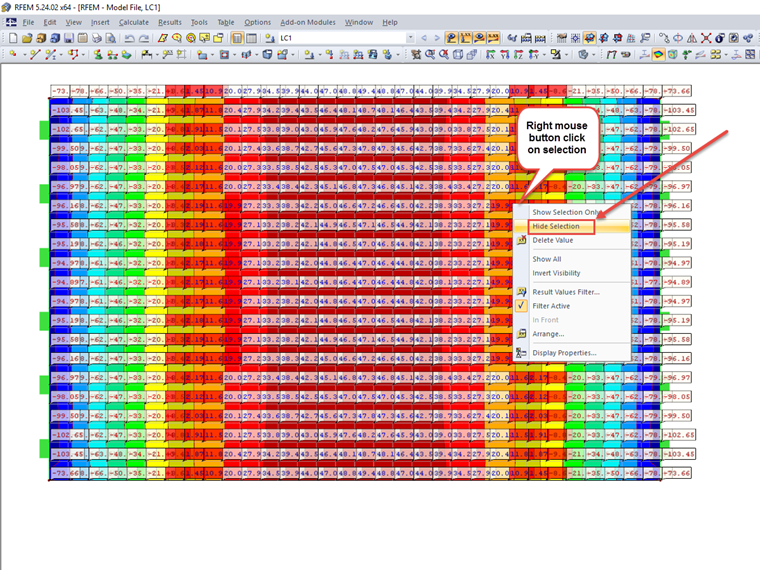
Now, the result values of the moments between −20 kNm and +20 kNm are not displayed.