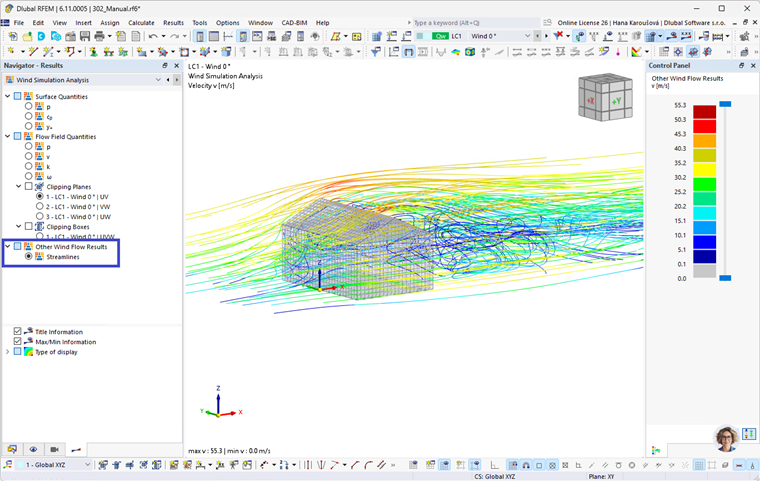
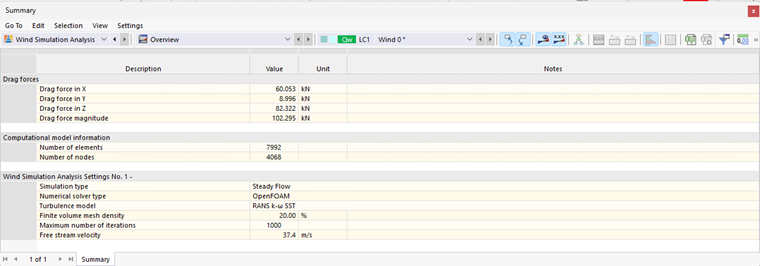
From the "Wind simulation analysis" tab of the Result navigator, you can control the display of RWIND results. In the "Summary" result table for Wind Simulation, you will find the results of the drag force, information about the computational model, and settings of the simulation, such as the simulation type or the number of iterations.
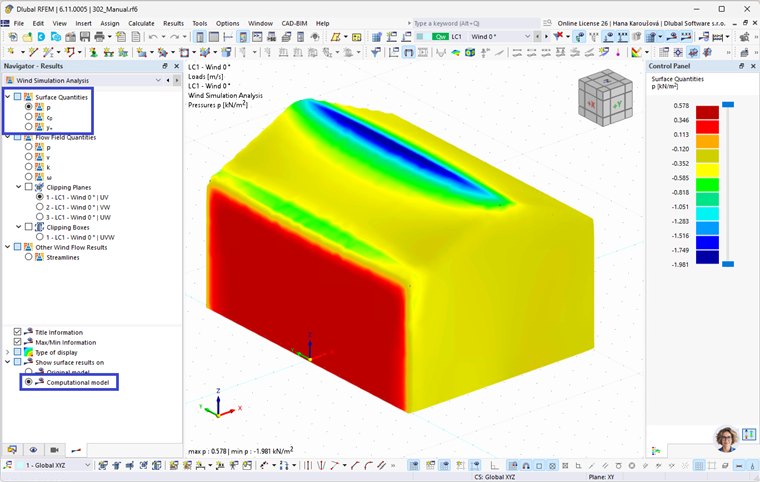
Surface quantity results
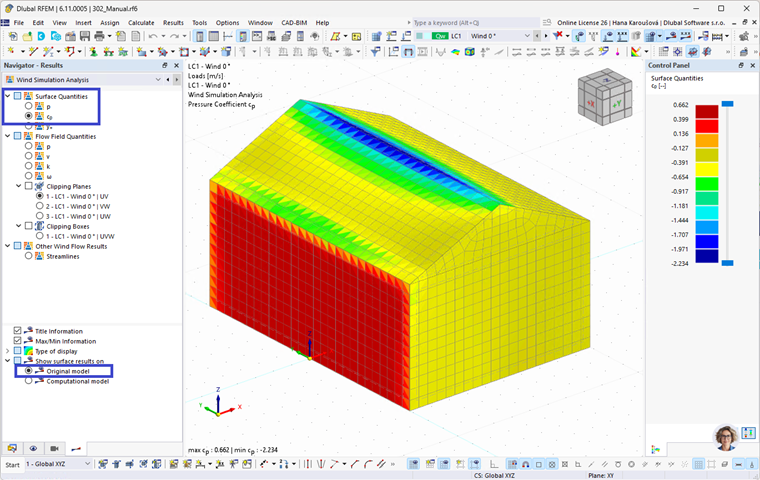
The surface results could be displayed either on the computational model (a boundary of the volumetric mesh adjacent to the model, calculated in OpenFOAM) or the original model (results extrapolated back to the original model surface). In the "Navigator - Results" you can find the results of the pressure p, the pressure coefficient Cp, and the near-wall mesh quality parameter y+ (only on the computational model).
Flow field quantity results
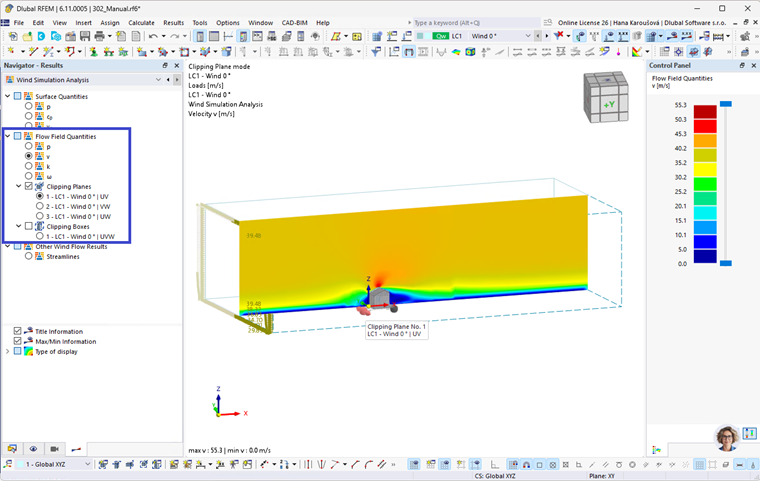
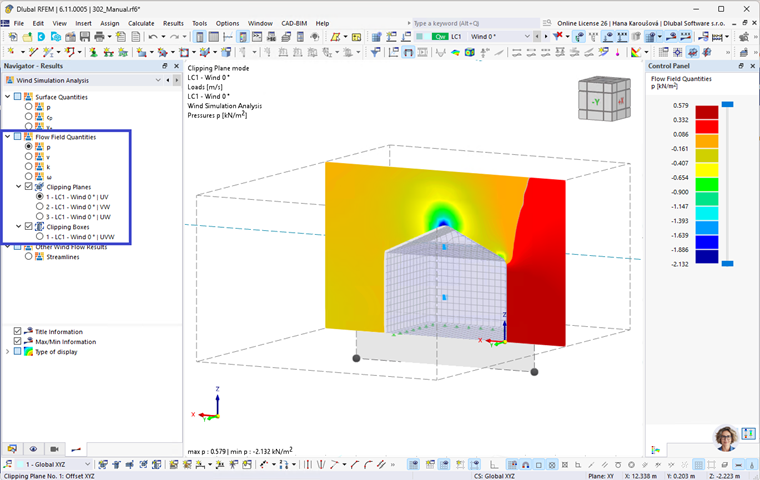
In the flow field, pressure p, velocity v, and turbulent quantities (turbulent kinetic energy k, turbulent dissipation rate epsilon, or turbulent specific dissipation rate omega) are calculated. The flow field results can be displayed using a clipping plane. 3 default clipping planes in the tunnel main planes are preset. However, the global coordinate system or user-defined clipping planes can be used as well. The clipping planes can be moved in the graphics by manipulators.
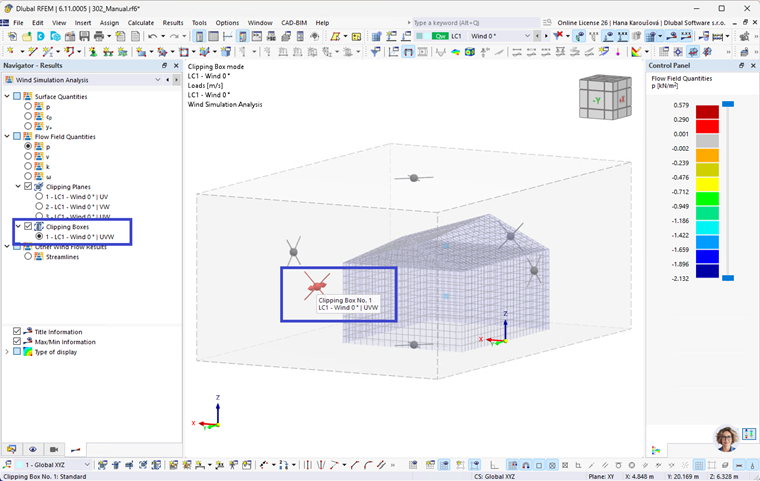
The results can be displayed on a reduced domain using a clipping box.
The size of the clipping box can be adjusted in the graphics by manipulators.
Other wind flow results
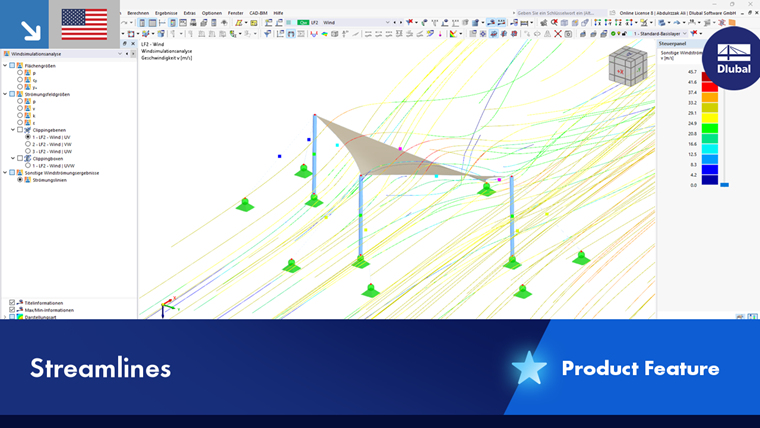
Velocity distribution in the flow field can also be visualized using streamlines. A streamline is a path of a massless particle moving with the flow. Velocity is always tangent to the streamline at every point. The view of streamlines can be reduced by a clipping plane or a clipping box in a similar way as the flow field results.