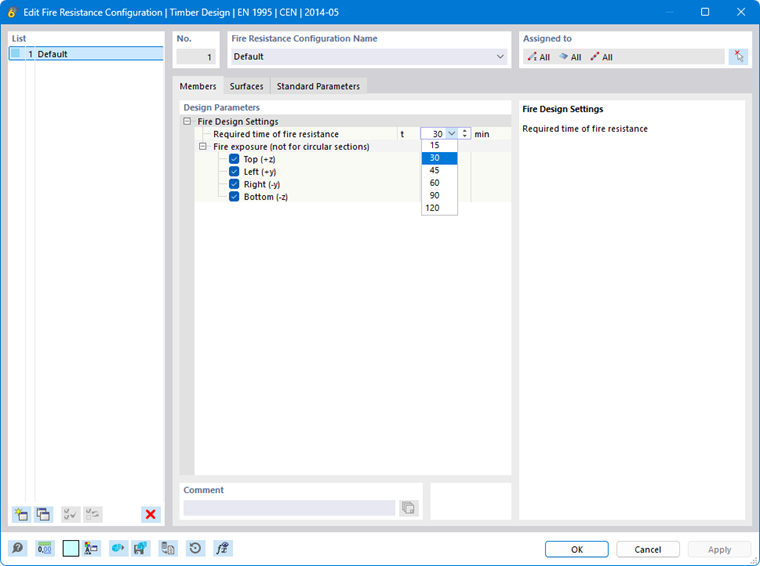
In the Fire resistance configuration dialog, you make basic settings for the fire resistance design of members and surfaces ("fire resistance design"). Here you define how long the objects must resist the fire exposure and which sides of the cross-section or surface are exposed to the fire.
The concept of design configurations is described in the Timber design chapter. The fire resistance configurations are also coordinated with the standard that you have defined in the model base data for the timber design.
Members
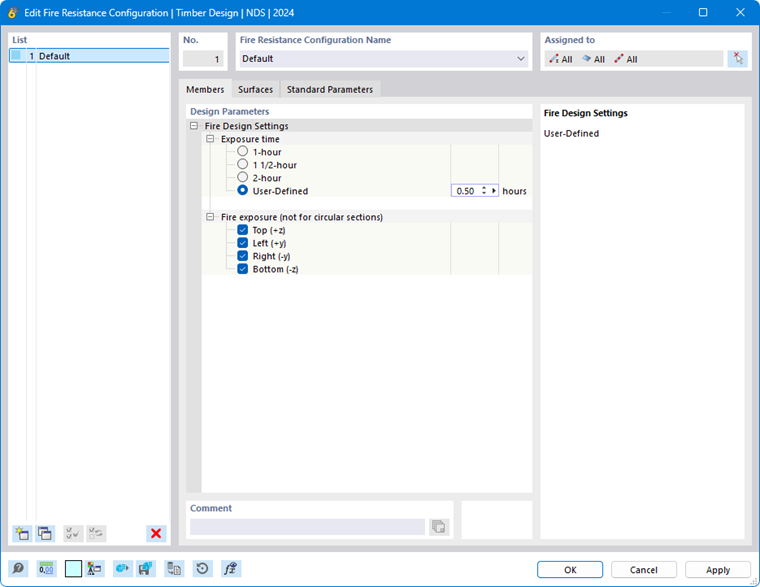
In the Members tab, you make the settings for the fire design of members and member sets.
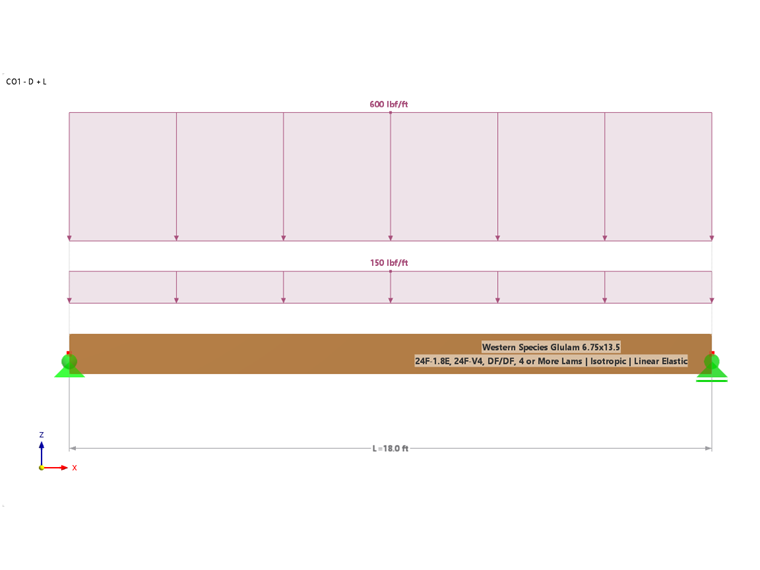
The design is currently limited to simple rectangular cross-sections
 and circular cross-sections
 . For all other cross-section types, you receive an error message.
Required Duration of Fire Resistance / Exposure Duration
Define how long the members must resist the fire or how long the fire exposure is effective. For some standards, options for typical requirements are offered. However, you can also specify the fire duration user-defined.
Fire Exposure
Using the check boxes, you can control which sides of the cross-section are exposed to the fire.
For a circular cross-section
, the definition of the fire exposure is not relevant, since the cross-section is reduced over the entire circumference.
The charring due to the fire duration and fire exposure of the cross-section results in a residual cross-section on which the design is performed according to the respective standard.
Surfaces
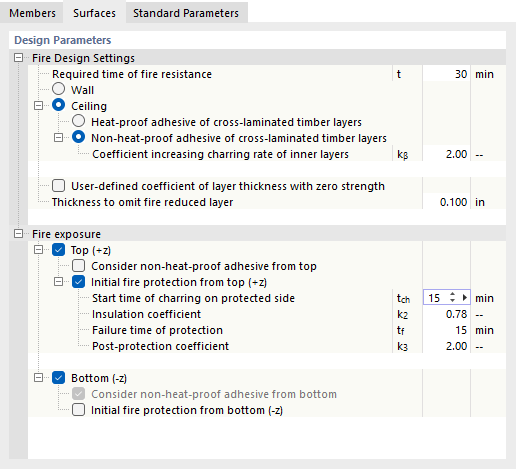
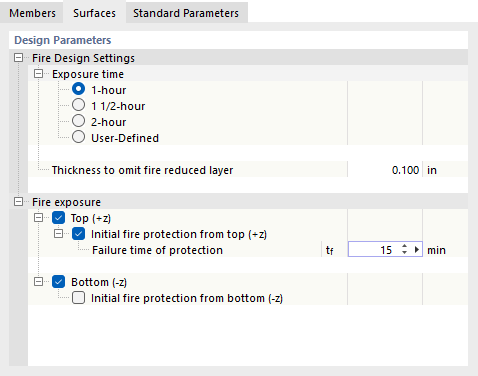
In the Surfaces tab, you make the settings for the fire design of surfaces.
Settings for Fire Design
Define how long the surfaces must resist the fire or how long the fire exposure is effective. When designing according to EN 1995-1-2 [1], you can specify whether the fire takes place at a wall or a slab and whether there is a heat-resistant bonding of cross-laminated timber layers in each case. With a heat-resistant bonding, the charring is linear. If the bonding is not heat-resistant, a stepped course of the charring is assumed.
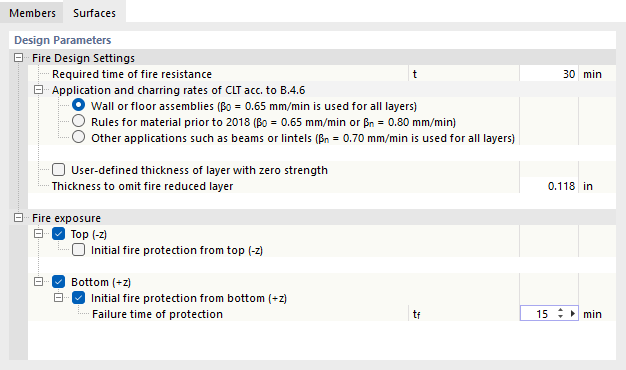
When designing cross-laminated timber components according to CSA O86 [2] B.4.6, specific charring rates can be assumed for the following cases:
- flat components such as walls or floor slabs
- components made of a material manufactured according to earlier editions of ANSI/APA PRG 320 (before 2018)
- other components such as beams or lintels
The 'User-defined layer thickness with zero strength' option provides the possibility to reduce the cross-section by a layer without strength in order to take into account the strength reduction of the heated wood beyond the charred area.
The 'Thickness to neglect layer reduced by fire' defines the minimum thickness of a layer for the design: The layer is only taken into account if its remaining thickness after charring is greater than the specified value. Thinner residual layers are not taken into account.
Fire Exposure
Specify which side(s) of the surface are exposed to the fire. The surface side 'Top (-z)' is the negative surface side (that is, opposite to the local z-axis), the surface side 'Bottom (+z)' is the positive surface side.
Using the 'Initially protected from top/bottom' check boxes, you can define whether the surface is protected against fire exposure by certain measures, for example fire protection cladding in the form of gypsum plasterboards. If this is the case, specify the parameters such as the failure time of the fire protection cladding. It describes from when the fire exposure becomes effective for the surface.
Standard Parameters
The Standard Parameters tab manages the standard-specific parameters.
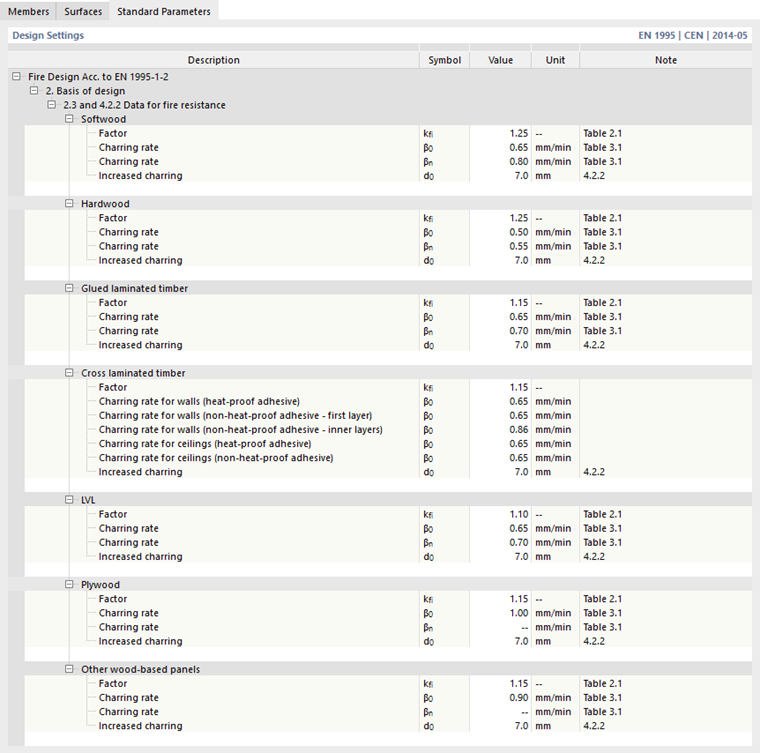

Here you can check the charring rates, coefficients, or adjustment factors and adjust them if necessary.
Design Situation for Fire
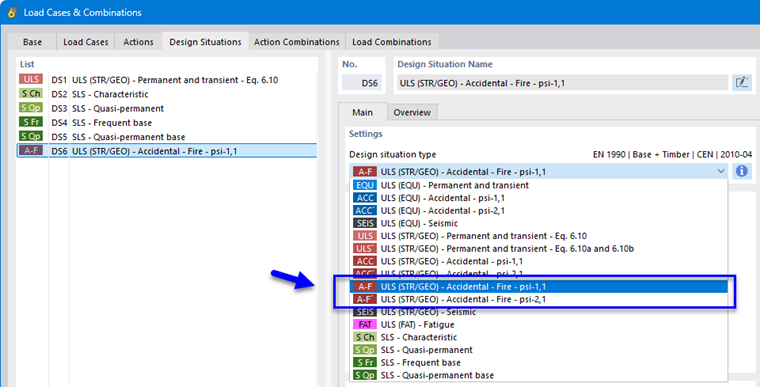
For the design in case of fire, a design situation type or limit state type with the designation Fire must be selected on the design side. If this is not the case, no fire resistance design takes place! Therefore, assign the appropriate type in the Bemessungssituationen table.
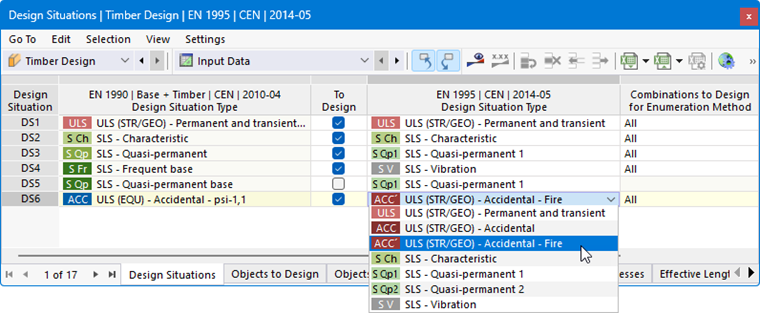
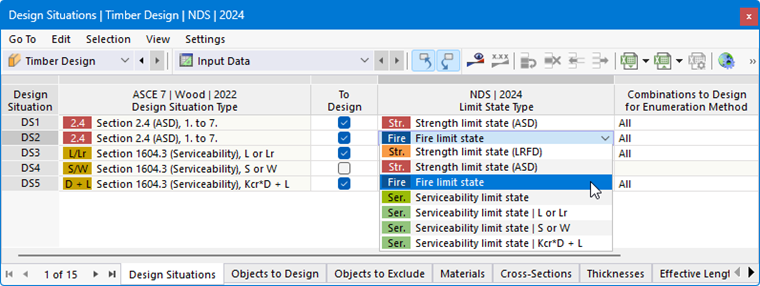
If you have created a design situation for the fire case in the RFEM dialog Load Cases and Combinations, the type is preset accordingly.