


The result tables in the Slendernesses category are deactivated by default. However, you can activate them at any time in the Result Table Manager.
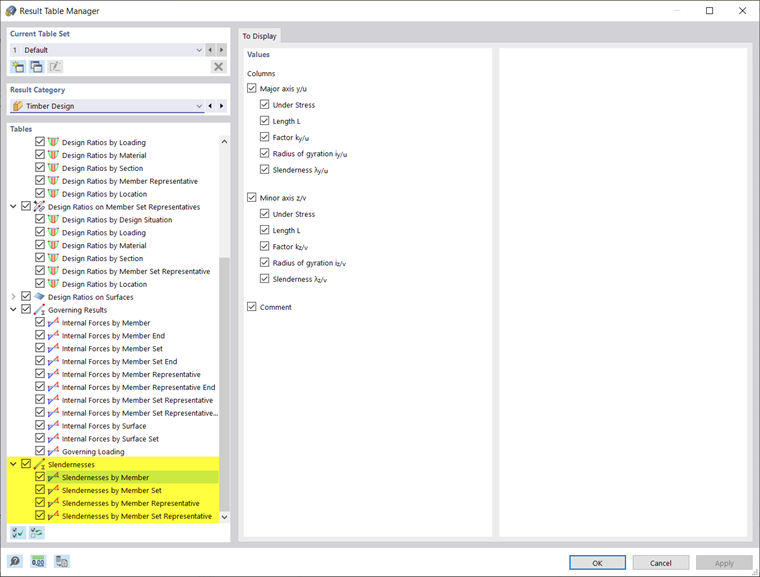
The tables show the slendernesses λ of the objects to design for both principal axes. Members of the “Tension Member” or “Cable” type are hidden.
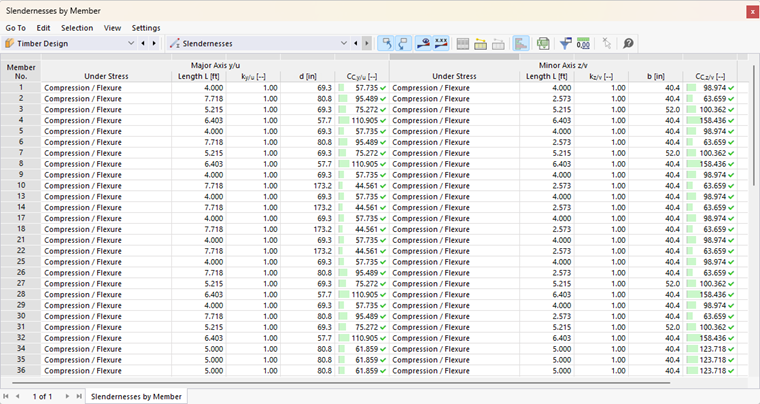
Some design standards recommend adhering to limit slenderness ratios regardless of the results of the stability analysis. The slenderness ratio for flexural buckling is calculated as the ratio of the effective length to the radius of gyration.
The calculation takes into account the effective lengths assigned to the objects. If no effective length is assigned, the member length is used. A corresponding note is included in the comment column.
The slenderness ratios are compared with the limit values λlim, which are defined in the Global Settings. If the slenderness ratio exceeds the limit value, the value is highlighted in red.
The slenderness check is not included in the Design Ratios on Members result tables. The Overview table also does not display any cases where the limit values are exceeded.