In the Charring depth-time diagram, the charring process during the fire exposure can be graphically displayed for fire resistance design of surfaces and beam panels. To open this window, select the fire resistance design in a table for Design Ratios on Surfaces or in the Design Check Details dialog box. Then, click the
 button.
The “Charring depth-time diagram” window shows how charring affects surfaces or surface layers over the course of the fire.
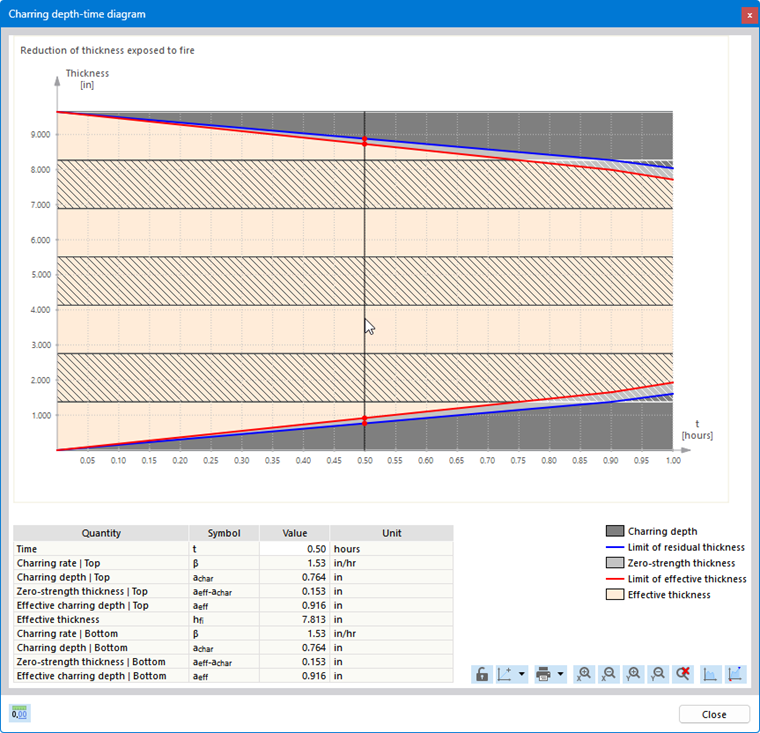
The key parameters are defined in the Fire Resistance Configurations.
Printing Diagram
Using the list button
 , you can print the diagram directly, save it as a PDF, or add it to the printout report. It will be automatically updated there if you perform new design with modified input data.
Changing Layout
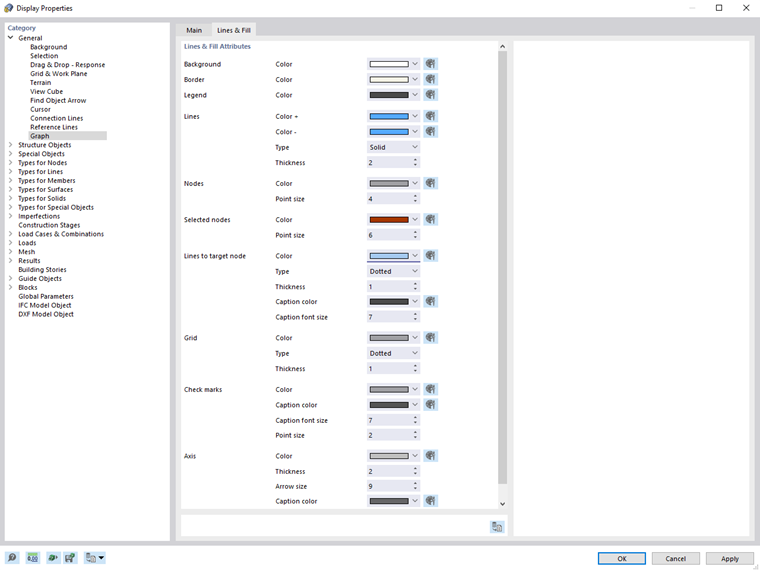
If you want to change the colors and font sizes of the diagram, right-click the diagram interface. In the shortcut menu, which contains various options for customizing the diagram, select the Diagram Settings entry. You can then make the changes in the ‘‘Display Properties’’ dialog box.