


The “Objects to Exclude” table controls whether the individual joints in the defined load combinations should not be designed.
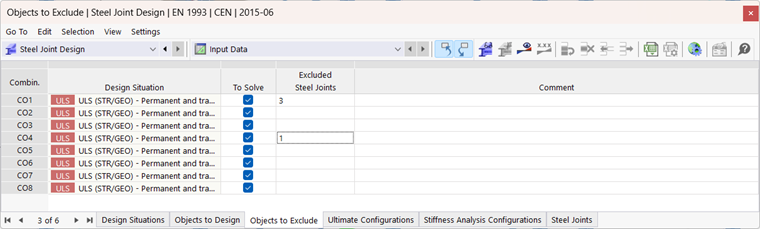
In the “Excluded Steel Joints” column, enter the joint numbers of the joints that should not be designed for the respective load combination. By default, no joints are excluded.
Tip
Use the cell button
 to select the nodes graphically.