


In the Surfaces tab of the "Serviceability Configuration" dialog box, you can set the limit values applicable to surface deformations.

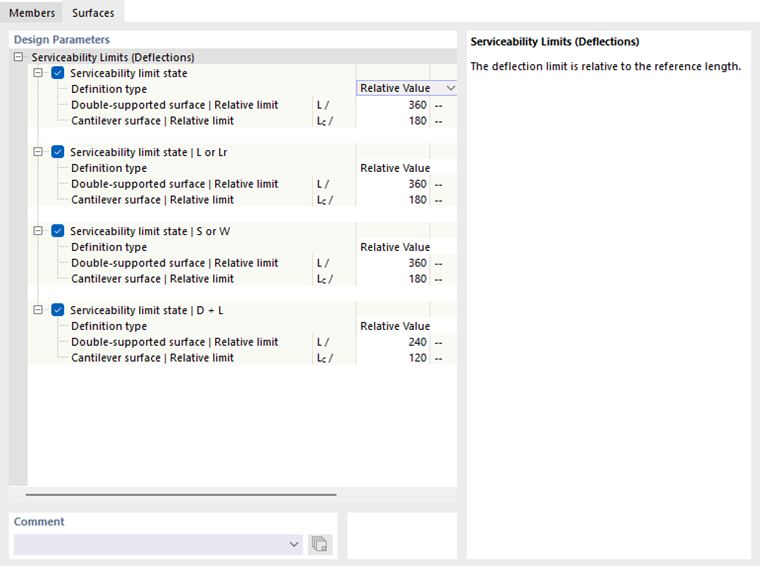
As for the members, there are various design situation types for serviceability limit state design checks, which differ depending on the design standard. You can define specific deflection limit values for each combination type. They are related to the lengths of the structural components. The list next to the “Definition Type” contains several selection options of how you can define a limit value (see the image Setting Reference for Deformation):
- Relative Value: The limit value is defined related to the length of the member or member set.
- Absolute Value: The value of the maximum deflection is defined directly.
- Sum of Relative and Absolute Value: The limit value is the sum of the relative value and the absolute value.
- Min. of Relative and Absolute Value: The lower of the relative or absolute value is used as the limit value.
- Max. of Relative and Absolute Value: The limit value is the larger of the relative or absolute value.
Depending on the support of the structural component—a surface supported on both sides or a cantilever surface supported on one side—different deflection limit values are usually relevant. This support needs to be defined as a “surface type” in the properties of the surface or surface set in the Deflection tab. There you can also define whether the maximum displacements refer to the undeformed structural system, a deformed reference plane, or a parallel surface, and specify how the reference length is to be determined.
If necessary, adjust the preset limit values for the deformation analysis of the objects.