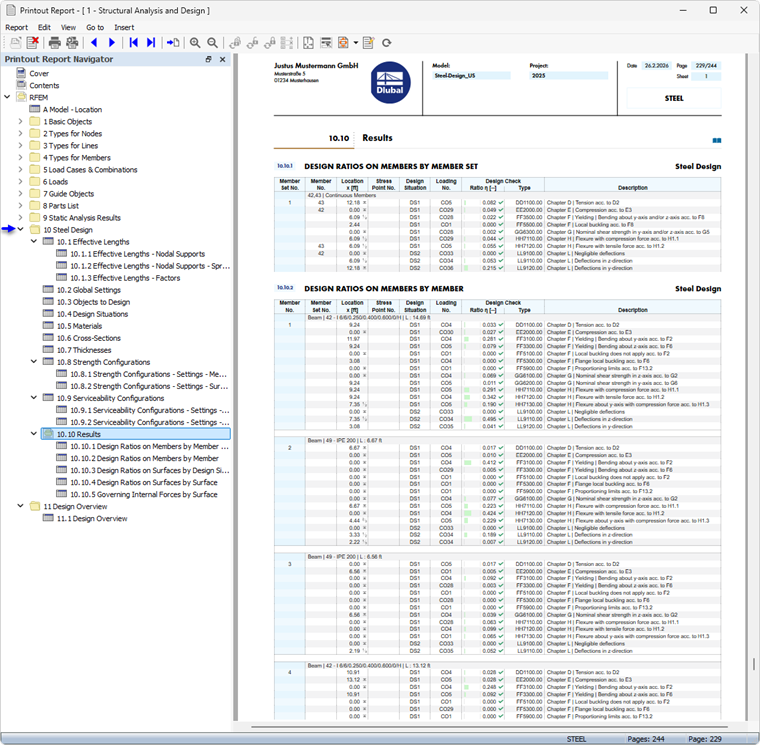
The Printout Report Manager provides all tables of Steel Design that are also displayed in the program interface.
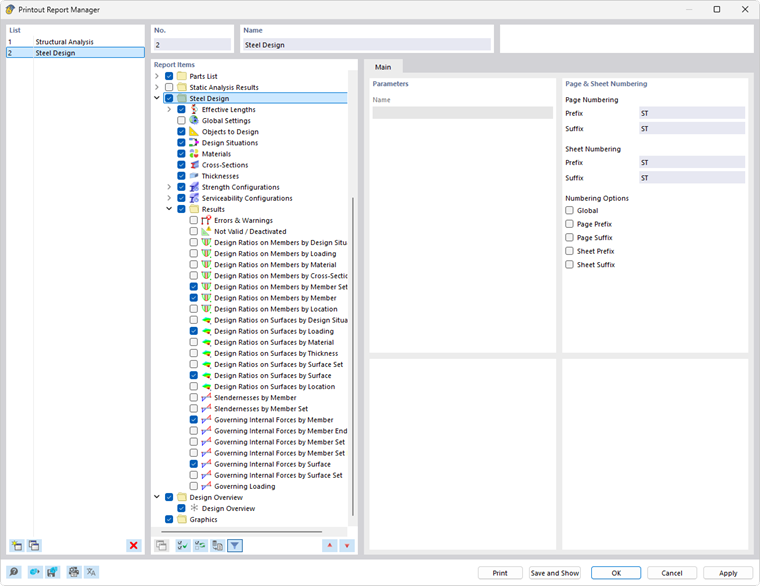
Use the check boxes to specify which tables you need for the documentation.
The filter options provide another way to customize the output in tables. The results can be filtered according to specific criteria:
- Object filter by number or object selection
- Result filter with the same filter options as in the Result Table Manager
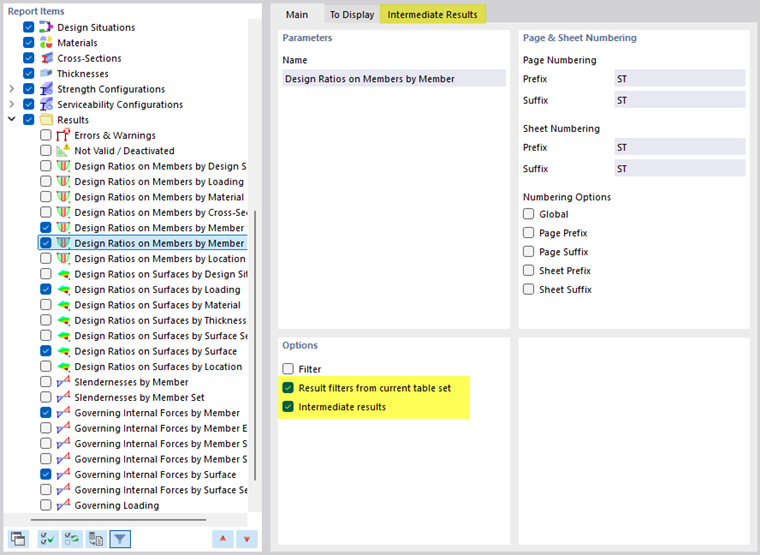
- Design criterion filter using “Result filter from current table set” (see Filtering Results by Design Ratio)
- Integration of intermediate results with the selection option in a separate tab
You can also include the design check formulas with the design check details in the printout report. To do this, use the corresponding option in the list button below the formulas in the Design Check Details dialog box (see the image Printing Design Check Details).
In the print preview of the printout report, you can check the data, arrange it as desired, and add graphics and text.