


Design situations in the RFEM/RSTAB model determine which combination rules are applied when generating the load and result combinations for the limit states specified in the code. Even manually created combinations can be assigned to specific limit states (see the chapter Design Situations in the RFEM 6 manual).
The “Design Situations” table for timber design lists all design situations defined in the model. Here, you can decide whether and how a specific design situation should be considered for the timber design checks.

Selecting Design Combinations for Timber Design
The “To Design” check box is activated by default. This ensures that all design situations are analyzed in the timber design. If you do not want to perform timber design for a particular design situation, deactivate the check box. This design situation will then not be considered in the design checks. This selection is synchronized with the settings in the “Load Cases and Combinations” dialog box.
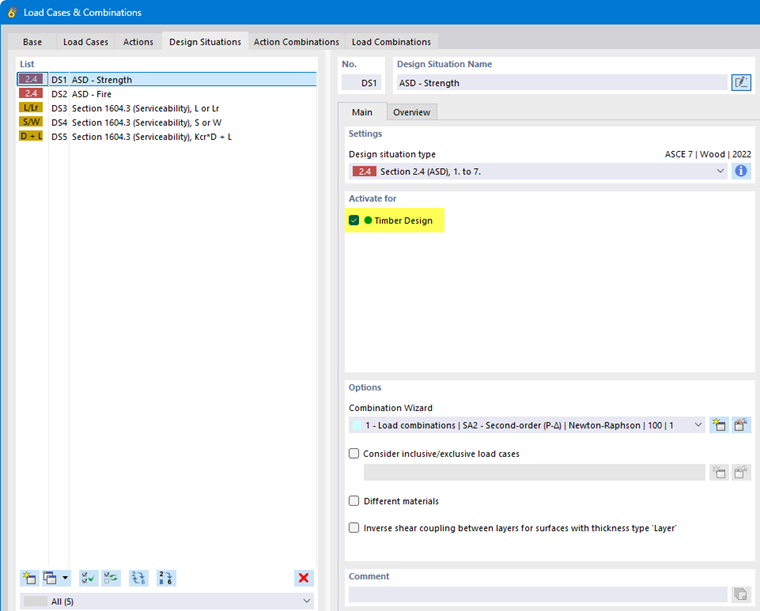
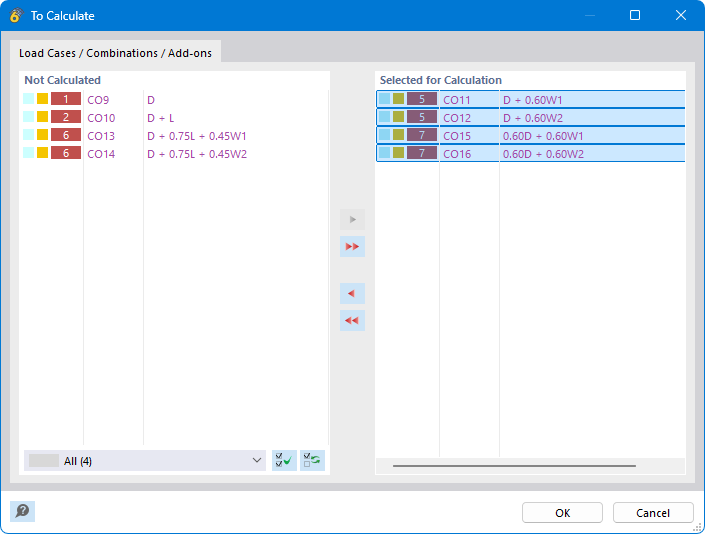
By default, all combinations of a design situation that is activated for design are taken into account. However, in the “Combinations to Design for Enumeration Method” table column, you can also specify certain combinations of the design situation: Click the
 button, which becomes available when clicking in the cell, and then select the relevant combinations in the dialog box.
Assigning Design Situations
The design situations were generated based on the standard you specified for the load case classification (see the chapter Standards I of the RFEM 6 manual). It is possible that the design situation type differs from the design type. However, the types are usually categorized automatically, so that a serviceability combination (CO) is also assigned to the “Serviceability” type for the design. In the “Design Situation Type” column of the table, you can check this assignment and correct it, if necessary.
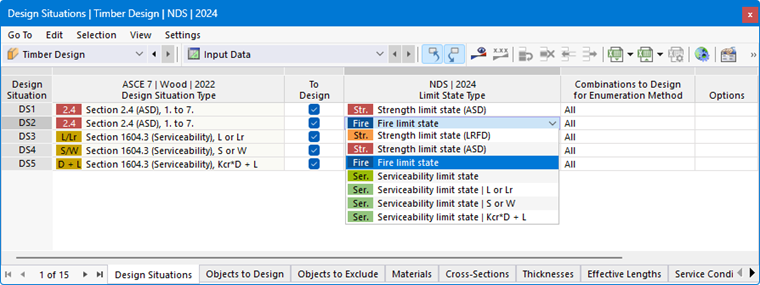
The design checks carried out in the add-on are based on the design situation type. For example, if a single design situation has no serviceability type, then no serviceability limit state design checks are performed—only ultimate limit state design checks. For each design situation, only the design checks associated with the design situation type are performed.
You can also activate multiple design situations of the same type for the design, such as two design situations for ultimate limit state design checks. The add-on then performs the ultimate limit state design checks for the selected combinations of both design situations.
Using Different Materials for Design
The “Different Materials” option in the Load Cases and Combinations dialog box provides the ability to change the materials used for the design checks in a given design situation. If you check the check box, you can specify the alternatives in a new tab.
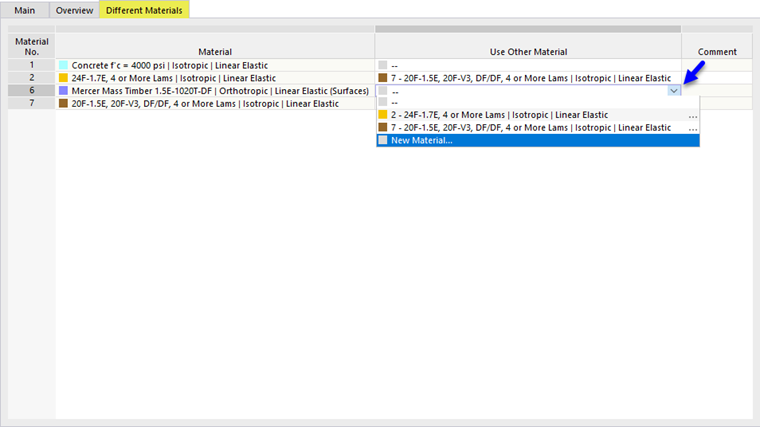
This allows you to use different material parameters for the structural analysis and for the design.